C++ Builder CEのプログラムから外部プログラム ZxingReaderを起動して利用する

でできているZxingReader.exeを起動して結果を得るアプローチです。C++ Builder CE自体でZxing-cppのbuildができないのですが、ある意味具体的な関数呼び出しをバイパスあるいは隠蔽できるので粗な使い方ですが、利点はあります。さて、フォーム(側 ガワ)は、
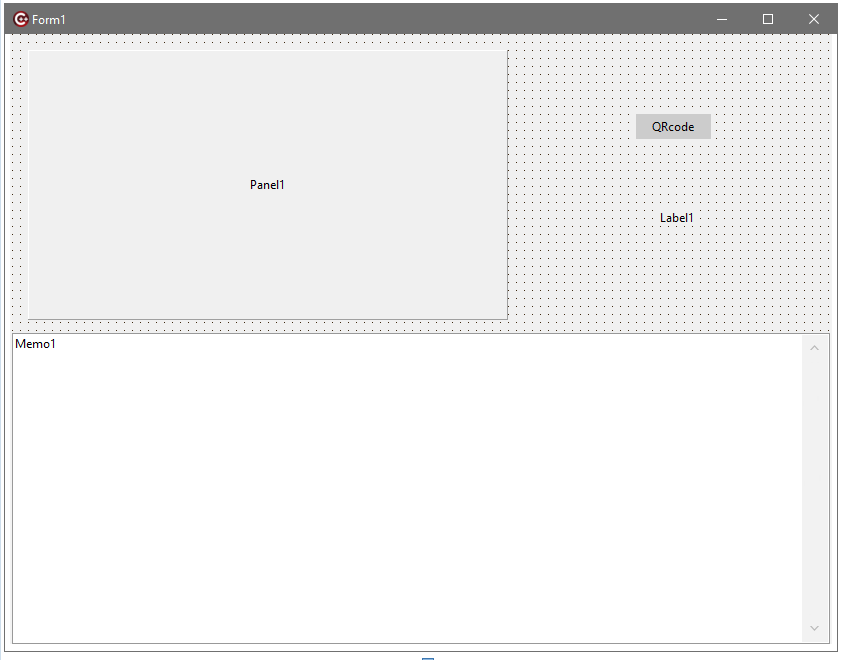
こんな感じでいいですかね?TPanelx1,TButtonx1,TLabelx2,TMemox1を配置します。基本的には、以前の記事
と同様です。こので少しだけ拡張した”vlcwrapper.h”やうーんと前の記事のPopen()を使います。
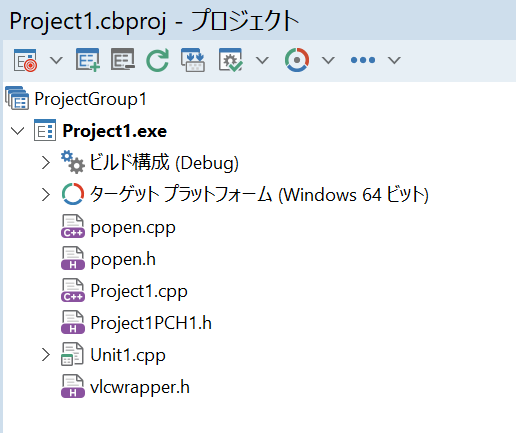
これら必要なファイル群はプロジェクトに追加しておきます。上図のように64bitなアプリでないとbuildできません。で、Unit1.hは、
//---------------------------------------------------------------------------

#ifndef Unit1H
#define Unit1H
//---------------------------------------------------------------------------
#include <System.Classes.hpp>
#include <Vcl.Controls.hpp>
#include <Vcl.StdCtrls.hpp>
#include <Vcl.Forms.hpp>
#include <Vcl.ExtCtrls.hpp>
//---------------------------------------------------------------------------
class TForm1 : public TForm
{
__published:	// IDE で管理されるコンポーネント
	TPanel *Panel1;
	TButton *Still;
	TLabel *Label1;
	TMemo *Memo1;
	void __fastcall FormDestroy(TObject *Sender);
	void __fastcall StillClick(TObject *Sender);
private:	// ユーザー宣言
public:		// ユーザー宣言
	__fastcall TForm1(TComponent* Owner);
};
//---------------------------------------------------------------------------
extern PACKAGE TForm1 *Form1;
//---------------------------------------------------------------------------
#endif
Unit1.cppは、
//---------------------------------------------------------------------------


#include <vcl.h>
#pragma hdrstop
#include "vlcwrapper.h"
#include "popen.h"
#include "Unit1.h"
//---------------------------------------------------------------------------
#pragma package(smart_init)
#pragma resource "*.dfm"

TForm1 *Form1;
VLC* vlc;

//---------------------------------------------------------------------------

void processcodes(AnsiString filename)
{
	//String Popen(const String command, const String arguments,DWORD& rc)
	String results;
	DWORD rc;

	results = Popen("./zxingreader", filename , rc);
	Form1->Memo1->Lines->Add(results);


}
__fastcall TForm1::TForm1(TComponent* Owner)
	: TForm(Owner)
{
	AnsiString mrl = "dshow://";

	Memo1->Lines->Clear();

	vlc = new VLC(mrl);
	//vlc->Option(":dshow-size=640x480");
	vlc->Option(":dshow-aspect-ratio=16\\:9");
	vlc->SetHWND(Form1->Panel1->Handle);
	vlc->SetVolume(0);
	vlc->Play();

}
//---------------------------------------------------------------------------

void __fastcall TForm1::FormDestroy(TObject *Sender)
{
	vlc->Stop();
	delete vlc;
}


void __fastcall TForm1::StillClick(TObject *Sender)
{
	AnsiString output_path = "snapshot.png";
	int result = vlc->SnapShot(output_path.c_str());

	if (result == 0) {
		Label1->Caption = "File saved";
	} else {
        Label1->Caption = "save error";
	}
	// detecting qrcode etc
	processcodes(output_path);


}
buildして動かすと、
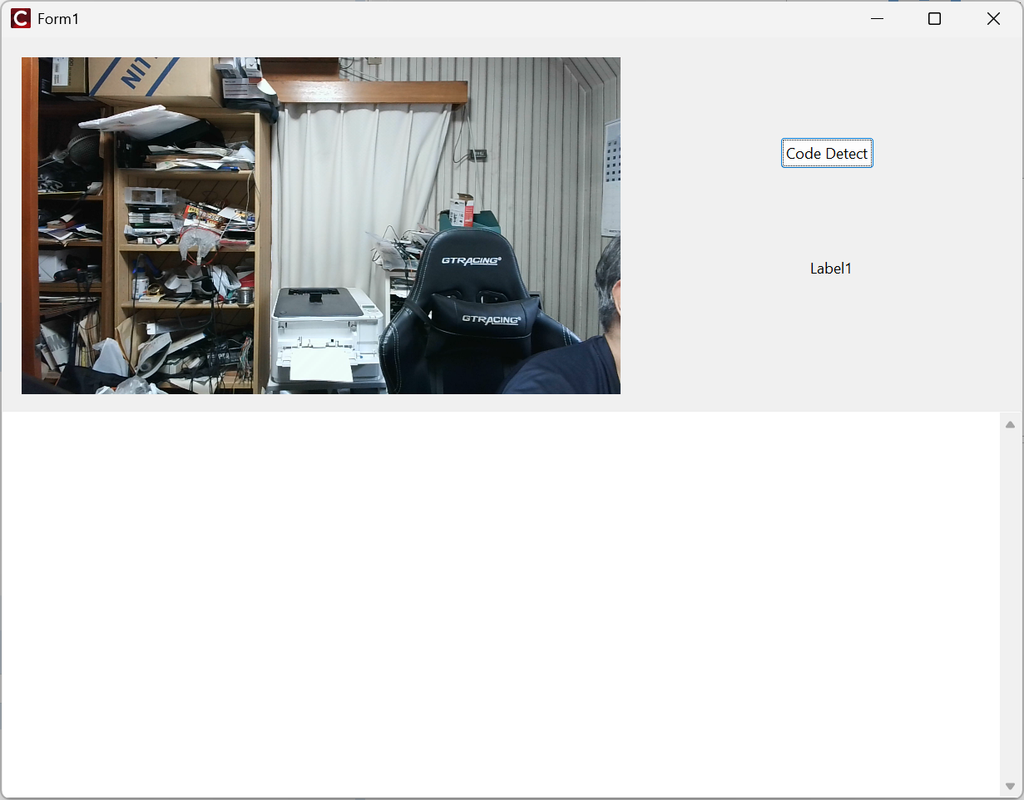
ここでライブ画面でQRcodeやBarcodeを写して、”Code Detect”ボタンをクリックすれば、なんらかの”Code”が読み取れれば、結果が表示されます。先ほどの買い物のレシートで試して見ますか?
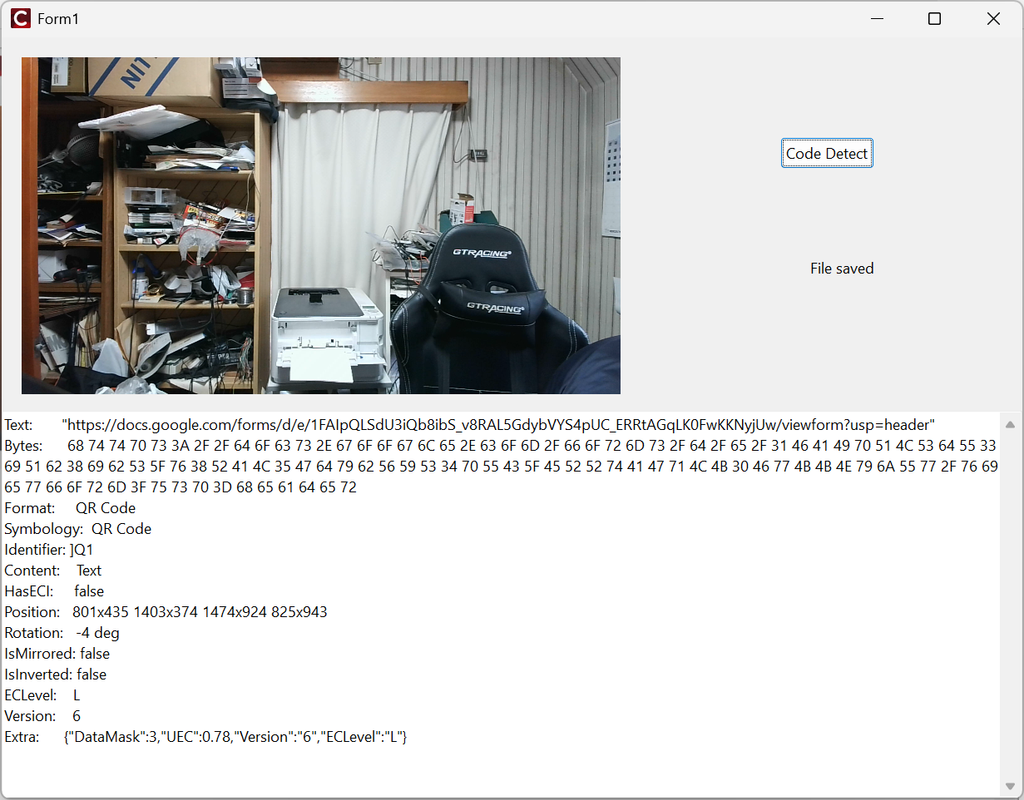
画面は、
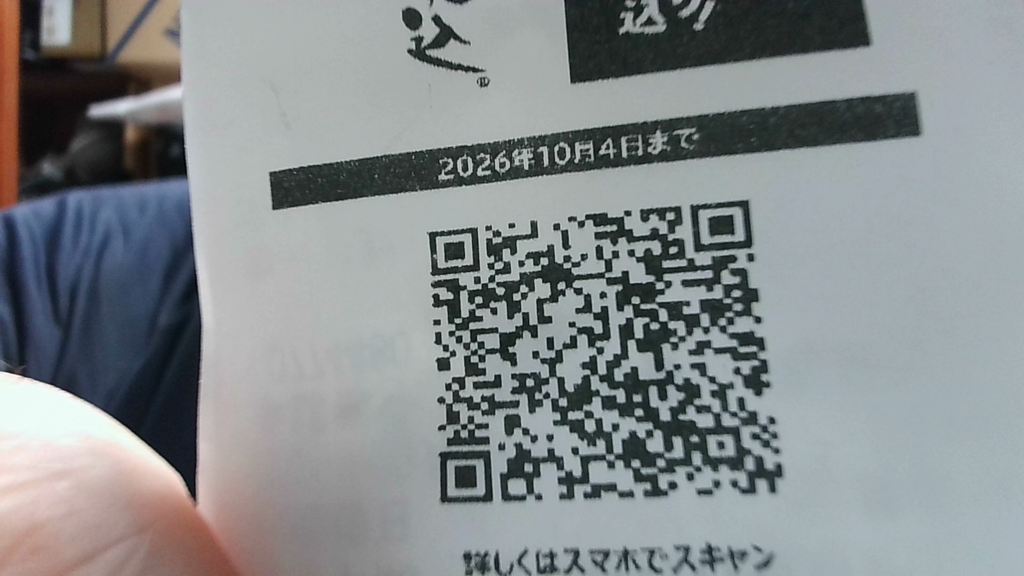
でした。Rotation: -4 degとなっていますから、回転補正をした上でQRcodeが読み取れています。
void processcodes(AnsiString filename)
{
	//String Popen(const String command, const String arguments,DWORD& rc)
	String results;
	DWORD rc;

	results = Popen("./zxingreader", filename , rc);
	Form1->Memo1->Lines->Add(results);


}のように“zxingreader”に”丸投げ”して、結果をPopen()の戻り値として得て、Memo1に表示しているだけです。zxingreaderは二次元のコードだけでなく、一次元のも読み取れますので、
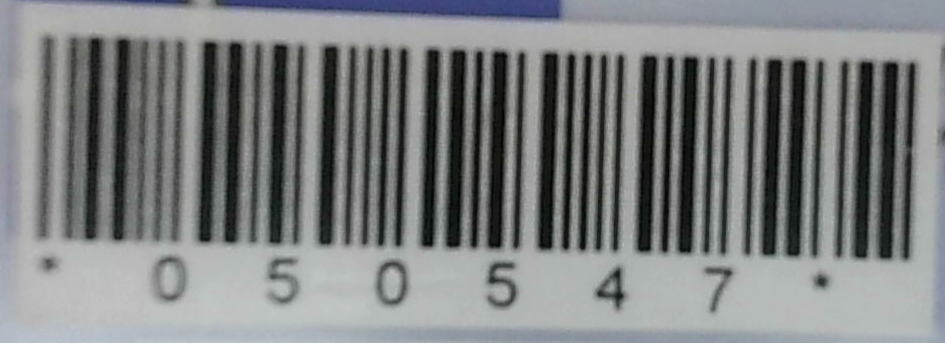
Text:       "050547"
Bytes:      30 35 30 35 34 37
Format:     Code 39
Symbology:  Code 39
Identifier: ]A0
Content:    Text
HasECI:     false
Position:   412x448 1280x448 1276x602 406x602
Rotation:   0 deg
IsMirrored: false
IsInverted: false
Lines:      32
このような比較的単純なBarcodeだけでなく、
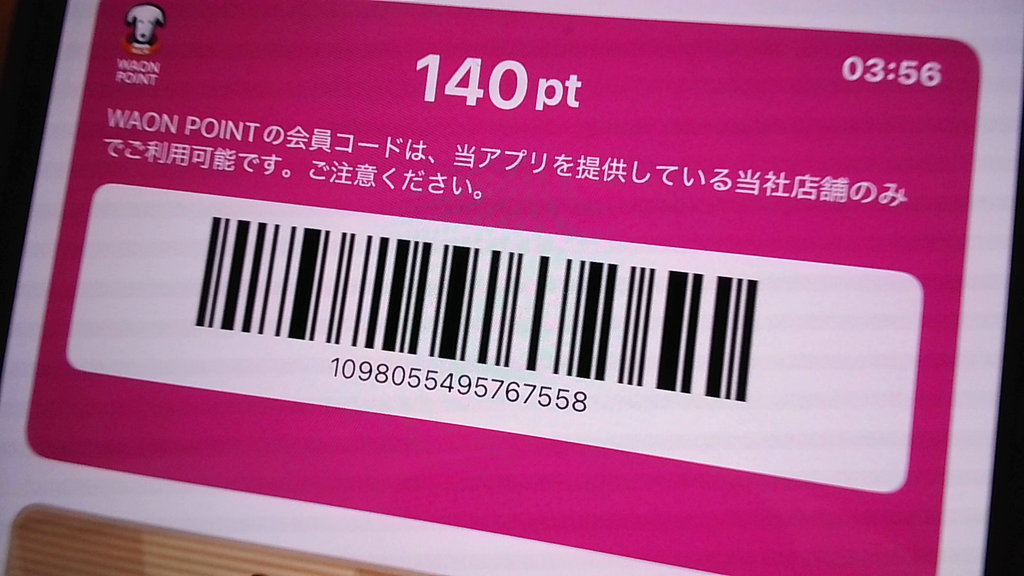
Text:       "1098055495767558"
Bytes:      31 30 39 38 30 35 35 34 39 35 37 36 37 35 35 38
Format:     Code 128
Symbology:  Code 128
Identifier: ]C0
Content:    Text
HasECI:     false
Position:   380x528 1421x528 1412x610 366x610
Rotation:   0 deg
IsMirrored: false
IsInverted: false
Lines:      11
実用的に読めていますね。このような形でlibraryとして吸収できなくても、他プロセスとして起動して、結果だけかすめ取るという”ずるい”やり方でもC++ Builder CEで作ったプログラムの機能拡張ができます。1回ファイルセーブして、そのファイルを読み込ませるという方法を取っていますので、直接的にパイプを使ってストリームをzxingreaderに読み込ませるというような仕組みはzxingreader自体を改造しないとできませんが、連続的に多数のcodeを判定するようなアプリケーションでなければこれで良いのではないかと思えます。Writer側は既にできているので作りません。というかWindows 11 PCでQRCodeを読み込むのは、”カメラ”アプリで可能です。標準機能ですね。

コメント