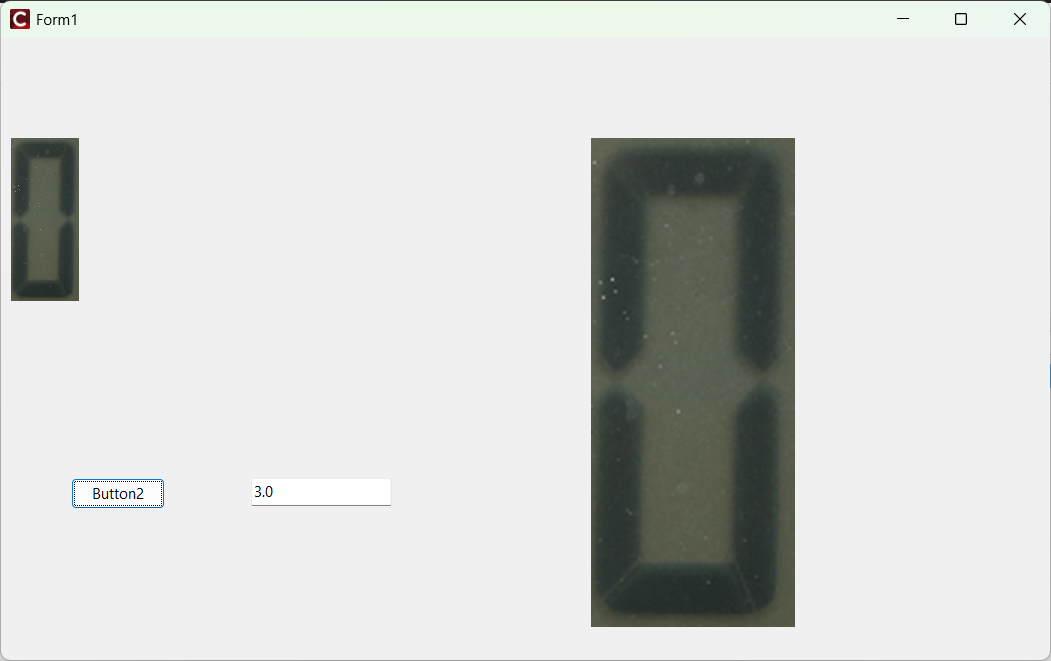
Bicubic法を使う
最小限のテストのための側を被せます。まずフォームは、
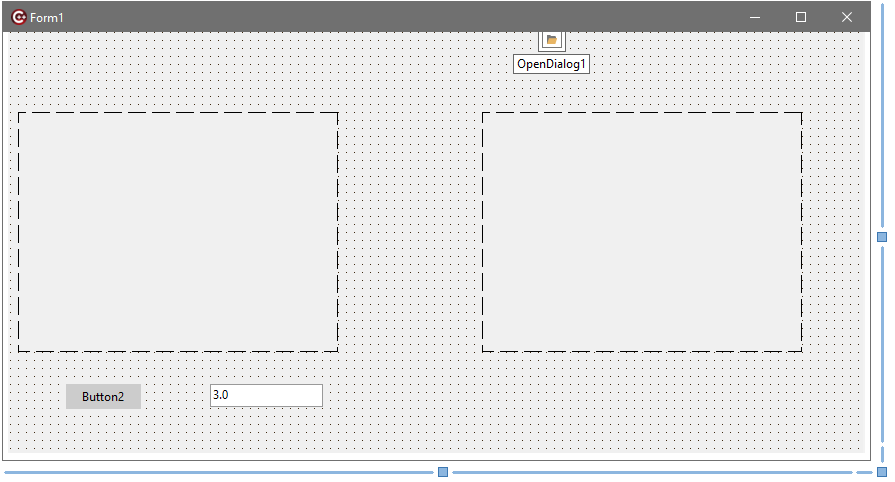
こんな感じで、TImagex2,TOpenDialogx1,TButtonx1,TEditTextx1を適切に配置。Unit1.hは、
//---------------------------------------------------------------------------

#ifndef Unit1H
#define Unit1H
//---------------------------------------------------------------------------
#include <System.Classes.hpp>
#include <Vcl.Controls.hpp>
#include <Vcl.StdCtrls.hpp>
#include <Vcl.Forms.hpp>
#include <Vcl.ExtCtrls.hpp>
#include <Vcl.Dialogs.hpp>
//---------------------------------------------------------------------------
class TForm1 : public TForm
{
__published:	// IDE で管理されるコンポーネント
	TImage *Image1;
	TImage *Image2;
	TButton *Button2;
	TOpenDialog *OpenDialog1;
	TEdit *Edit1;
	void __fastcall Button2Click(TObject *Sender);
	//void __fastcall Button1Click(TObject *Sender);
private:	// ユーザー宣言
public:		// ユーザー宣言
	__fastcall TForm1(TComponent* Owner);
};
//---------------------------------------------------------------------------
extern PACKAGE TForm1 *Form1;
//---------------------------------------------------------------------------
#endif
Unit1.cppは、
//---------------------------------------------------------------------------

#include <vcl.h>
#pragma hdrstop
#include <math.h>
#include <algorithm>
#include <memory>

#include "Unit1.h"
//---------------------------------------------------------------------------
#pragma package(smart_init)
#pragma resource "*.dfm"
TForm1 *Form1;
//---------------------------------------------------------------------------
__fastcall TForm1::TForm1(TComponent* Owner)
	: TForm(Owner)
{
}

//---------------------------------------------------------------------------
// Bicubic interpolation helper
static double CubicHermite(double A, double B, double C, double D, double t) {
    double a = -A / 2.0 + (3.0 * B) / 2.0 - (3.0 * C) / 2.0 + D / 2.0;
    double b = A - (5.0 * B) / 2.0 + 2.0 * C - D / 2.0;
    double c = -A / 2.0 + C / 2.0;
    double d = B;
    return ((a * t + b) * t + c) * t + d;
}

// Get pixel safely (clamped to edges)
static TColor GetPixelSafe(TBitmap *bmp, int x, int y) {
    x = std::clamp(x, 0, bmp->Width - 1);
    y = std::clamp(y, 0, bmp->Height - 1);
    return bmp->Canvas->Pixels[x][y];
}

// Bicubic resize function
void ResizeBicubic(TBitmap *src, TBitmap *dst, int newW, int newH) {
    dst->PixelFormat = pf24bit;
    dst->SetSize(newW, newH);

    double scaleX = (double)src->Width / newW;
    double scaleY = (double)src->Height / newH;

    for (int y = 0; y < newH; y++) {
        double gy = y * scaleY;
        int gyi = (int)floor(gy);
        double dy = gy - gyi;

        for (int x = 0; x < newW; x++) {
            double gx = x * scaleX;
            int gxi = (int)floor(gx);
            double dx = gx - gxi;

            double r[4], g[4], b[4];

            // 4x4 neighborhood
            for (int m = -1; m <= 2; m++) {
                double rr[4], gg[4], bb[4];
                for (int n = -1; n <= 2; n++) {
                    TColor col = GetPixelSafe(src, gxi + n, gyi + m);
                    rr[n + 1] = GetRValue(col);
                    gg[n + 1] = GetGValue(col);
                    bb[n + 1] = GetBValue(col);
                }
                r[m + 1] = CubicHermite(rr[0], rr[1], rr[2], rr[3], dx);
                g[m + 1] = CubicHermite(gg[0], gg[1], gg[2], gg[3], dx);
                b[m + 1] = CubicHermite(bb[0], bb[1], bb[2], bb[3], dx);
            }

            int R = std::clamp((int)round(CubicHermite(r[0], r[1], r[2], r[3], dy)), 0, 255);
            int G = std::clamp((int)round(CubicHermite(g[0], g[1], g[2], g[3], dy)), 0, 255);
            int B = std::clamp((int)round(CubicHermite(b[0], b[1], b[2], b[3], dy)), 0, 255);

            dst->Canvas->Pixels[x][y] = (TColor)RGB(R, G, B);
        }
    }
}

// Example usage in a VCL Form
void __fastcall TForm1::Button2Click(TObject *Sender)
{


	if( OpenDialog1->Execute()){
	   //std::unique_ptr<TBitmap> src(new TBitmap());
	   //std::unique_ptr<TBitmap> dst(new TBitmap());

	   TBitmap* src = new TBitmap();
	   TBitmap* dst = new TBitmap();

	   src->LoadFromFile(OpenDialog1->FileName);
          int  width = src->Width;
	   int  height = src->Height;
		Image1->Width = width;
		Image1->Height = height;

	   float fact = StrToFloat(Edit1->Text);
	   Image1->Picture->Bitmap->Assign(src);

		//Image1->Picture->Bitmap = src;
		ResizeBicubic(src, dst, width*fact, height*fact);
	//dst->SaveToFile("output.bmp");
	Image2->Width = width*fact;
	Image2->Height = height*fact;

	Image2->Picture->Bitmap->Assign(dst);

	}


}
実行すると、
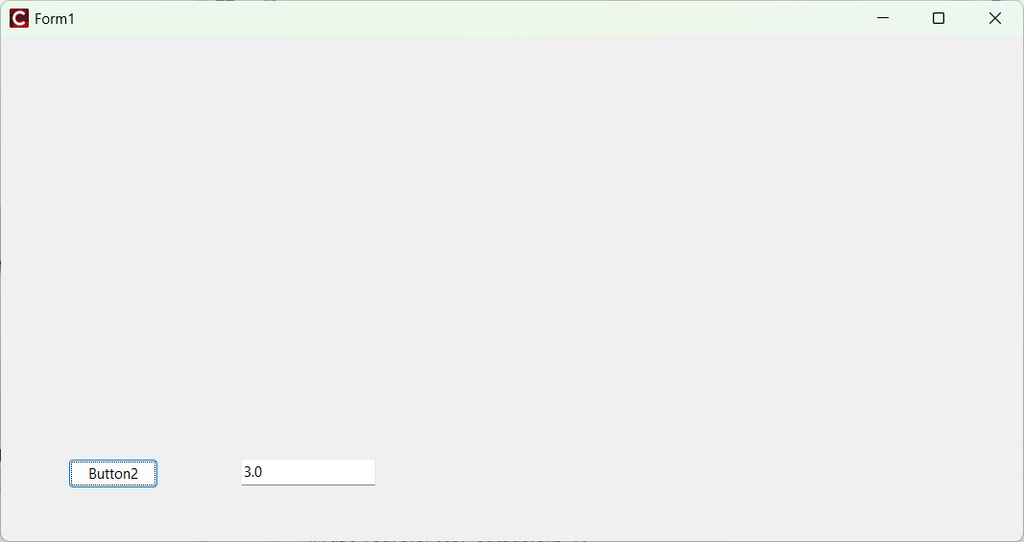
“Button2″をクリックするとファイル選択ダイアログがでます。
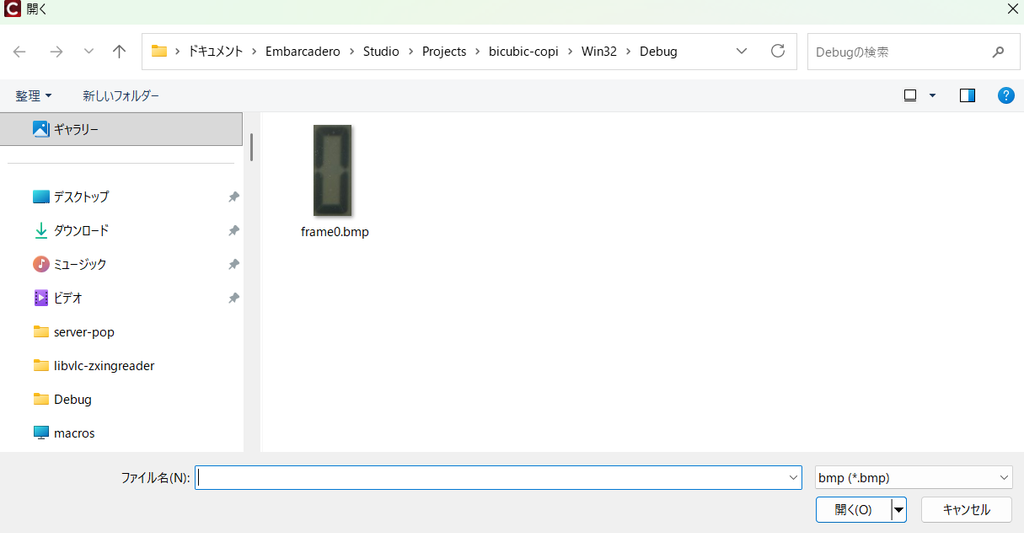
bmpファイルを選ぶと、少しだけ心配になるくらいの時間を経て、
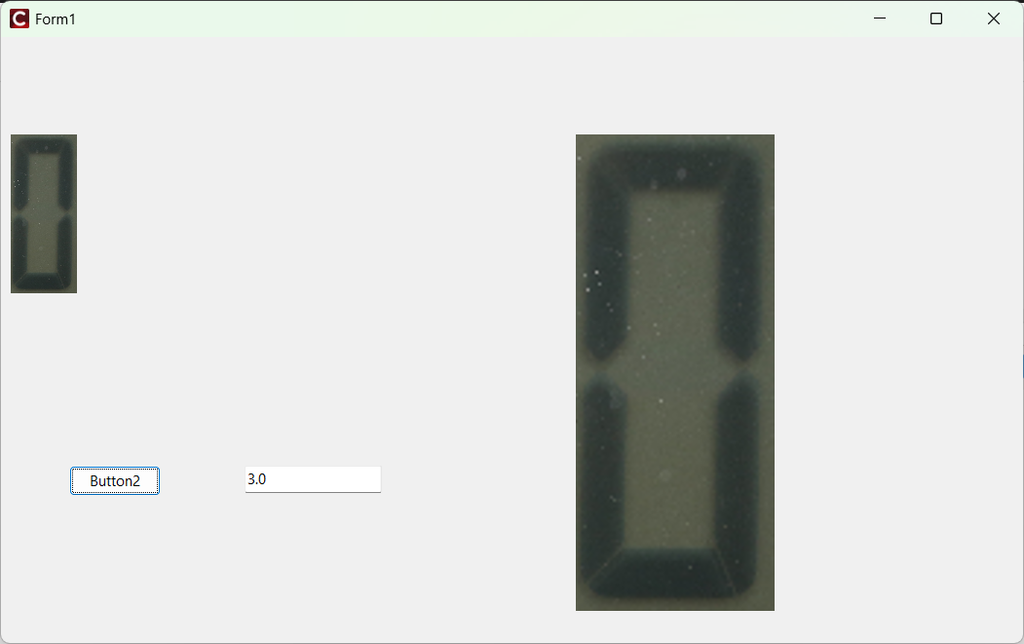
のように、元画像をEdit1に入れた倍率だけ拡大した画像が右に表示されます。基本的な動きは良さげですが、実用時には高速化の必要があるかもしれませんね。拡大率を1.0以下にすれば縮小画像ができます。

コメント