#3 8bit grayscale画像への変換もしておくかな
の続きです。まずはフォームから、
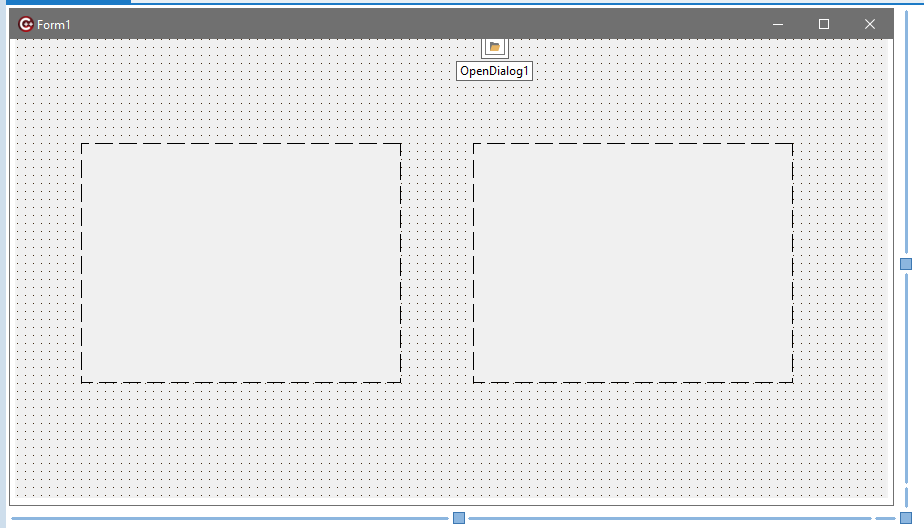
Unit1.hは、
//---------------------------------------------------------------------------

#ifndef Unit1H
#define Unit1H
//---------------------------------------------------------------------------
#include <System.Classes.hpp>
#include <Vcl.Controls.hpp>
#include <Vcl.StdCtrls.hpp>
#include <Vcl.Forms.hpp>
#include <Vcl.Dialogs.hpp>
#include <Vcl.ExtCtrls.hpp>
//---------------------------------------------------------------------------
class TForm1 : public TForm
{
__published:	// IDE で管理されるコンポーネント
	TOpenDialog *OpenDialog1;
	TImage *Image1;
	TImage *Image2;
private:	// ユーザー宣言
public:		// ユーザー宣言
	__fastcall TForm1(TComponent* Owner);
};
//---------------------------------------------------------------------------
extern PACKAGE TForm1 *Form1;
//---------------------------------------------------------------------------
#endif
Unit1.cppは、
//---------------------------------------------------------------------------

#include <vcl.h>
#pragma hdrstop
#include <pngimage.hpp> // TPngImage
#include <System.IOUtils.hpp>
#include "Unit1.h"
//---------------------------------------------------------------------------
#pragma package(smart_init)
#pragma resource "*.dfm"
TForm1 *Form1;

// 8bitパレット化(簡易版: グレースケール変換)
Graphics::TBitmap* ConvertTo8bitPalette(Graphics::TBitmap* src)
{
    if (!src) return nullptr;

    // 新しい8bitビットマップ作成
    Graphics::TBitmap* bmp8 = new Graphics::TBitmap();
    bmp8->PixelFormat = pf8bit;
    bmp8->Width  = src->Width;
    bmp8->Height = src->Height;

    // グレースケールパレット作成
    LOGPALETTE* logpal = (LOGPALETTE*)malloc(sizeof(LOGPALETTE) + 255 * sizeof(PALETTEENTRY));
    logpal->palVersion = 0x300;
    logpal->palNumEntries = 256;
    for (int i = 0; i < 256; i++) {
        logpal->palPalEntry[i].peRed   = i;
        logpal->palPalEntry[i].peGreen = i;
        logpal->palPalEntry[i].peBlue  = i;
        logpal->palPalEntry[i].peFlags = 0;
    }
    HPALETTE hpal = CreatePalette(logpal);
    free(logpal);

    bmp8->Palette = hpal;

    // ピクセル変換(単純に輝度を計算)
    for (int y = 0; y < src->Height; y++) {
        BYTE* dstLine = (BYTE*)bmp8->ScanLine[y];
        for (int x = 0; x < src->Width; x++) {
            TColor c = src->Canvas->Pixels[x][y];
            BYTE gray = (BYTE)((GetRValue(c) * 0.299) +
                               (GetGValue(c) * 0.587) +
                               (GetBValue(c) * 0.114));
            dstLine[x] = gray;
        }
    }

    return bmp8;
}

//---------------------------------------------------------------------------
__fastcall TForm1::TForm1(TComponent* Owner)
	: TForm(Owner)
{


	if( OpenDialog1->Execute()){

		TPngImage* png32 = new TPngImage();

		png32->LoadFromFile(OpenDialog1->FileName);

		String baseName = TPath::GetFileNameWithoutExtension(OpenDialog1->FileName); // "report"
		// PNG → Bitmap (32bit)
		Graphics::TBitmap* bmp32 = new Graphics::TBitmap();
		bmp32->Assign(png32);

		Image1->Picture->Bitmap->Assign(bmp32);

		// 8bit化
		Graphics::TBitmap* bmp8 = ConvertTo8bitPalette(bmp32);

		Image2->Picture->Bitmap->Assign(bmp8);

		// 8bit Bitmap → PNG
		TPngImage* png8 = new TPngImage();
		png8->Assign(bmp8);
		png8->SaveToFile("8bit"+baseName+".png");

		// 後始末
		delete png8;
		delete bmp8;
		delete bmp32;
		delete png32;


	}

}
//---------------------------------------------------------------------------
RGB値からgrayscale輝度への変換は、上のように
            TColor c = src->Canvas->Pixels[x][y];
            BYTE gray = (BYTE)((GetRValue(c) * 0.299) +
                               (GetGValue(c) * 0.587) +
                               (GetBValue(c) * 0.114));
なので”自然”な変換です。必ずしもこれが正しいとは限りません。諸説あります。実行すると、
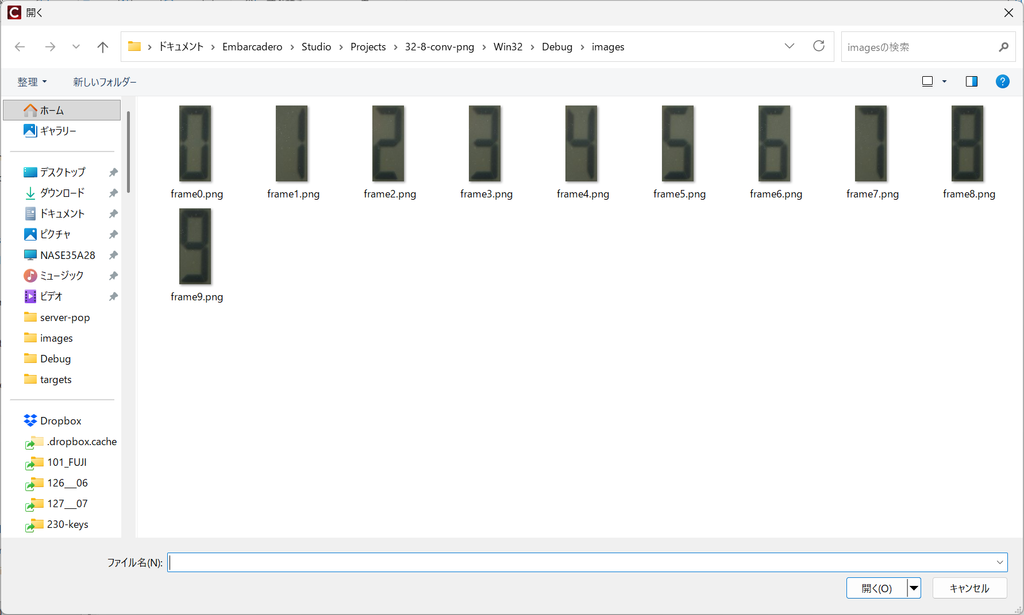
いきなり上のようなファイル選択ダイアログが出ますので、grayscale化したいファイルを選びます。
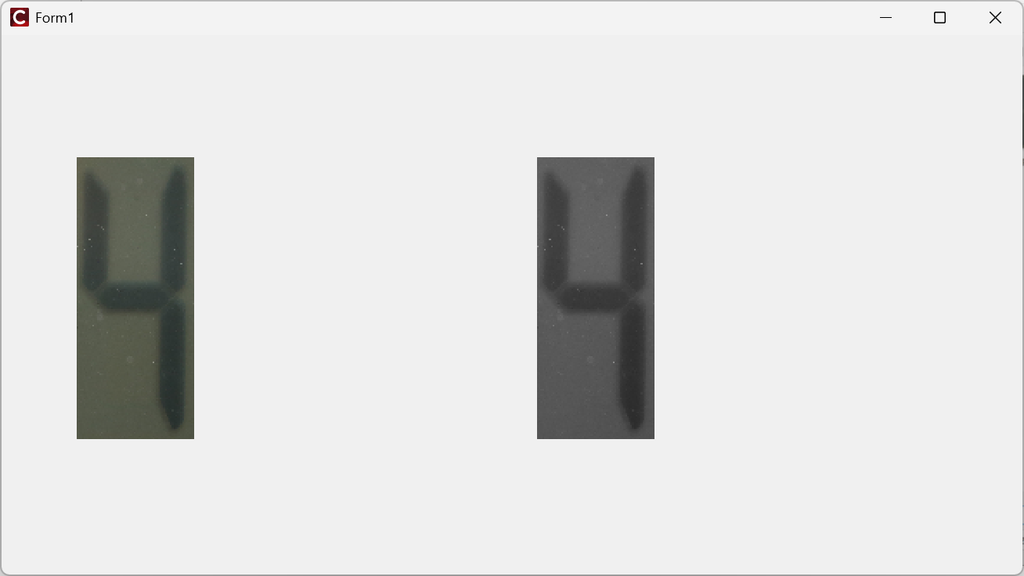
のように左のオリジナル画像に対して、grayscale化した画像が右に表示されます。出力ファイルは、
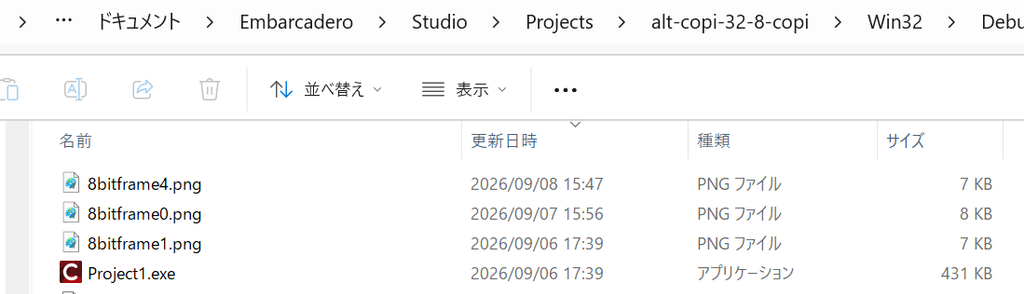
のように”接頭辞”8bitが付いたファイル名で保存されます。バルクないし一括処理で片付けるべきですね。
コメント