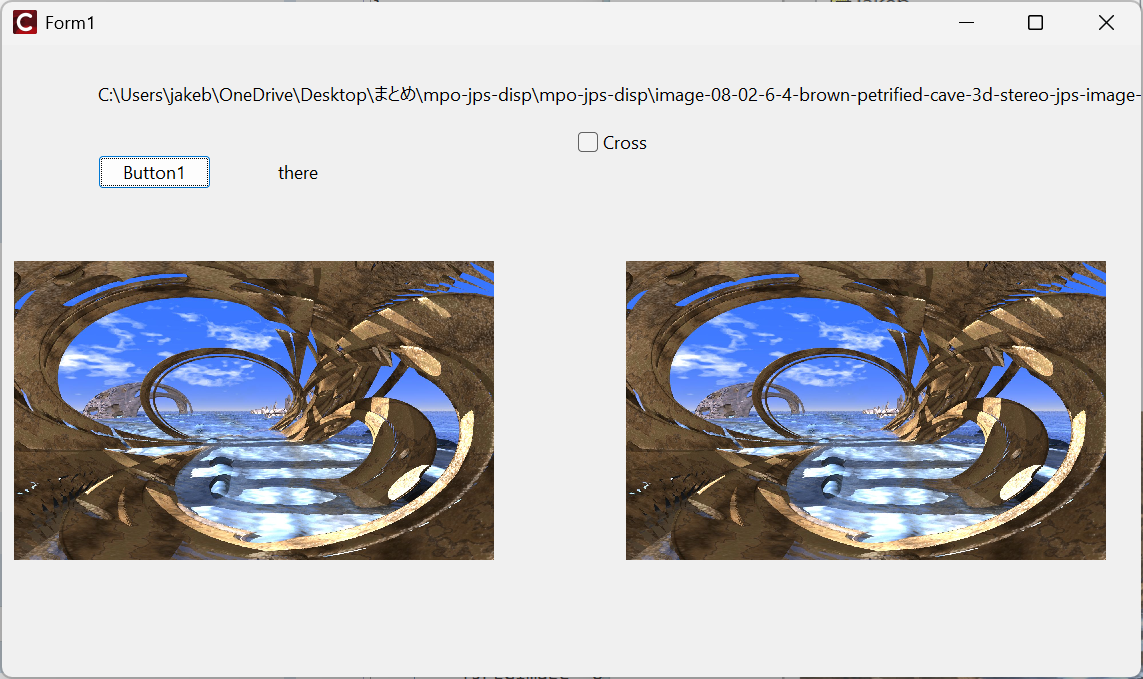
今度はC++ Builder CEで書いたプログラム mpo jps両タイプ対応
この記事の続編です。ここではMSVCのMFCベースのプログラムを示しましたが、mpoだけでjpsタイプのファイルを扱えませんでしたが、C++ Builder CEでプレビュー付きダイアログでファイル選択可能なプログラムを作ります。標準のファイル選択ダイアログをカスタマイズしてダイアログになんらかのコントロールを追加するやり方は、Mr.XRAYさんの
に詳細な解説が書かれています。ただしDelphi界隈の話です。もちろん同様な原理でC++ Builder CEでコントロールを追加してなんらかのpreviewを表示することはできなくもないですが、少し窮屈になりますので、最初から自由にファイル選択モーダルダイアログを作ってしまうというのが今回のアプローチです。フォームが二つでてきます。フォームやコードを表示する前に、前記事では触れなかった“JPS”ファイル(拡張子がjpsな3dイメージファイル)の構造について書いておきます。簡単に示すならば、単に左右のjpegファイルを”横に連結した”幅が2倍のjpegファイルという下図のようなものです。
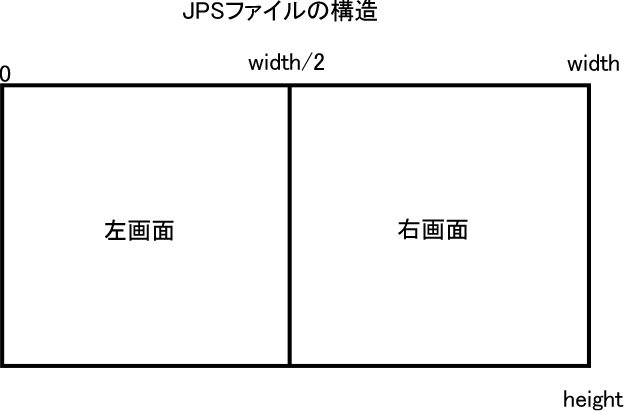
ただし交差法か平行法かで画面ないし画像をスイッチしなくてはなりません。さて、まずはファイル選択ダイアログを作りましょうかね?
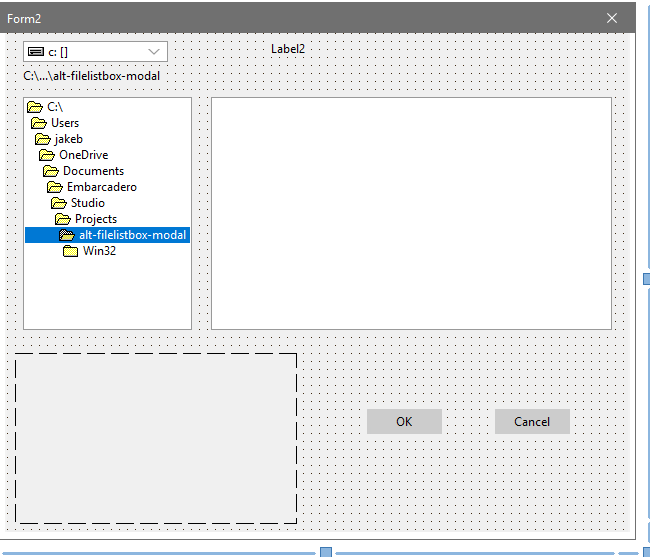
フォームを追加してForm2としますが、そこへ配置するのは、
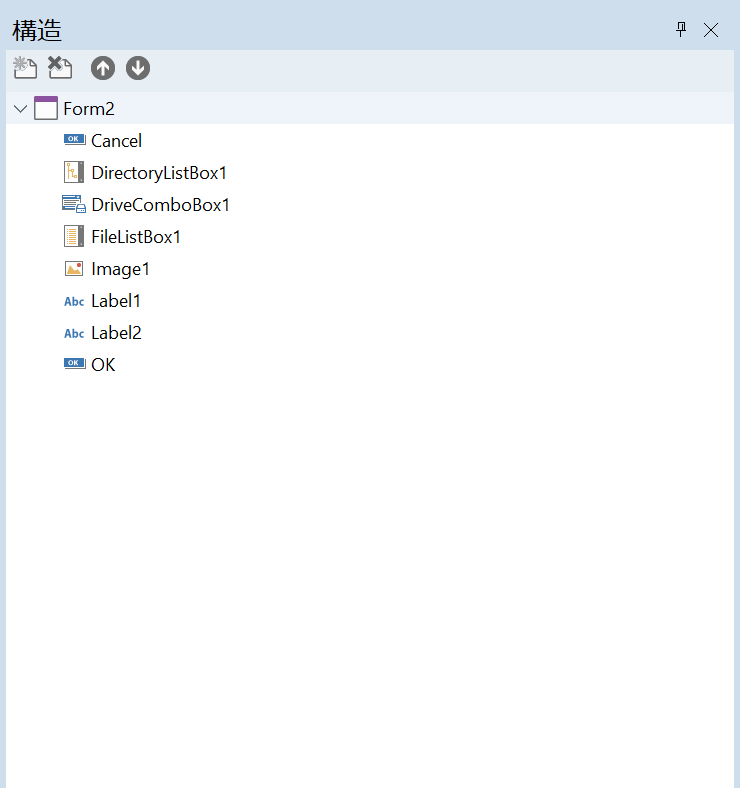
肝は、TDriveComboBox1 x 1 , TDirectoryListBox x 1, TFileListBox x 1ですね。これらを連携させます。
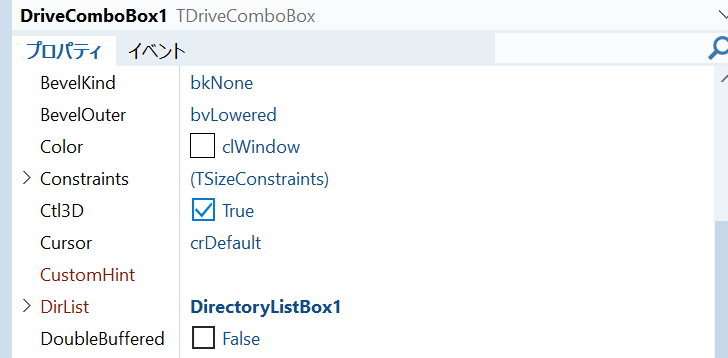
DriveComboBox1->DirList を DirectoryListBox1とつないで、
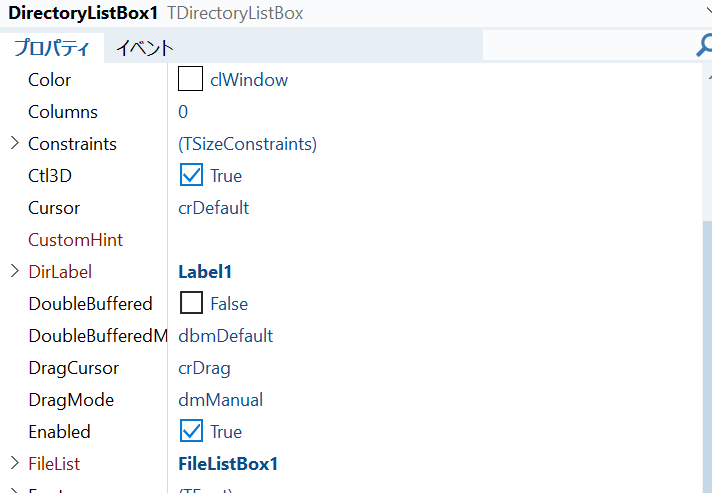
DirectoryListBox1->FileList を FileListBox1とつなぎます。
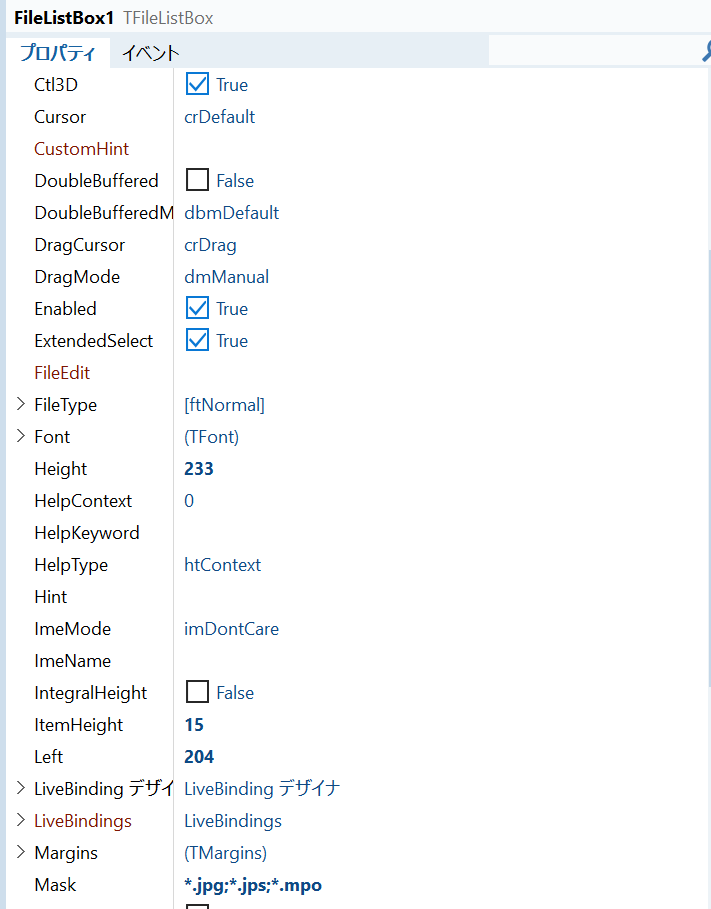
FileListBox1->Maskは上図のようにして、*.jpg,*.jps,*.mpoがリストされるようにしておきましょう。Form1は暫定ですけど、
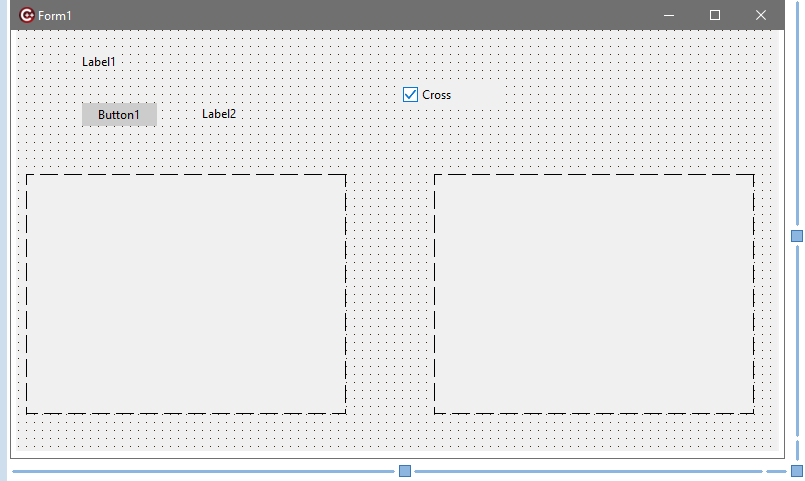
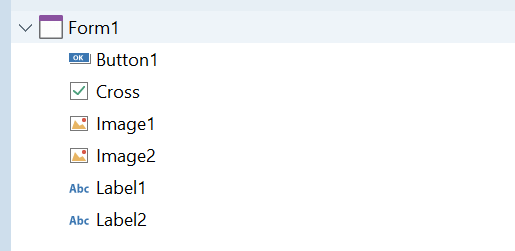
TImage x 2, TButton x 1, TLabel x 2, TCheckBox x1とかで良いでしょうかね。
コードは、ヘッダーはskip。Unit1.cppが、
//---------------------------------------------------------------------------

#include <vcl.h>
#pragma hdrstop
#include <windows.h>

#include <algorithm>
#include <System.IOUtils.hpp>
#include <string.h>
#include <jpeg.hpp>

#include "Unit1.h"
//---------------------------------------------------------------------------
#pragma package(smart_init)
#pragma resource "*.dfm"
TForm1 *Form1;

unsigned char* buf;
unsigned char pat[] = {0xff,0xd8,0xff,0xe1};


TJPEGImage* original = new TJPEGImage();
TBitmap* origbitmap = new TBitmap();
TBitmap* gleft = new TBitmap();
TBitmap* gright = new TBitmap();


void DispJPS(String filename)
{

	original->LoadFromFile(filename);
	origbitmap->Assign(original);
	//Image1->Picture->Bitmap = origbitmap;
		TBitmap* bitmap = new TBitmap();
	try {
		bitmap->Assign(original);

		int width = bitmap->Width;
		int height = bitmap->Height;

		// Create a cropped bitmap
		TBitmap* croppedBitmap = new TBitmap();
		try {
			croppedBitmap->Width = width/2;
			croppedBitmap->Height = height;

			// Copy the desired region from the original bitmap
			croppedBitmap->Canvas->CopyRect(
				Rect(0, 0, width/2, height),
				bitmap->Canvas,
				Rect(0,0,width/2, height)   // left image
			);

			Form1->Image1->Picture->Bitmap = croppedBitmap;
			//ms = croppedBitmap;
			//gleft = croppedBitmap;

		} __finally {
			delete croppedBitmap;
		}
	} __finally {
		delete bitmap;
	}

	bitmap = new TBitmap();
	try {
		bitmap->Assign(original);

		int width = bitmap->Width;
		int height = bitmap->Height;

		// Create a cropped bitmap
		TBitmap* croppedBitmap = new TBitmap();
		try {
			croppedBitmap->Width = width/2;
			croppedBitmap->Height = height;

			// Copy the desired region from the original bitmap
			croppedBitmap->Canvas->CopyRect(
				Rect(0, 0, width/2, height),
				bitmap->Canvas,
				Rect(0,0,width/2, height)   // left image
			);

			Form1->Image2->Picture->Bitmap = croppedBitmap;
			//gright = croppedBitmap;
		} __finally {
			delete croppedBitmap;
		}
	} __finally {
		delete bitmap;
	}
}

void DispMPO(String filename)
{

	FILE* fp;
	int found = 0;

	fp = fopen(AnsiString(filename).c_str(),"rb");
	if(!fp){
	  ShowMessage("file open error\n");
	  return;

	}
	long sz;
	 fseek( fp, 0, SEEK_END );
  sz = ftell( fp );
  //printf( "filesize %d バイト", sz );
	rewind(fp);
	buf = new unsigned char[sz];

	if( !buf ){
		ShowMessage("not enough core, buy some :-)");
		return;
	}
	int size = fread(buf,1,sz,fp);
	//printf("%d bytes read\n",size);
	fclose(fp);

	unsigned char* p = buf+4; // skip first occurrence
	int	offset = 4;

// int memcmp(const void *ptr1, const void *ptr2, size_t num);

	while( p < buf + size ){
		if( !memcmp(p,pat,4)){
			found = 1;
			break;
		}
		else {
			offset += 4;
			p += 4;
		}
	}

    TMemoryStream* left = new TMemoryStream();
	TMemoryStream* right = new TMemoryStream();

	//ms->WriteBuffer(buf,offset);    // for calling side
	left->WriteBuffer(buf,offset);
	right->WriteBuffer(buf+offset,size-offset);
	//write_out_2files(buf,offset,size);
	left->Position = 0;
	right->Position = 0;

	//Form2->Image1->Picture->LoadFromStream(left);

	Form1->Image1->Picture->LoadFromStream(left);
	Form1->Image2->Picture->LoadFromStream(right);

	delete left;
	delete right;

}


//---------------------------------------------------------------------------
__fastcall TForm1::TForm1(TComponent* Owner)
	: TForm(Owner)
{


}
//---------------------------------------------------------------------------
void __fastcall TForm1::Button1Click(TObject *Sender)
{
	Form1->Image1->Visible = false;
	Form1->Image2->Visible = false;

	Form2 = new TForm2(this);

	try {
		 if( Form2->ShowModal() == mrOk ){
			Form1->Image1->Visible = true;
			Form1->Image2->Visible = true;
		 }
		 else
			return;
	} __finally  {

		Form2->Free();
	}

	if( FileExists(Label1->Caption)){
        Label2->Caption = "there";
		//Image1->Picture->Bitmap = gleft;
		//Image2->Picture->Bitmap = gright;
	}

}
//---------------------------------------------------------------------------
Unit2.cppが、
//---------------------------------------------------------------------------

#include <vcl.h>
#pragma hdrstop

#include <jpeg.hpp>

#include "Unit1.h"
#include "Unit2.h"
//---------------------------------------------------------------------------
#pragma package(smart_init)
#pragma resource "*.dfm"
TForm2 *Form2;


extern TBitmap* gleft;
extern TBitmap* gright;

void DispMPO(String filename);
void DispJPS(String filename);

//---------------------------------------------------------------------------
__fastcall TForm2::TForm2(TComponent* Owner)
	: TForm(Owner)
{

	//DirectoryListBox1->Directory = "C:\\Users\\docna\\Downloads\\";
}

//---------------------------------------------------------------------------
void __fastcall TForm2::OKClick(TObject *Sender)
{
	Form1->Label1->Caption = FileListBox1->FileName;
    ModalResult = mrOk;
}

//---------------------------------------------------------------------------
void __fastcall TForm2::CancelClick(TObject *Sender)
{
	ModalResult = mrCancel;
}

//---------------------------------------------------------------------------
// FileListBox1.Mask := '*.txt;*.docx';

void __fastcall TForm2::FileListBox1Click(TObject *Sender)
{
	String fname = FileListBox1->FileName;

	Form1->Label1->Caption =  fname;

	String ext = ExtractFileExt(fname).LowerCase();
	Label2->Caption = ext;

	if( ext == ".jpg" ){

		TJPEGImage* original = new TJPEGImage();
		TBitmap* origbitmap = new TBitmap();

		original->LoadFromFile(fname);
		origbitmap->Assign(original);
		Image1->Picture->Bitmap = origbitmap;

		delete original;
		delete origbitmap;
	}
	else if( ext == ".mpo" ){
	/*
		TMemoryStream* ms = new TMemoryStream();
		DispMPO(fname,ms);
		ms->Position = 0;

		Image1->Picture->LoadFromStream(ms);

		delete ms;
	*/
		DispMPO(fname);
		Image1->Picture->Assign(Form1->Image1->Picture);
		//Image1->Picture->Bitmap = Form1->Image1->Picture->Bitmap; // copy
	}
	else {  // jps Image2.Picture.Assign(Image1.Picture);

		//TBitmap* ms = new TBitmap();
		DispJPS(fname);
		Image1->Picture->Assign(Form1->Image1->Picture);

	}


}
//---------------------------------------------------------------------------
無事起動すると、
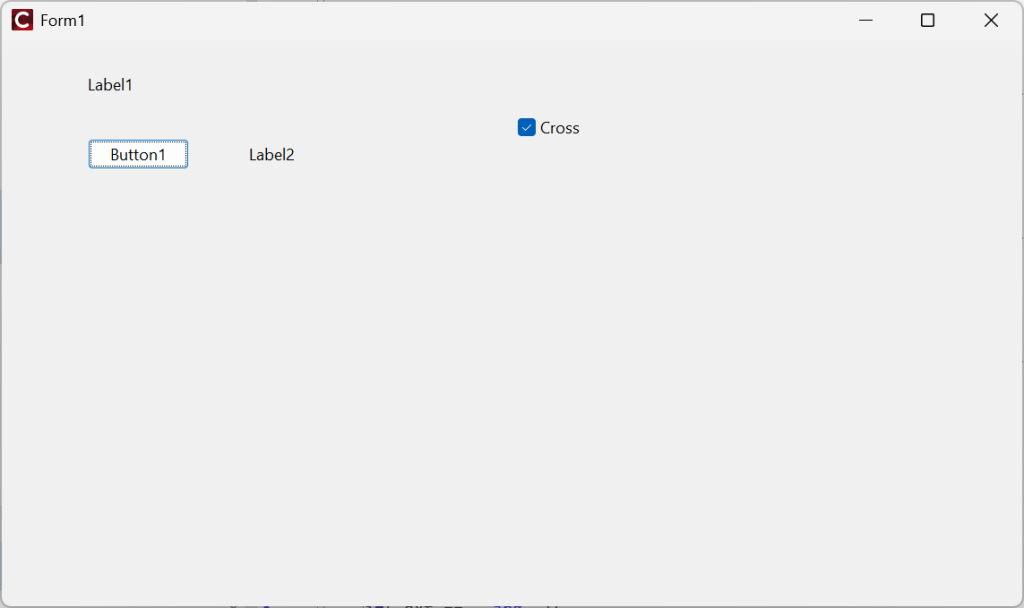
ボタンをクリックすると、その前に交差法非推奨なので、Crossのチェックを外してね。
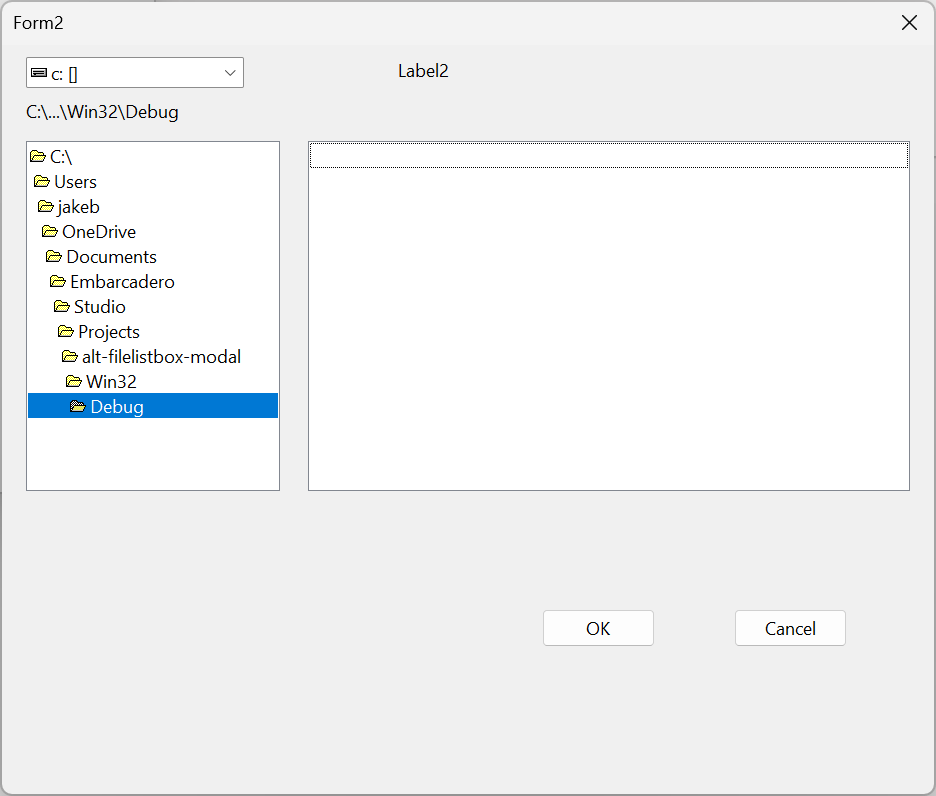
このような”ファイル選択ダイアログ”が出てくるので、ドライブ->ディレクトリの順に選択します。例えば、
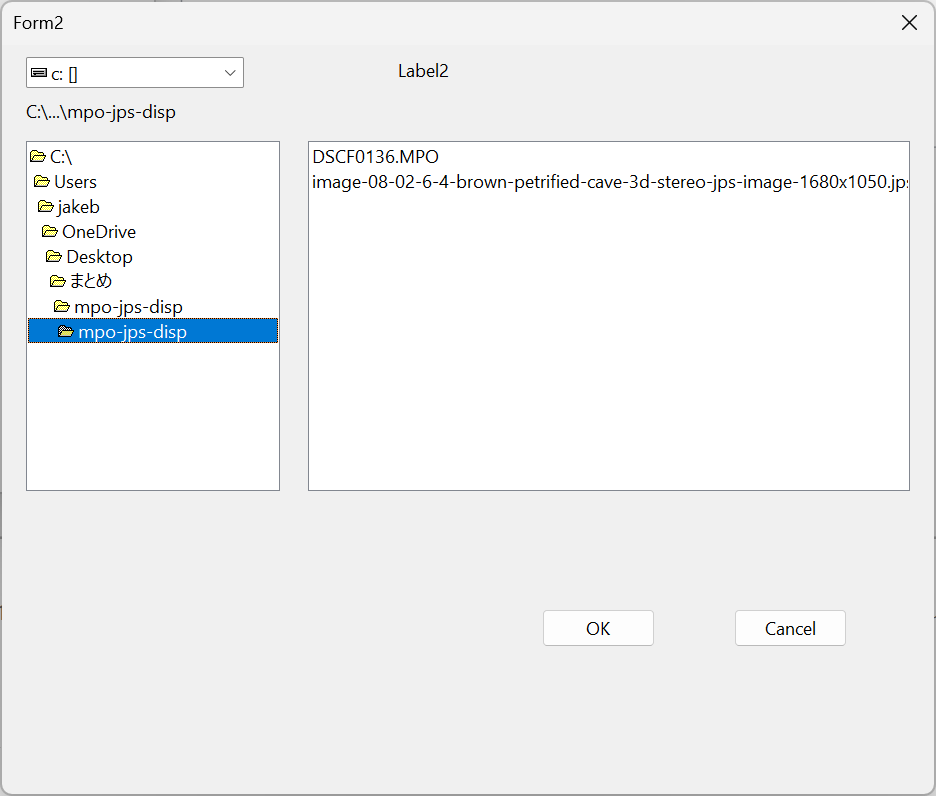
ファイルリスト上で具体的なファイルをクリックすると、
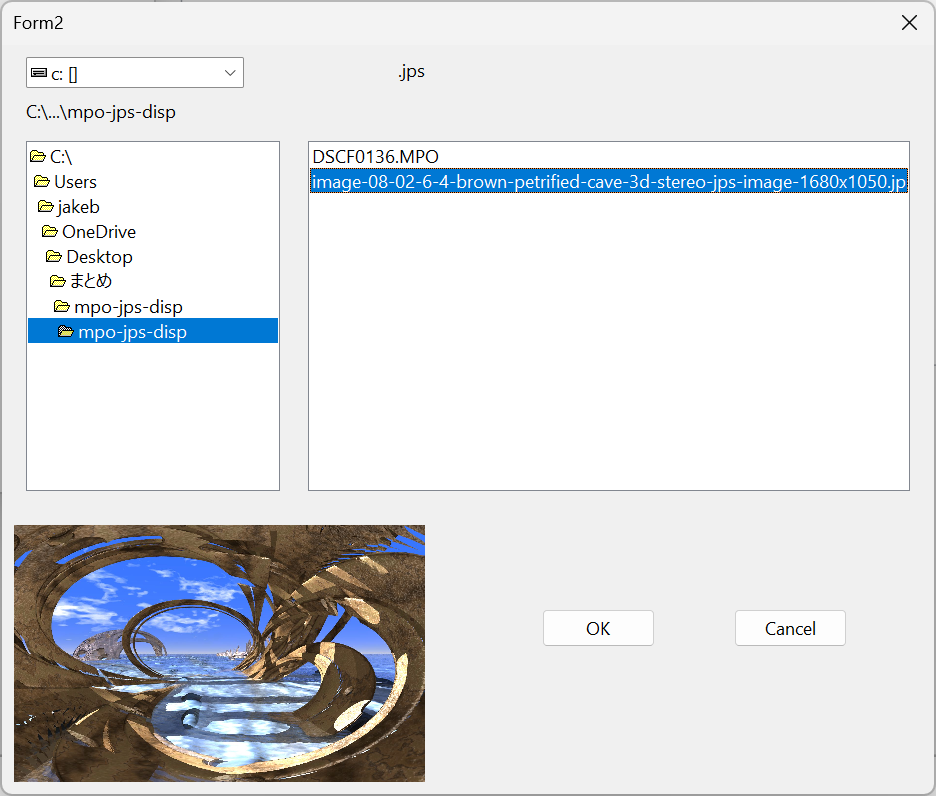
画面下にpreviewが出ます。これを見たければ、”OK”をクリック。
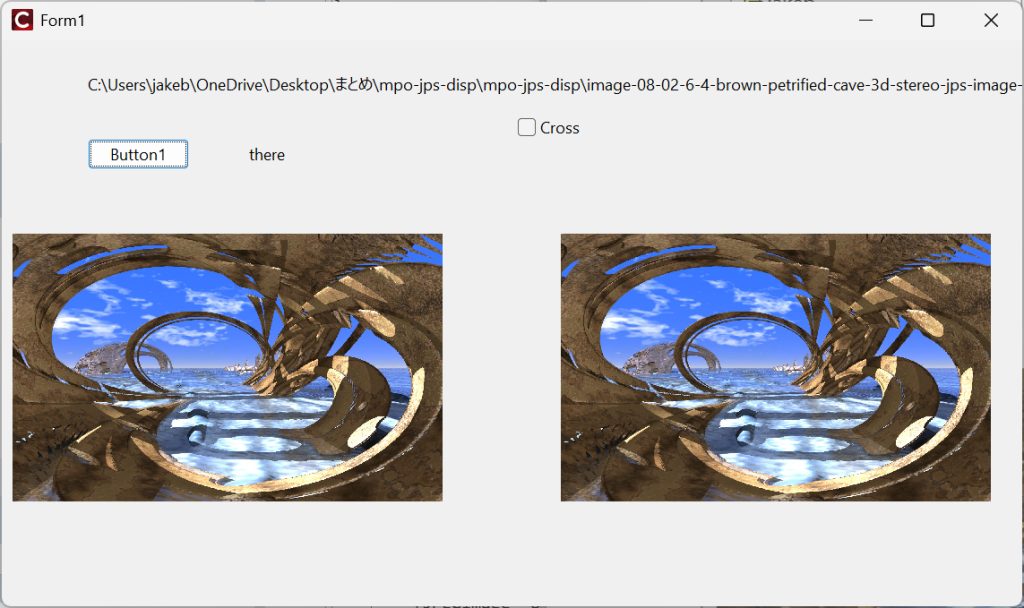
平行法で立体視できていますか?スマホで見ている場合は、スマホを回転させて、横長画面にするのが吉です。
一応バイナリもダウンロードできるようにしておきましょう。
“mpo-jps-display” をダウンロード mpo-jps-disp.zip 6.61 MBサンプルファイルは各1付属していますが、説明書は付いていません。上記で掲示したソースはlatestではないので、バイナリとの相違があるかもしれません。実行画面は、
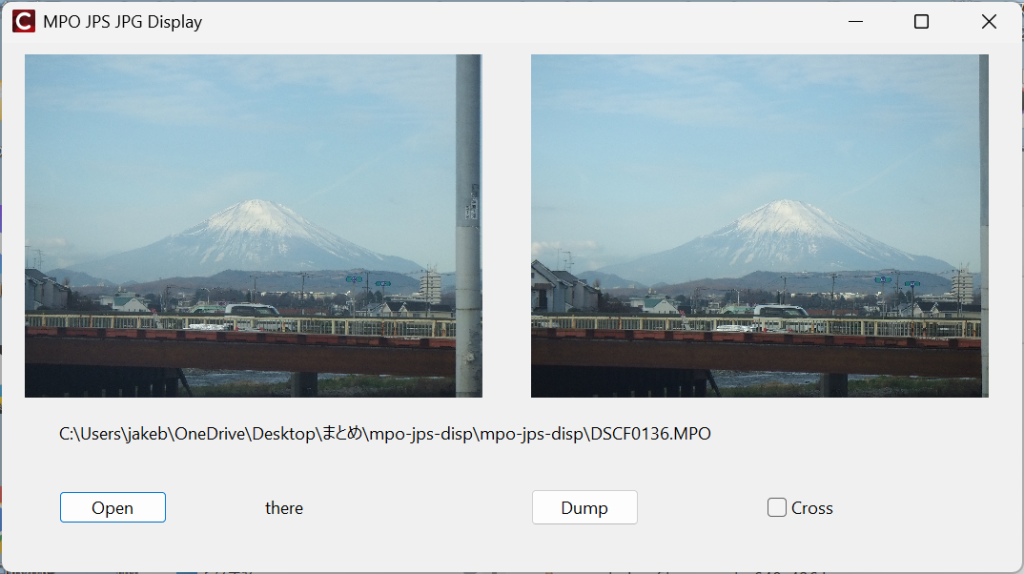
ということになり、”Dump”ボタンが追加されています。これをクリックすると、左右別々のjpegファイルがセーブされます。また添付しているjpsファイルは、
ここから落としました。CG生成されたjpgファイルのようですね。
またmposhowのように画面の拡大縮小にTImageがついて行きません。この点はそのうち直すかもしれません。
動画については、記事を改めて書くかもしれません。くれぐれも目の使いすぎに注意しましょう。

コメント