
Debian編
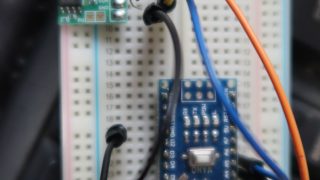
前記事でArduino nanoをUSB->I2C I/Fとして使えることがわかりました。Debianで使う記事です。スケッチが走っているArduino nanoをDebianなマシンに接続します。接続するしたタイミングでDmesg -Tすると、
[金  7月  3 08:46:08 2026] usb 6-1: new full-speed USB device number 2 using uhci_hcd
[金  7月  3 08:46:08 2026] usb 6-1: New USB device found, idVendor=1a86, idProduct=7523, bcdDevice= 2.54
[金  7月  3 08:46:08 2026] usb 6-1: New USB device strings: Mfr=0, Product=2, SerialNumber=0
[金  7月  3 08:46:08 2026] usb 6-1: Product: USB2.0-Serial
[金  7月  3 08:46:09 2026] usbcore: registered new interface driver usbserial_generic
[金  7月  3 08:46:09 2026] usbserial: USB Serial support registered for generic
[金  7月  3 08:46:09 2026] usbcore: registered new interface driver ch341
[金  7月  3 08:46:09 2026] usbserial: USB Serial support registered for ch341-uart
[金  7月  3 08:46:09 2026] ch341 6-1:1.0: ch341-uart converter detected
[金 7月 3 08:46:09 2026] usb 6-1: ch341-uart converter now attached to ttyUSB0こんな出力が得られます。ここで重要なのは上の緑文字部分で、デバイスとしてはttyUSB0としてアクセスできるということです。Debianでは”cu”ないし”screen”でシリアルコンソールからの出力が読み出せます。試してみましょうかね。シリアルのボーレートは合わせないと正常に読み取れませんから、Arduino nano上で走っているスケッチでのボーレートに合わせる必要があります。permissionで文句言われたら、
chmod 666 /dev/ttyUSB0とかして、
root@debianalt:~# cu -s 9600 -l /dev/ttyUSB0
Connected.
25.6250
25.6250
25.6250
25.6250
25.6250
25.6250
~25.6250
.
Disconnected.
のように温度計測結果が垂れ流しで得られます。使えそうですね。bashのスクリプトを工夫して計測結果をひとつ得ることが難しそうだったので、Cでプログラムを作りました。それが、
#include <iostream>
#include <string>
#include <fcntl.h>      // open()
#include <termios.h>    // termios, tcgetattr(), tcsetattr()
#include <unistd.h>     // read(), write(), close()
#include <cstring>      // memset()
#include <errno.h>      // errno

// Function to configure the serial port
bool configureSerialPort(int fd, speed_t baudRate) {
    struct termios tty;
    if (tcgetattr(fd, &tty) != 0) {
        std::cerr << "Error getting terminal attributes: " << strerror(errno) << "\n";
        return false;
    }

    // Set baud rate
    cfsetospeed(&tty, baudRate);
    cfsetispeed(&tty, baudRate);

    // Configure 8N1 (8 data bits, no parity, 1 stop bit)
    tty.c_cflag &= ~PARENB; // No parity
    tty.c_cflag &= ~CSTOPB; // 1 stop bit
    tty.c_cflag &= ~CSIZE;
    tty.c_cflag |= CS8;     // 8 bits per byte

    tty.c_cflag &= ~CRTSCTS; // No hardware flow control
    tty.c_cflag |= CREAD | CLOCAL; // Enable receiver, ignore modem control lines

    // Raw input mode (no processing)
    tty.c_lflag &= ~(ICANON | ECHO | ECHOE | ISIG);
    tty.c_iflag &= ~(IXON | IXOFF | IXANY); // No software flow control
    tty.c_oflag &= ~OPOST; // Raw output

    // Set read timeout
    tty.c_cc[VMIN]  = 0;  // Minimum number of characters to read
    tty.c_cc[VTIME] = 10; // Timeout in deciseconds (1s)

    // Apply settings
    if (tcsetattr(fd, TCSANOW, &tty) != 0) {
        std::cerr << "Error setting terminal attributes: " << strerror(errno) << "\n";
        return false;
    }
    return true;
}

char* extract(char* input)
{
        char delimiter[] = "\n\n";
        char *start,*end;

        start = strstr(input,delimiter);

        start += 2; // skip \n\n

        end = strstr(start,delimiter);

        if( end )
                *end = '\0';
         else
                return nullptr;

        return start;

}

int main() {
    const char* portName = "/dev/ttyUSB0"; // Change to your serial port
    int fd = open(portName, O_RDWR | O_NOCTTY | O_NDELAY);
    if (fd == -1) {
        std::cerr << "Error opening " << portName << ": " << strerror(errno) << "\n";
        return 1;
    }

    // Configure the serial port
    if (!configureSerialPort(fd, B9600)) { // Baud rate: 9600
        close(fd);
        return 1;
    }

    // Example: Write data
/*
    std::string outData = "Hello Serial\n";
    int bytesWritten = write(fd, outData.c_str(), outData.size());
    if (bytesWritten < 0) {
        std::cerr << "Error writing to serial port: " << strerror(errno) << "\n";
    } else {
        std::cout << "Sent: " << outData;
    }
*/
    // Example: Read data
    char buffer[256];
char* extdata;

    int bytesRead = read(fd, buffer, sizeof(buffer) - 1);
    if (bytesRead > 0) {
        buffer[bytesRead] = '\0'; // Null-terminate
//        std::cout << "Received: " << buffer << "\n";
        extdata = extract(buffer);
        std::cout << extdata << "\n";
    } else if (bytesRead == 0) {
        std::cout << "No data received (timeout)\n";
    } else {
        std::cerr << "Error reading from serial port: " << strerror(errno) << "\n";
    }

    close(fd);
    return 0;
}
垂れ流しのシリアル入力から計測結果を一個だけ抜き出すのが、extract()関数です。日時に計測結果を足して、一行出力するbashスクリプトは、
nao@ghost:~$ cat rtemp.sh
#!/bin/bash

now=`date`
temp=`/home/nao/ext`
echo ${now}, ${temp}
です。これをcronで30分毎に駆動するのは、
*/30 * * * * /home/nao/rtemp.sh >> /mnt/nas/ctemp/rasrdata.csv 2> /dev/nullになります。具体的な計測結果とその評価は以降の記事で触れます。


コメント