
最新のものにしておくのが吉ですから。これをインストールしてみましょう。
バージョンナンバーが飛んでいますけど、その事情は、
に記載があります。原文曰く:
Gitea drops the historical 1. prefix from its version numbers, so this release is 28.0.0 rather than 1.28.0.要するに、1.28.0になるところが、先頭の”歴史的”1をドロップしたよということです。自信作なんでしょうかね?その割に現時点で28.2.0でfixが入っていますけどね。ま、よくある話です。悪化していなければオケです。インストールはバイナリで行うので、基本的には、
ここの通りにやればできます。他にdatabaseを用意しておく必要がありますが、そちらを先にしておくかな?Gemini君に聞くと、教えてくれます。
-- データベースの作成
CREATE DATABASE gitea CHARACTER SET 'utf8mb4' COLLATE 'utf8mb4_bin';

-- 専用ユーザーの作成('gitea_user' と 'your_password' は適宜変更してください)
CREATE USER 'gitea_user'@'localhost' IDENTIFIED BY 'your_password';

-- 権限の付与
GRANT ALL PRIVILEGES ON gitea.* TO 'gitea_user'@'localhost';

-- 権限の反映
FLUSH PRIVILEGES;
この時点で、上記の例だとuser gitea_userが存在している必要があるかもしれません。今回はuser gitを指定しました。一応現時点の最新版の確認をしておきましょう。
へ行きます。上の方は、
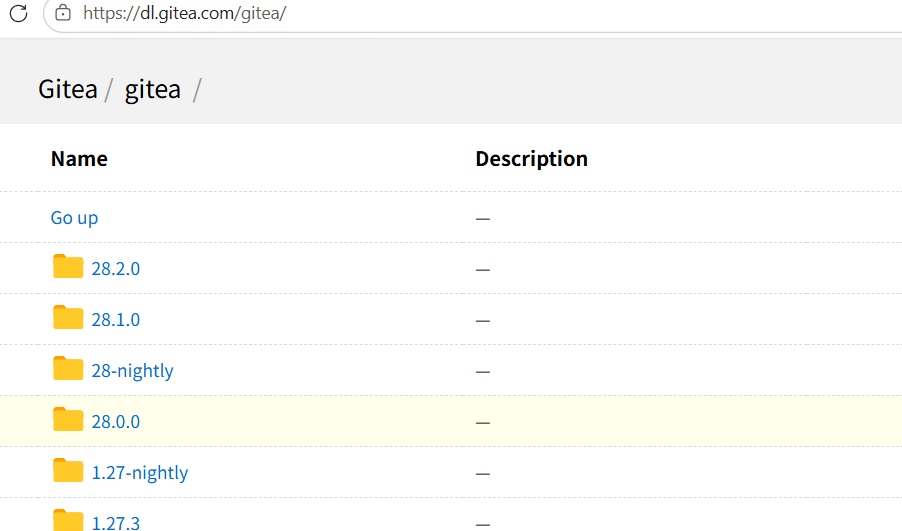
なので、28.2.0でオケです。1.27.3->28.0.0へ”化けた”のがわかります。
上図の28.2.0をたどると、
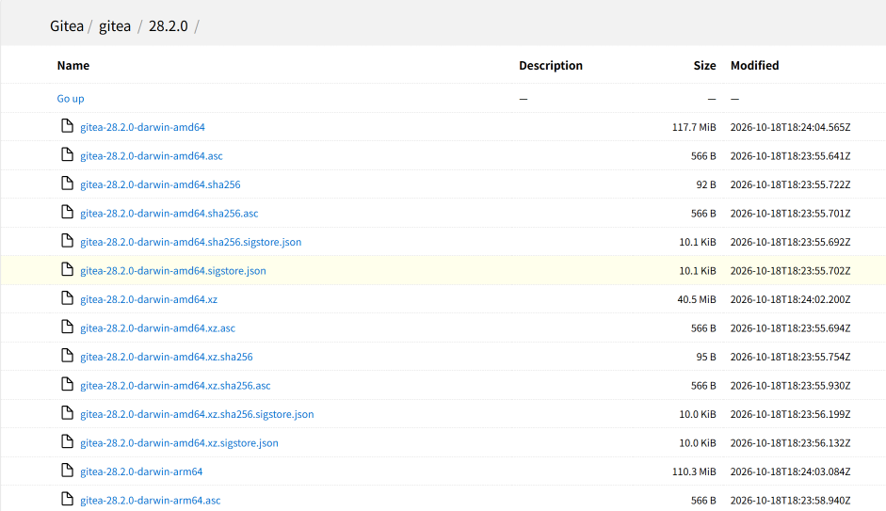
とごちゃごちゃ出てきますけど、Linux and amd64がキーワードです。

これですね。urlは、
https://dl.gitea.com/gitea/28.2.0/gitea-28.2.0-linux-amd64これをローカルマシンに取ってくるのは、wgetを使えば良いです。従って、
wget -O gitea https://dl.gitea.com/gitea/28.2.0/gitea-28.2.0-linux-amd64
chmod +x gitea
git –version

adduser \
   --system \
   --shell /bin/bash \
   --gecos 'Git Version Control' \
   --group \
   --disabled-password \
   --home /home/git \
   git

mkdir -p /var/lib/gitea/{custom,data,log}
chown -R git:git /var/lib/gitea/
chmod -R 750 /var/lib/gitea/
mkdir /etc/gitea
chown root:git /etc/gitea
chmod 770 /etc/gitea
chmod 640 /etc/gitea/app.ini
export GITEA_WORK_DIR=/var/lib/gitea/
cp gitea /usr/local/bin/gitea
適宜ディレクトリなどを必要に応じて読み替えてください。このままでも大丈夫です。以下は実際の実行例です。giteaをrootで起動するのは良くないので、user gitにswitchしてから起動します。初期起動ですね。
root@debian:~# su git
git@debian:/root$ cd
git@debian:~$ GITEA_WORK_DIR=/var/lib/gitea/ /usr/local/bin/gitea web -c/etc/gitea/app.ini
ここで、出力が、
2026/10/26 16:25:42 cmd/web.go:273:runWeb() [I] Starting Gitea on PID: 90646
2026/10/26 16:25:42 cmd/web.go:117:showWebStartupMessage() [I] Gitea version: 28.2.0 built with go1.27.2
2026/10/26 16:25:42 cmd/web.go:118:showWebStartupMessage() [I] * RunMode: prod
2026/10/26 16:25:42 cmd/web.go:119:showWebStartupMessage() [I] * AppPath: /usr/local/bin/gitea
2026/10/26 16:25:42 cmd/web.go:120:showWebStartupMessage() [I] * WorkPath: /var/lib/gitea/
2026/10/26 16:25:42 cmd/web.go:121:showWebStartupMessage() [I] * CustomPath: /var/lib/gitea/custom
2026/10/26 16:25:42 cmd/web.go:122:showWebStartupMessage() [I] * ConfigFile: /etc/gitea/app.ini
2026/10/26 16:25:42 cmd/web.go:123:showWebStartupMessage() [I] Prepare to run install page
2026/10/26 16:25:42 cmd/web.go:339:listen() [I] Listen: http://0.0.0.0:3000
2026/10/26 16:25:42 cmd/web.go:343:listen() [I] AppURL(ROOT_URL): http://localhost:3000/
2026/10/26 16:25:42 modules/graceful/server.go:53:NewServer() [I] Starting new Web server: tcp:0.0.0.0:3000 on PID: 90646等と出て、初期サーバーが立ち上がります。urlはhttp://localhost:3000/です。ここへ、ブラウザでアクセスします。localhostじゃなくて、ターゲットのlocalipでです。
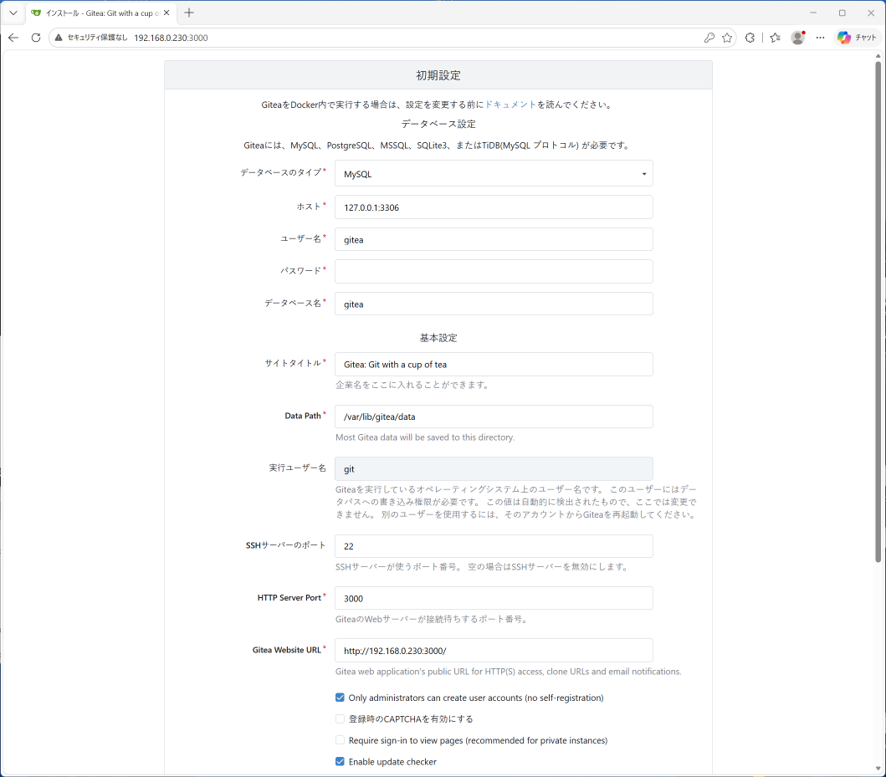
この初期設定の画面が出れば、ほぼうまくいっています。重要なのは、上の方のユーザ名、パスワード、データベース名で、用意したものを正確に入れます。最初の登録ユーザ=管理者を入れて、
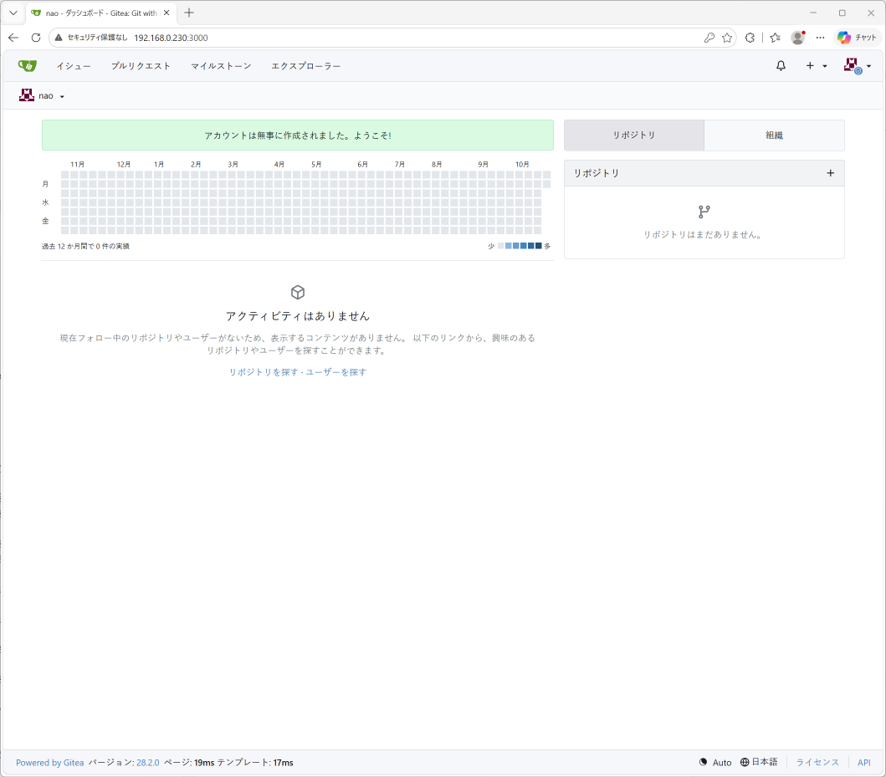
これで良いのですが、最初にコマンドラインで起動したままなので、一旦端末でctrl-cとかで抜けて、system serviceに登録しておきましょう。
root@debian:~# vi /etc/systemd/system/gitea.serviceとして、以下の内容のファイルを作ります。
[Unit]
Description=Gitea (Git with a cup of tea)
After=syslog.target
After=network.target
After=mysqld.service
#After=postgresql.service
#After=memcached.service
#After=redis.service
[Service]
# Modify these two values and uncomment them if you have
# repos with lots of files and get an HTTP error 500 because
# of that
###
#LimitMEMLOCK=infinity
#LimitNOFILE=65535
RestartSec=2s
Type=simple
User=git
Group=git
WorkingDirectory=/home/git
ExecStart=/usr/local/bin/gitea web -c /etc/gitea/app.ini
Restart=always
Environment=USER=git HOME=/home/git
[Install]
WantedBy=multi-user.target
以下、
root@debian:~# systemctl enable gitea
Created symlink '/etc/systemd/system/multi-user.target.wants/gitea.service' -> '/etc/systemd/system/gitea.service'.
root@debian:~# systemctl start gitea
root@debian:~# systemctl status gitea
* gitea.service - Gitea (Git with a cup of tea)
     Loaded: loaded (/etc/systemd/system/gitea.service; enabled; preset: enabled)
     Active: active (running) since Mon 2026-10-26 16:36:25 JST; 5s ago
 Invocation: 12a56d42912e49349e4c40964cef8846
   Main PID: 90999 (gitea)
      Tasks: 10 (limit: 18734)
     Memory: 94.5M (peak: 95.3M)
        CPU: 597ms
     CGroup: /system.slice/gitea.service
             `-90999 /usr/local/bin/gitea web -c /etc/gitea/app.ini

Oct 26 16:36:25 debian gitea[90999]: 2026/10/26 16:36:25 cmd/web.go:207:serveInstalled() [I] PING DATABASE mysql
Oct 26 16:36:25 debian gitea[90999]: 2026/10/26 16:36:25 routers/init.go:138:InitWebInstalled() [I] ORM engine initialization successful!
Oct 26 16:36:25 debian gitea[90999]: 2026/10/26 16:36:25 .../indexer/issues/indexer.go:78:InitIssueIndexer.1() [I] PID 90999: Initializing Issue Indexer: bleve
Oct 26 16:36:25 debian gitea[90999]: 2026/10/26 16:36:25 .../indexer/stats/indexer.go:41:populateRepoIndexer() [I] Populating the repo stats indexer with existin>
Oct 26 16:36:25 debian gitea[90999]: 2026/10/26 16:36:25 .../indexer/issues/indexer.go:155:InitIssueIndexer.2() [I] Issue Indexer Initialization took 1.000419ms
Oct 26 16:36:25 debian gitea[90999]: 2026/10/26 16:36:25 cmd/web.go:233:serveInstalled() [I] Audit record output: disabled
Oct 26 16:36:25 debian gitea[90999]: 2026/10/26 16:36:25 cmd/web.go:339:listen() [I] Listen: http://0.0.0.0:3000
Oct 26 16:36:25 debian gitea[90999]: 2026/10/26 16:36:25 cmd/web.go:343:listen() [I] AppURL(ROOT_URL): http://192.168.0.230:3000/
Oct 26 16:36:25 debian gitea[90999]: 2026/10/26 16:36:25 cmd/web.go:346:listen() [I] LFS server enabled
Oct 26 16:36:25 debian gitea[90999]: 2026/10/26 16:36:25 modules/graceful/server.go:53:NewServer() [I] Starting new Web server: tcp:0.0.0.0:3000 on PID: 90999
これでおけでしょう。ターゲットマシンの3000ポートへhttp getすれば、

動いてますね。お疲れ様です。PATの取得などは次の記事で述べます。

コメント