続き
上記記事の続編です。少しだけ改良ないし増強しておきます。すぐ前の記事のvectorを使います。
さて、フォームは、
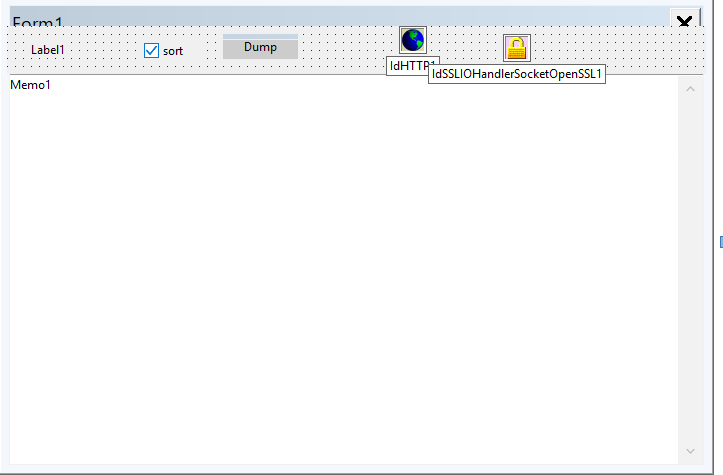
TLabelx1,TCheckBoxx1,TButtonx1,TMemox1といつものコンビのTIdHTTPとTIdSSLIOHander…が各1。次にUnit1.hは、
//---------------------------------------------------------------------------

#ifndef Unit1H
#define Unit1H
//---------------------------------------------------------------------------
#include <System.Classes.hpp>
#include <Vcl.Controls.hpp>
#include <Vcl.StdCtrls.hpp>
#include <Vcl.Forms.hpp>
#include <IdBaseComponent.hpp>
#include <IdComponent.hpp>
#include <IdHTTP.hpp>
#include <IdIOHandler.hpp>
#include <IdIOHandlerSocket.hpp>
#include <IdIOHandlerStack.hpp>
#include <IdSSL.hpp>
#include <IdSSLOpenSSL.hpp>
#include <IdTCPClient.hpp>
#include <IdTCPConnection.hpp>
//---------------------------------------------------------------------------
class TForm1 : public TForm
{
__published:	// IDE で管理されるコンポーネント
	TIdHTTP *IdHTTP1;
	TIdSSLIOHandlerSocketOpenSSL *IdSSLIOHandlerSocketOpenSSL1;
	TLabel *Label1;
	TMemo *Memo1;
	TButton *Dump;
	TCheckBox *CheckBox1;
	void __fastcall DumpClick(TObject *Sender);
private:	// ユーザー宣言
public:		// ユーザー宣言
void __fastcall TForm1::GetAllPostsIndy(String baseUrl);
	__fastcall TForm1(TComponent* Owner);
};
//---------------------------------------------------------------------------
extern PACKAGE TForm1 *Form1;
//---------------------------------------------------------------------------
#endif
Unit1.cppは、
//---------------------------------------------------------------------------

#include <vcl.h>
#pragma hdrstop
#include <System.Json.hpp> // JSONパース用
#include <memory>
#include <vector>
#include <algorithm>
#include "Unit1.h"
//---------------------------------------------------------------------------
#pragma package(smart_init)
#pragma resource "*.dfm"
TForm1 *Form1;

/*
   "id": 11701,
	"date": "2026-08-25T03:22:00",
	"date_gmt": "2026-08-24T18:22:00",
	"guid": {
	  "rendered": "https://ghost.mydns.jp/wp/?p=11701"
	},
	"modified": "2026-08-25T03:22:00",
	"modified_gmt": "2026-08-24T18:22:00",
	"slug": "c-builder-ce-tbitmap-grayscale-png-file",
	"status": "publish",
	"type": "post",
	"link": "https://ghost.mydns.jp/wp/c-builder-ce-tbitmap-grayscale-png-file/",
	"title": {
	  "rendered": "C++ Builder CE TBitmap->Grayscale png file"
	},
	"content": {
*/

struct aentry {
	int id;
	String adate;
	String atitle;
};

std::vector<aentry> blogentry;

void __fastcall TForm1::GetAllPostsIndy(String baseUrl)
{
	// IdHTTPのプロパティ設定(リクエストごとにクリアされないように設定)
	IdHTTP1->Request->UserAgent = "Mozilla/5.0 (Windows NT 10.0; Win64; x64)";

	int page = 1;
	int totalPages = 1;
	int acount = 1;

	do {
		// 1回あたり最大100件ずつ取得するURLを生成
		String url = baseUrl + "/wp-json/wp/v2/posts?per_page=100&page=" + IntToStr(page);

		try {
			// APIからJSON文字列を取得
			String jsonResponse = IdHTTP1->Get(url);

			// 初回ループ時にレスポンスヘッダーから全ページ数を取得
			if (page == 1) {
				// IndyのRawHeadersからWordPress固有のカスタムヘッダーを検索
				String totalPagesStr = IdHTTP1->Response->RawHeaders->Values["X-WP-TotalPages"];
				if (!totalPagesStr.IsEmpty()) {
					totalPages = StrToInt(totalPagesStr);
					//Memo1->Lines->Add("totalPages: " + IntToStr(totalPages) );
				}
			}

			std::unique_ptr<TJSONArray> jsonArray(dynamic_cast<TJSONArray*>(TJSONObject::ParseJSONValue(jsonResponse)));
			if (jsonArray != nullptr) {
				for (int i = 0; i < jsonArray->Count; i++) {
					TJSONObject* post = dynamic_cast<TJSONObject*>(jsonArray->Items[i]);
					if (post != nullptr) {
						// 例: 記事IDの取得
						int id = post->GetValue("id")->Value().ToInt();

						// 例: タイトルの取得 (title.rendered)
						TJSONObject* titleObj = dynamic_cast<TJSONObject*>(post->GetValue("title"));
						String title = titleObj ? titleObj->GetValue("rendered")->Value() : "";

						String date = post->GetValue("date")->Value();
						// TODO: ここで取得したデータをリストやデータベースに格納
						struct aentry newentry;
						newentry.id = acount;
						newentry.adate = date;
						newentry.atitle = title;

						blogentry.push_back(newentry);
						//String ddate = date.SubString(1,10);
						Memo1->Lines->Add(date.SubString(1,10) + "   " + title);
						acount++;
                    }
				}
            }

			page++; // 次のページへ

        } catch (const Exception &e) {
			// エラーハンドリング(400系、500系エラー、通信タイムアウトなど)
            ShowMessage("エラーが発生しました: " + e.Message);
			break;
        }

	} while (page <= totalPages);
	Label1->Caption = IntToStr(acount);
	/* dumping vector contents */


}


//---------------------------------------------------------------------------
__fastcall TForm1::TForm1(TComponent* Owner)
	: TForm(Owner)
{
	String baseUrl = "https://ghost.mydns.jp/wp";

	Memo1->Lines->Clear();
	GetAllPostsIndy(baseUrl);

}

// ---------------------------------------------------------------------------
void __fastcall TForm1::DumpClick(TObject *Sender)
{
	   Memo1->Lines->Clear();
	   int  count = 1;

		if( CheckBox1->Checked )
			std::sort(blogentry.begin(), blogentry.end(), [](const aentry &a, const aentry &b){
			return a.id > b.id;
			});

	   for( const auto& it : blogentry )
		//Memo1->Lines->Add(IntToStr(it.id) + " " + it.adate.SubString(1,10) + " " + it.atitle);
		Memo1->Lines->Add(IntToStr(count++) + ": " + it.adate.SubString(1,10) + "   " + it.atitle);

}
//---------------------------------------------------------------------------
データ構造というか定義した構造体と、その入れ物vectorは、
struct aentry {
	int id;
	String adate;
	String atitle;
};

std::vector<aentry> blogentry;
起動すると、
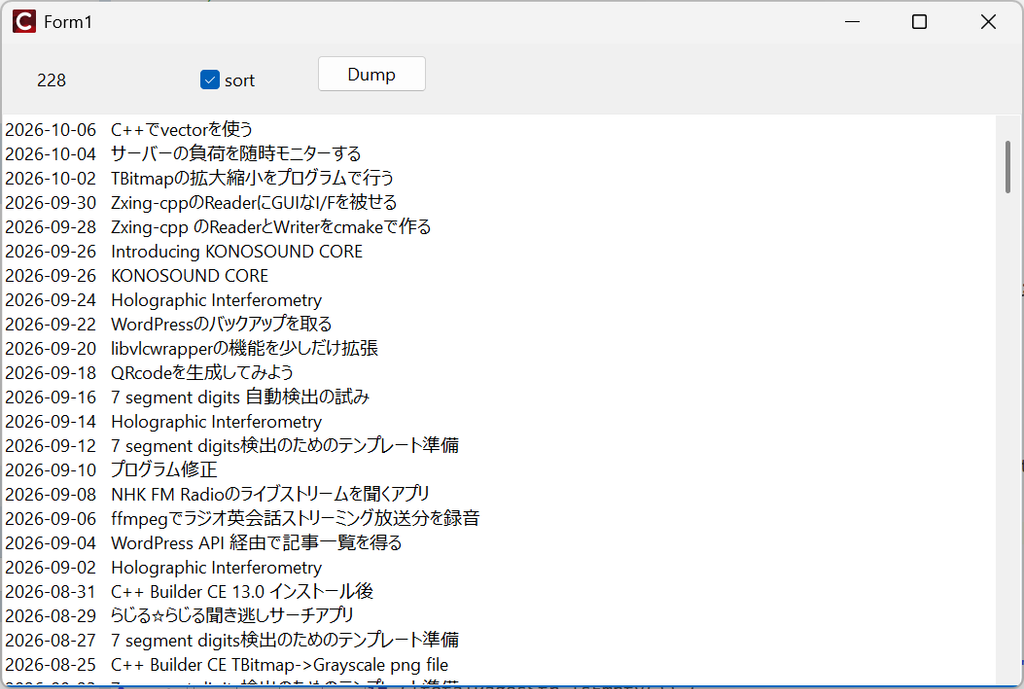
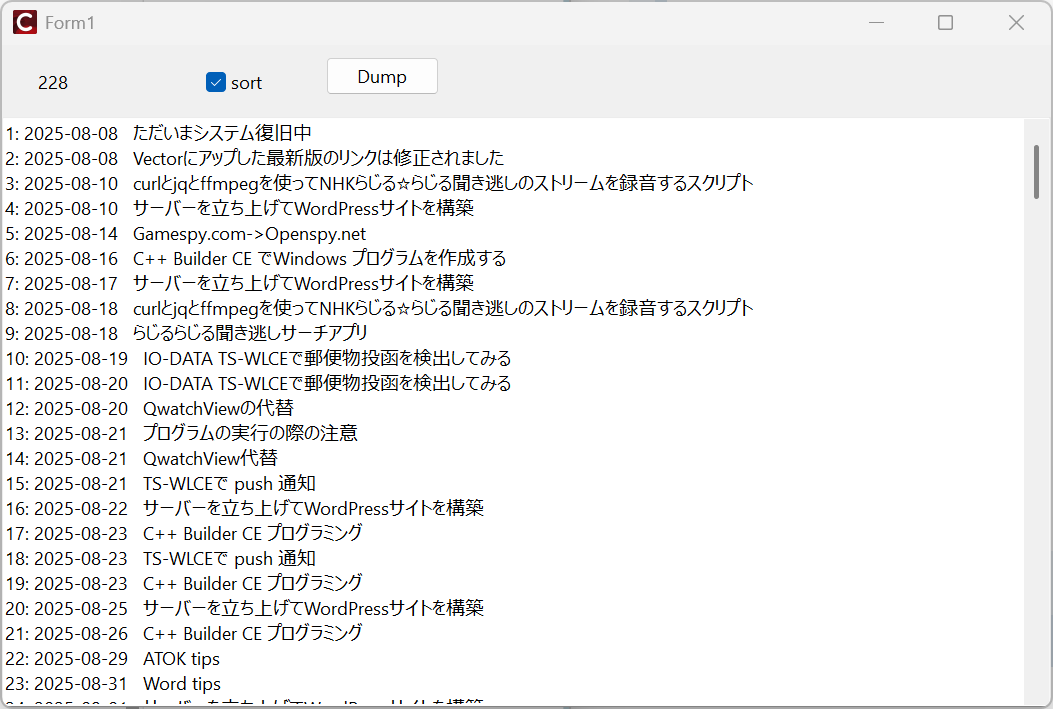
ここで”Dump”ボタンをクリックすると、一旦Memo1がクリアされて
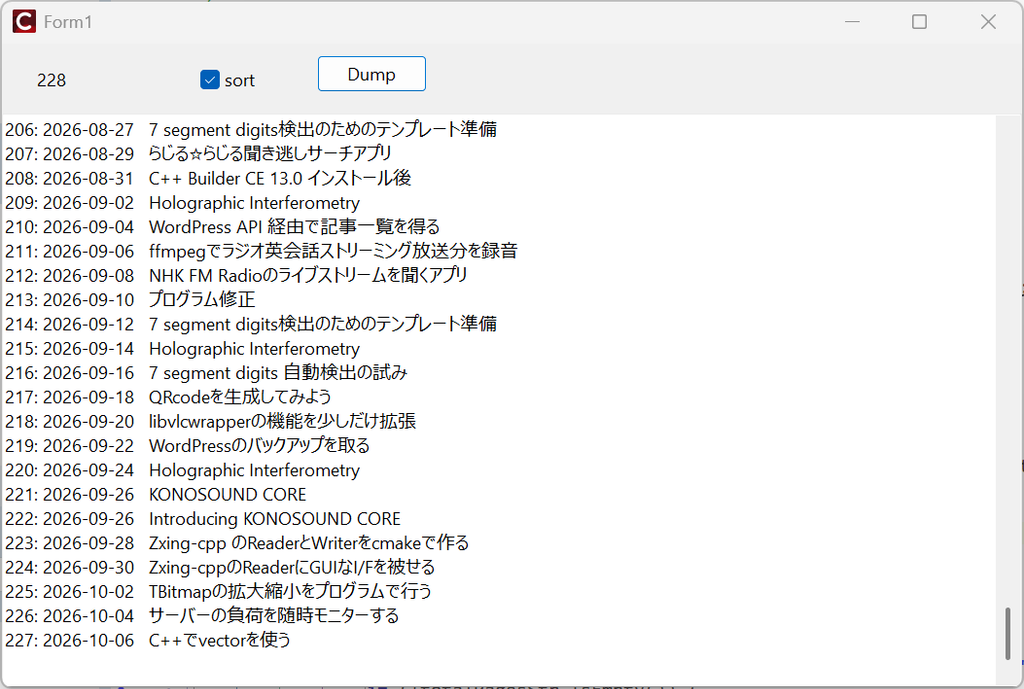
このように出力されます。投稿日順ですね。最初の方へスクロールすると、
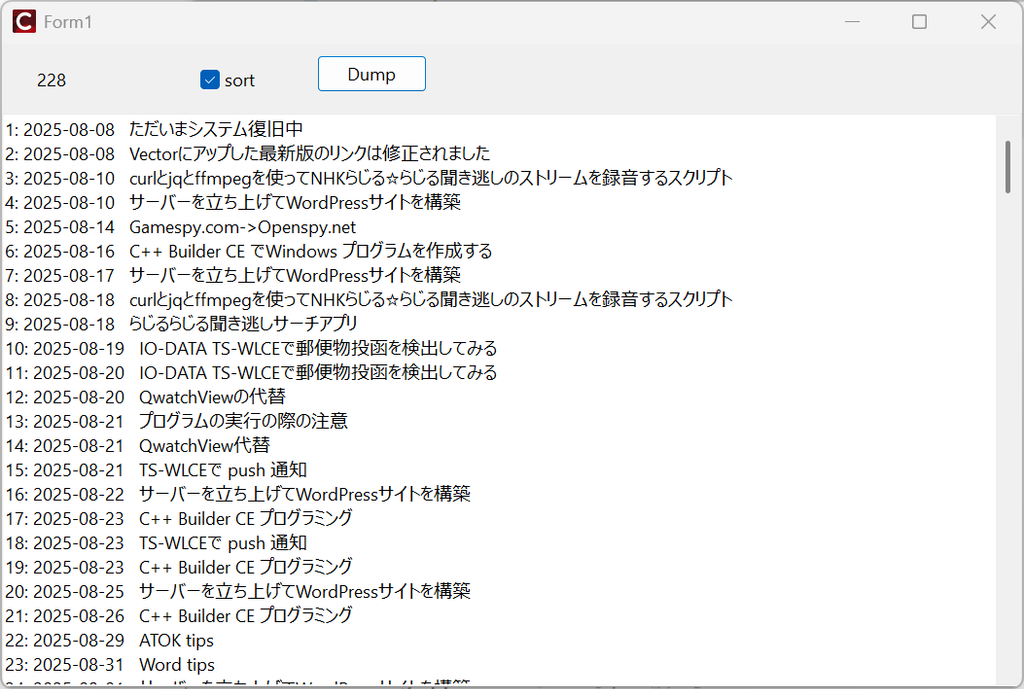
出力フォーマットは改善の余地があるかもしれないですね。内容をセーブしたければ、Memo1内部で右クリックして出てくるプルダウンメニュー(下記)で、
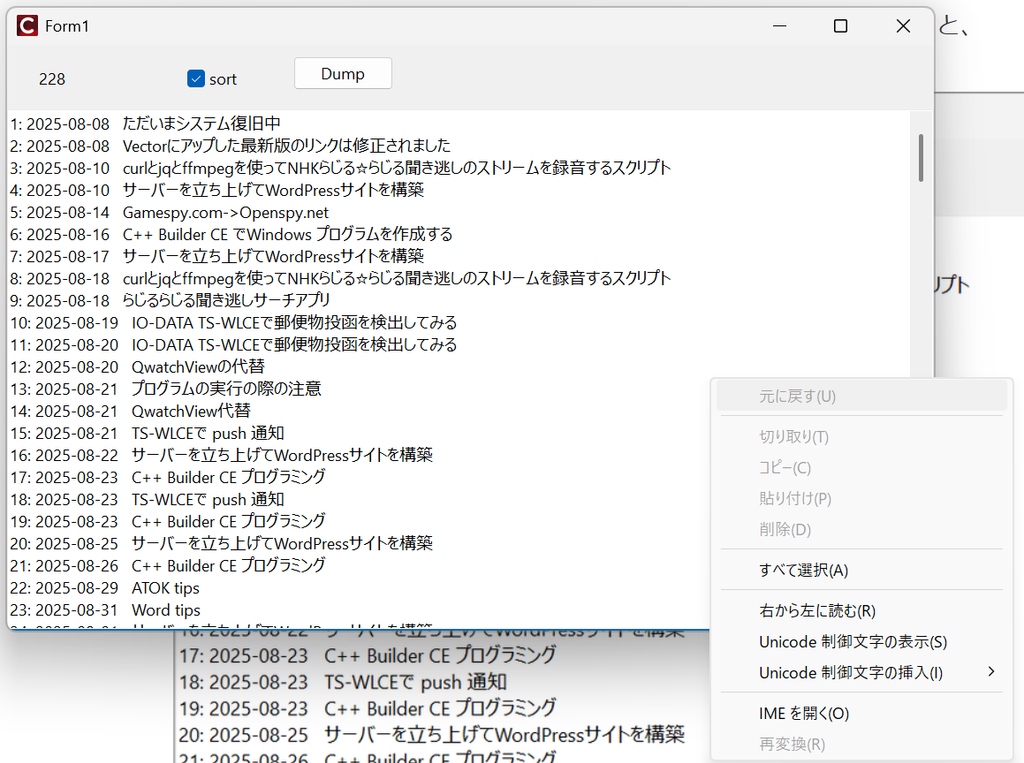
すべて選択を選びます。で再度右クリックして
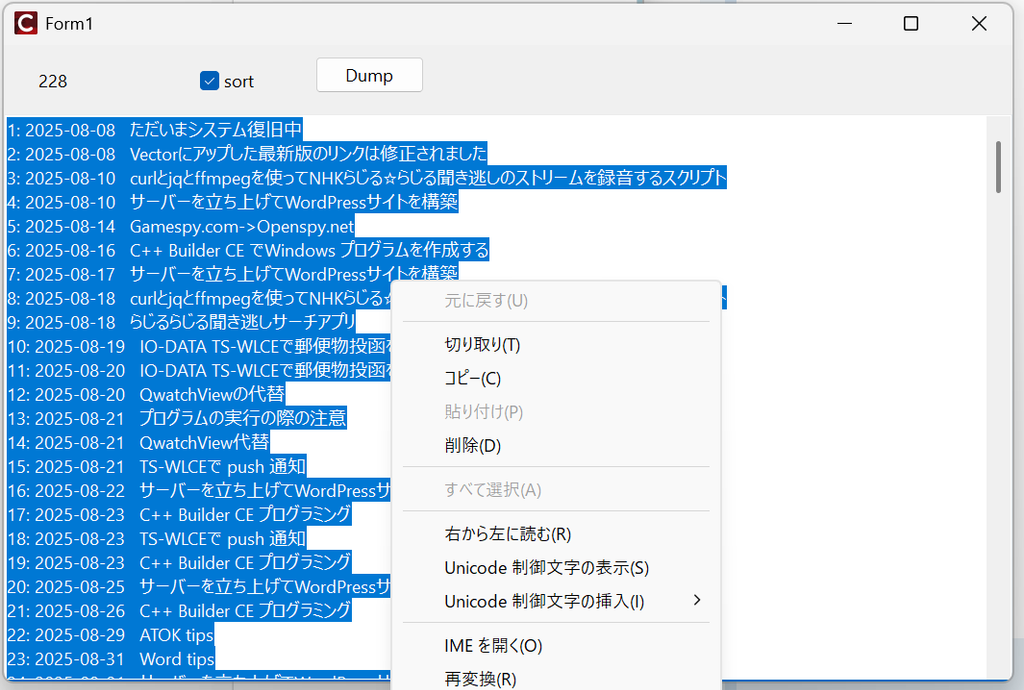
上図でコピー。テキストエディタ内でペーストすれば、一応セーブはできますが、もう少し手間を省く方法は次の記事で。注意点は、ヘッダーとしては、vectorやらsortやらで、
#include <System.Json.hpp> // JSONパース用
#include <memory>
#include <vector>
#include <algorithm>
が必要ですし、実行環境では、
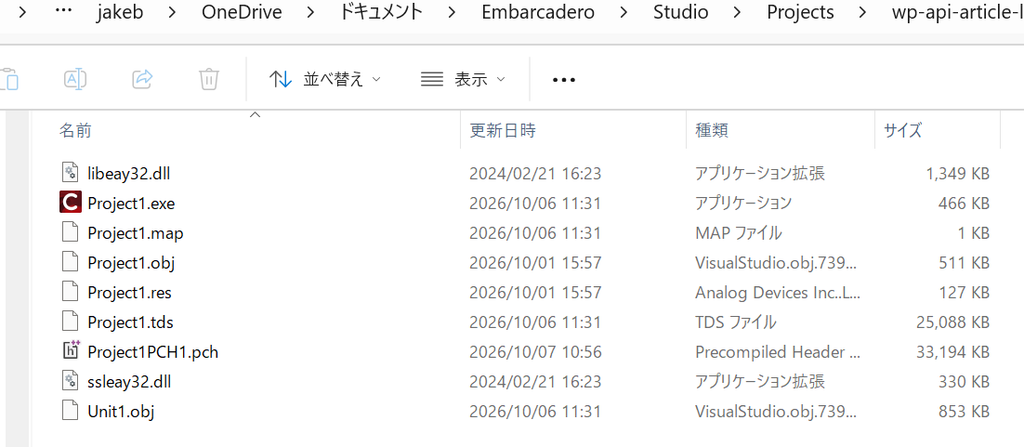
のようにsslのライブラリx2が必要です。もはやこれらが要らないhttps getなライブラリを使うのが吉かもしれませんね。
コメント