別にFMXからでもおけです
さて、いよいよ本題です。まずフォームは、
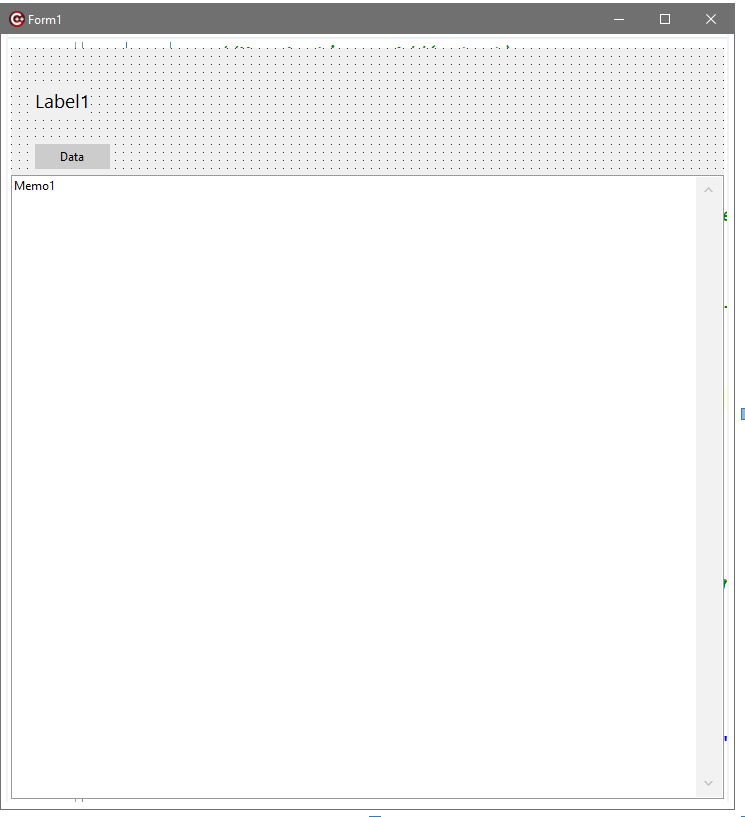
こんな感じです。TLabelx1,TButtonx1,TMemox1を上図のように配置。忘れずにMemo1には垂直スクロールをセットしておきましょう。

さて、プロジェクトの構成は、
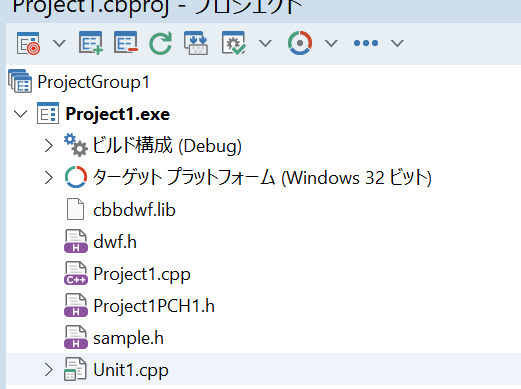
こんな感じですかね。32bit版なので、cbbdwf.libを組み込みます。前記事参照のこと。
Unit.cppは、
//---------------------------------------------------------------------------

#include <vcl.h>
#pragma hdrstop
#include "sample.h"

#include "Unit1.h"
//---------------------------------------------------------------------------
#pragma package(smart_init)
#pragma resource "*.dfm"
TForm1 *Form1;

HDWF ghdwf;

//---------------------------------------------------------------------------
__fastcall TForm1::TForm1(TComponent* Owner)
	: TForm(Owner)
{
	  int cDevice;
	int cChannel;
	double hzFreq;
	char szDeviceName[32];
	char szSN[32];
	int fIsInUse;
	//HDWF hdwf;
	char szError[512];
	AnsiString output;

	// detect connected all supported devices
	if(!FDwfEnum(enumfilterAll, &cDevice)){
		FDwfGetLastErrorMsg(szError);
		printf("FDwfEnum: %s\n", szError);
		output.sprintf("FDwfEnum: %s\n", szError);
		Memo1->Lines->Add(output);
		return;
	}
	// list information about each device
	printf("Found %d devices:\n", cDevice);
	for(int i = 0; i < cDevice; i++){
		// we use 0 based indexing
		FDwfEnumDeviceName (i, szDeviceName);
		FDwfEnumSN(i, szSN);
		printf("\nDevice: %d name: %s %s\n", i+1, szDeviceName, szSN);
		output.sprintf("\nDevice: %d name: %s %s\n", i+1, szDeviceName, szSN);
		//Memo1->Lines->Add(output);
		Label1->Caption = output;
		// before opening, check if the device isn稚 already opened by other application, like: WaveForms
		FDwfEnumDeviceIsOpened(i, &fIsInUse);
		if(!fIsInUse){
			if(!FDwfDeviceOpen(i, &ghdwf)){
				FDwfGetLastErrorMsg(szError);
				printf("FDwfDeviceOpen: %s\n", szError);
				continue;
			}
			FDwfAnalogInChannelCount(ghdwf, &cChannel);
			FDwfAnalogInFrequencyInfo(ghdwf, NULL, &hzFreq);
			printf("number of analog input channels: %d maximum freq.: %.0f Hz\n", cChannel, hzFreq);
			output.sprintf("number of analog input channels: %d maximum freq.: %.0f Hz\n", cChannel, hzFreq);
			//Memo1->Lines->Add(output);
			//FDwfDeviceClose(ghdwf);
			//ghdwf = hdwfNone;
		}
	}
	Memo1->Lines->Clear();

	// before application exit make sure to close all opened devices by this process
	//FDwfDeviceCloseAll();

}
//---------------------------------------------------------------------------
void __fastcall TForm1::DataClick(TObject *Sender)
{
	//HDWF hdwf;
	char szError[512] = {0};
	DwfState sts;
	const int nSamples = 1000;
	double* rgdSamples = new double[nSamples];
	AnsiString output;

// did in constructor
/*
	printf("Open automatically the first available device\n");
	if(!FDwfDeviceOpen(-1, &hdwf)) {
		FDwfGetLastErrorMsg(szError);
		printf("Device open failed\n\t%s", szError);
		return;
	}
*/
	printf("Configure and start first analog out channel\n");
	FDwfAnalogOutEnableSet(ghdwf, 0, true);
	// 1 = Sine wave
	FDwfAnalogOutFunctionSet(ghdwf, 0, 1);
	FDwfAnalogOutFrequencySet(ghdwf, 0, 3000);
	FDwfAnalogOutConfigure(ghdwf, 0, 1);

	printf("Configure analog in\n");
	FDwfAnalogInFrequencySet(ghdwf, 1000000);
	// set range for all channels
	FDwfAnalogInChannelRangeSet(ghdwf, -1, 4);
	FDwfAnalogInBufferSizeSet(ghdwf, nSamples);

	printf("Wait after first device opening the analog in offset to stabilize\n");
	Wait(2);

	printf("Starting acquisition\n");
	FDwfAnalogInConfigure(ghdwf, true, true);

	printf("Waiting to finish... ");
	while(true){
		FDwfAnalogInStatus(ghdwf, true, &sts);
		if(sts == DwfStateDone){
			break;
		}
		Wait(0.1);
	}
	printf("done\n");
	Memo1->Lines->Add("done");
	printf("Reading acquisition data\n");
	FDwfAnalogInStatusData(ghdwf, 0, rgdSamples, nSamples);
	// do something with the data in rgdSample
	for( int i = 0 ; i < nSamples ; i++ ){
		 output.sprintf("%d,%g",i,rgdSamples[i]);
		 Memo1->Lines->Add(output);

	}


}
//---------------------------------------------------------------------------
void __fastcall TForm1::FormClose(TObject *Sender, TCloseAction &Action)
{
	FDwfDeviceCloseAll();
}
//---------------------------------------------------------------------------
built and run してみましょう。F9ですね。
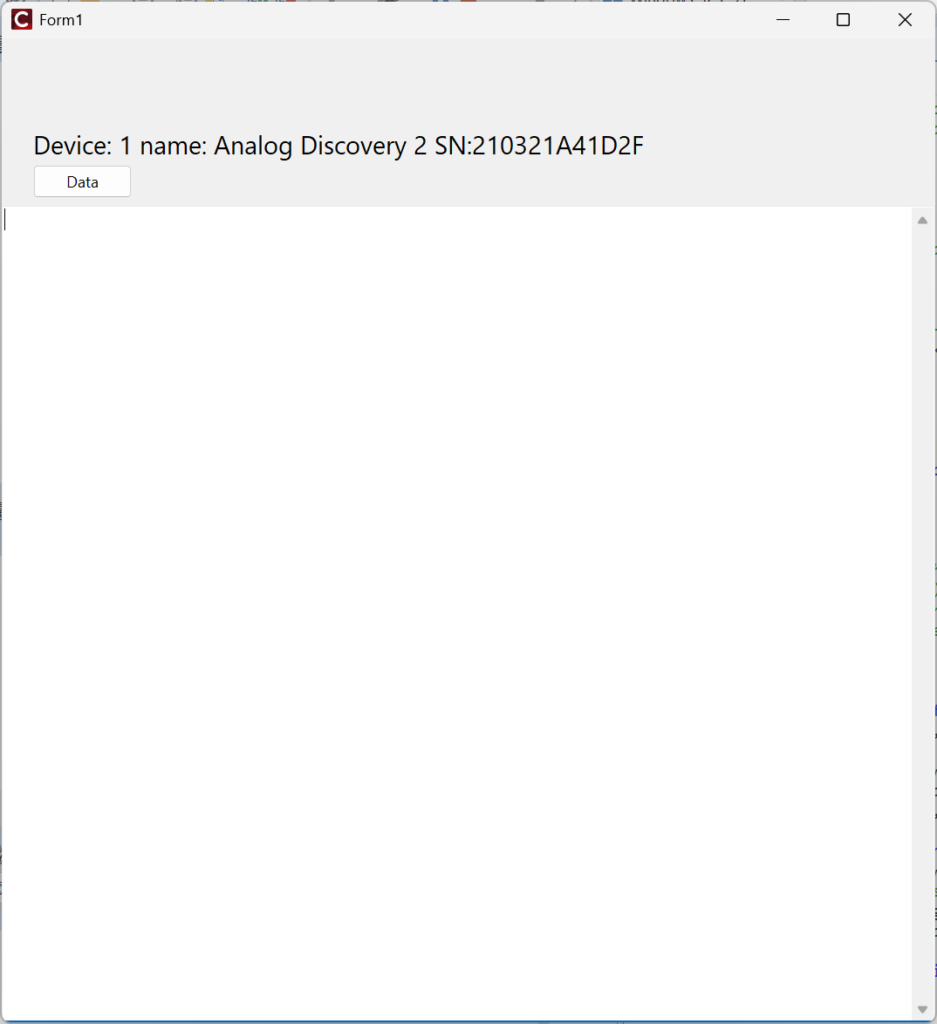
コンストラクタ内でAD2を認識し、SNを表示しています。公開しちゃってますが、大丈夫でしょう。ここで”Data”ボタンをクリックすると、
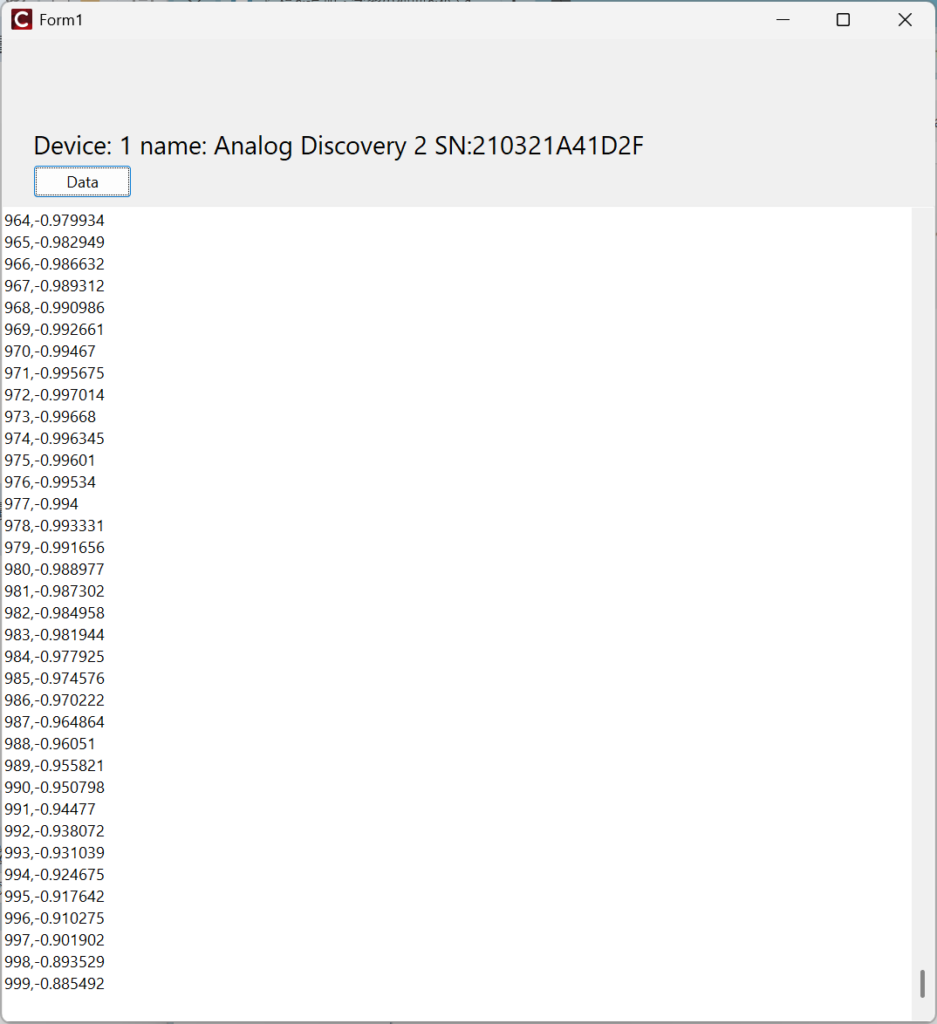
値の最初の方がスクロールアウトしていますけど、バッファにはのこっているのでそれを書き出してみましょう。Memo1のどこかにポインタを置いて、右クリックからの
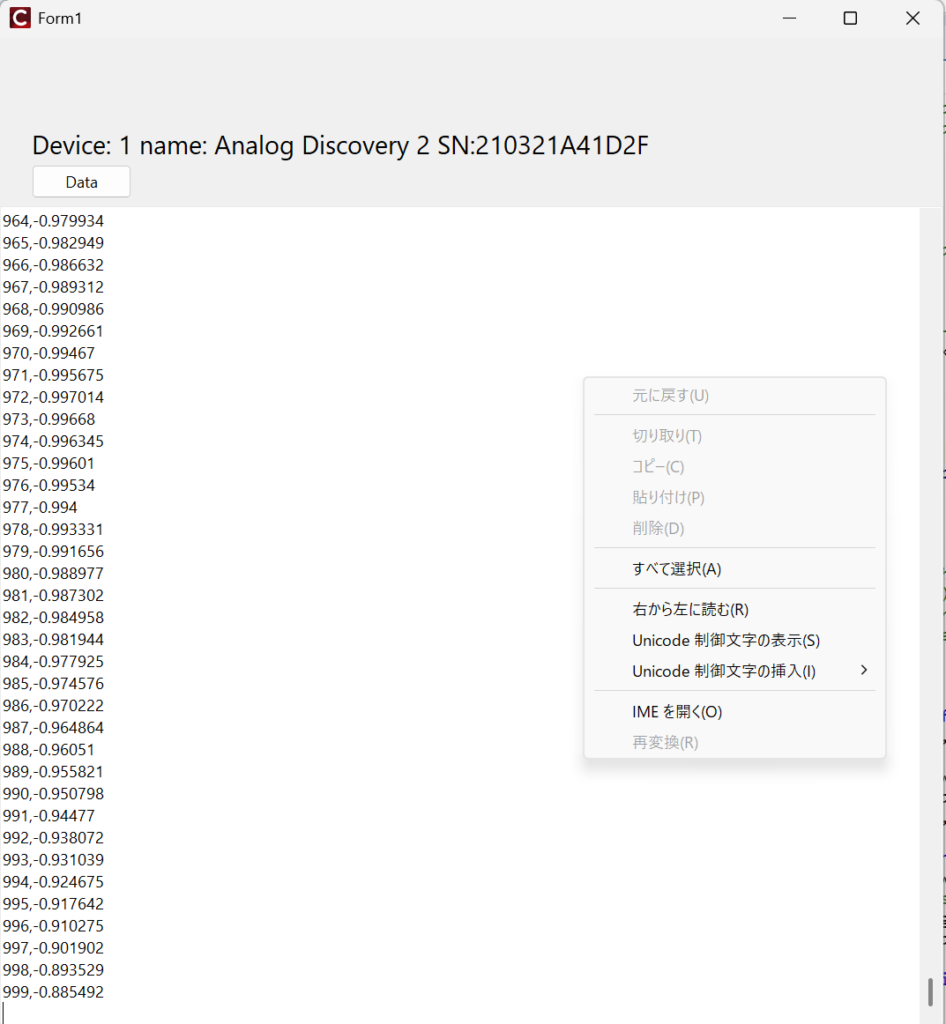
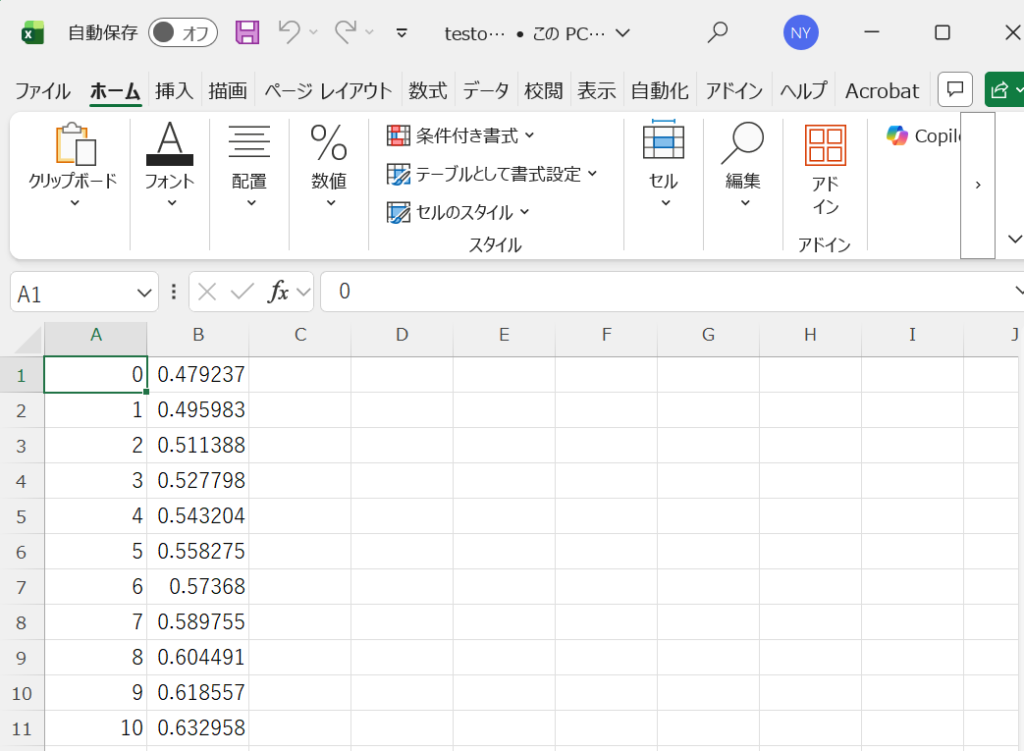
ここで”すべて選択”をクリック。テキストファイルにペーストして、*.csvとかの適当な名前でセーブして、それをExcelから開くと、
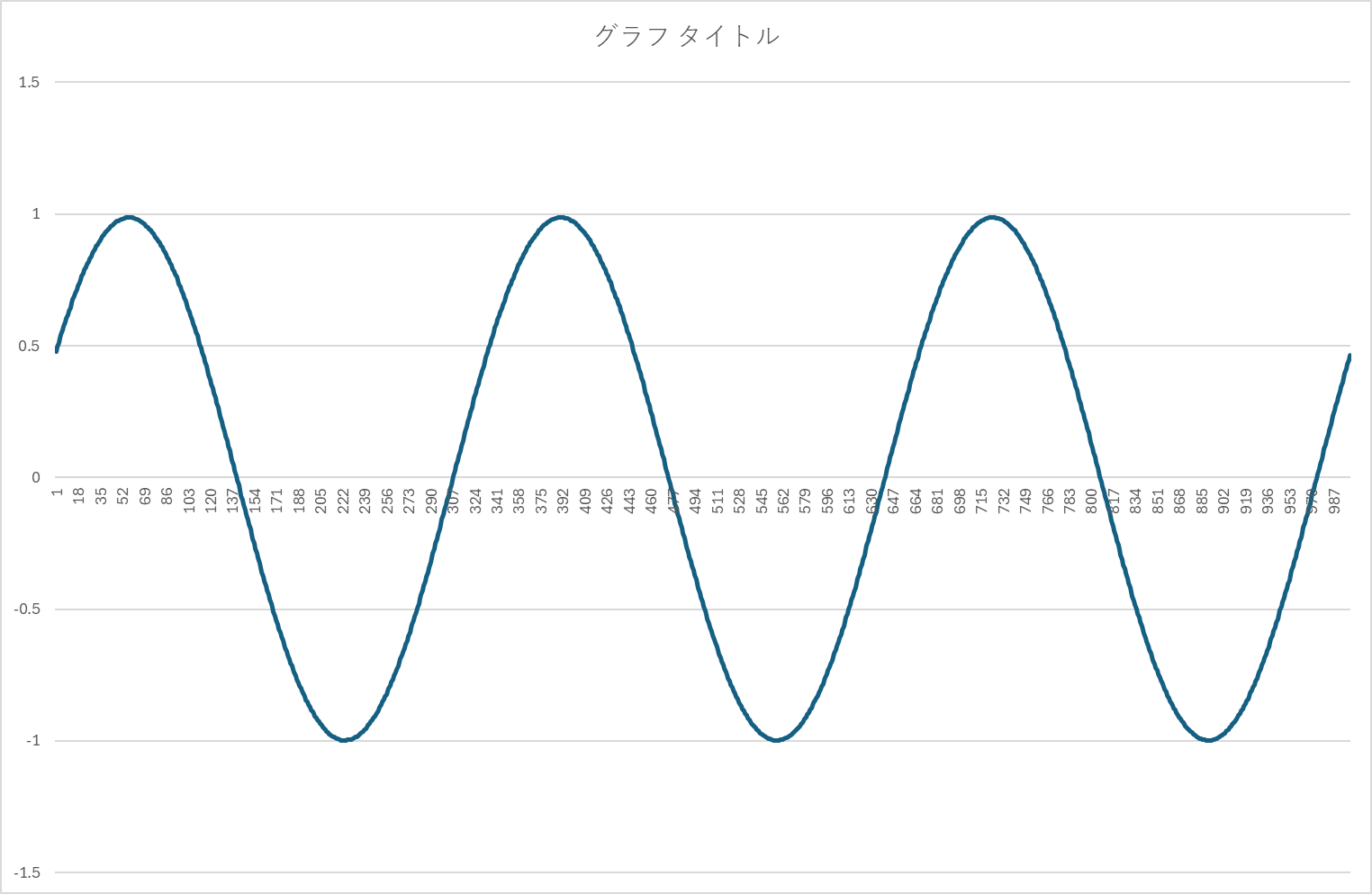
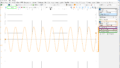
データ列を選択して、散布図を描くと、
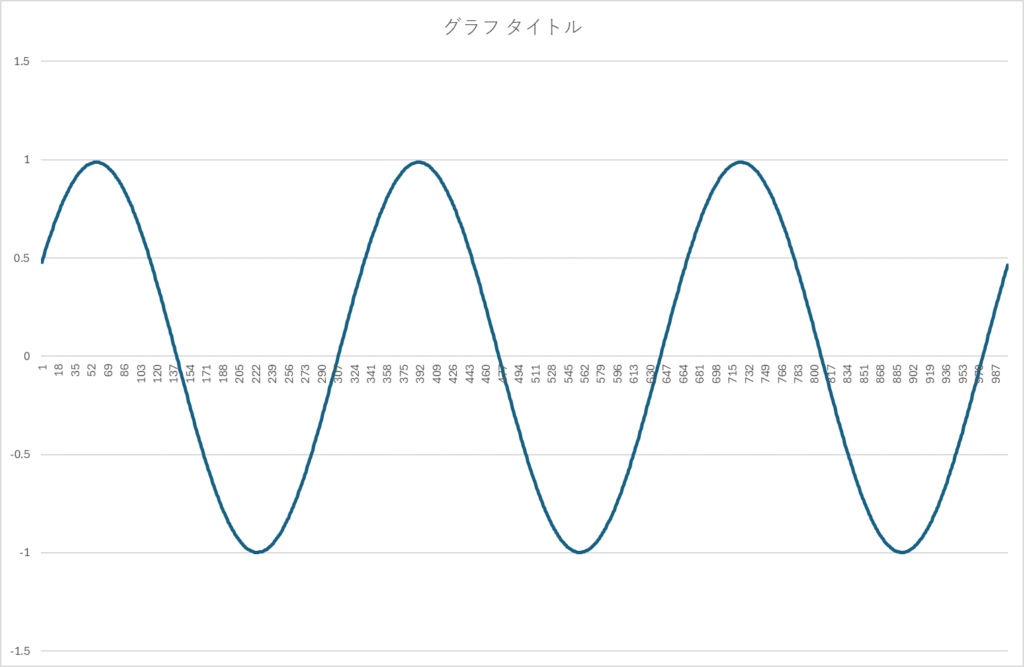
振幅と周波数は良いですね。初期位相はランダムです。これを一定かするにはTriggerの設定をしなくてはならないです。
Memo1の内容を全て選択してコピーしてからテキストファイルにペーストしてセーブというのはいかにも回りくどいので、
TMemoの内容をファイルセーブとかで検索してみると。Copilot君がしゃしゃり出てくるかもしれません。不発だったので、聞き方を変えました。
TMemo ファイル 保存 C++ Builderなにやら言ってきましたよ。
#include <vcl.h>
#pragma hdrstop
#include "Unit1.h"
#include <System.SysUtils.hpp> // ExtractFilePath など
#include <Vcl.Dialogs.hpp>     // TSaveDialog

#pragma package(smart_init)
#pragma resource "*.dfm"

TForm1 *Form1;

__fastcall TForm1::TForm1(TComponent* Owner)
    : TForm(Owner)
{
}

// 「保存」ボタンのクリックイベント
void __fastcall TForm1::ButtonSaveClick(TObject *Sender)
{
    // 保存ダイアログを表示
    if (SaveDialog1->Execute())
    {
        try
        {
            // TMemo の内容をファイルに保存
            Memo1->Lines->SaveToFile(SaveDialog1->FileName, TEncoding::UTF8);
            ShowMessage(L"保存しました: " + SaveDialog1->FileName);
        }
        catch (const Exception &e)
        {
            ShowMessage(L"保存に失敗しました: " + e.Message);
        }
    }
}
ダイアログまで付いてますね。
// TMemo の内容をファイルに保存
            Memo1->Lines->SaveToFile(SaveDialog1->FileName, TEncoding::UTF8);
が肝ですね。
コメント