
Analog Discovery 2をWaveForms SDK経由でC++から使う
前記事
ではdwfcmdから使いましたが、今回はC++から関数群を通してAnalog Discovery 2を使い(叩き)ます。
使える関数群は、WaveForms SDKに含まれている“WaveForms SDK Reference Manual”に記載されています。サンプルプログラムがありますが、まずは小手調べとして、装置のリストアッププログラムをコンパイルしてみましょう。ソースは、“device_enumeration.cpp”です。
#include "sample.h"


int main(int carg, char **szarg){
    int cDevice;
    int cChannel;
    double hzFreq;
    char szDeviceName[32];
    char szSN[32];
    int fIsInUse;
    HDWF hdwf;
    char szError[512];

    // detect connected all supported devices
    if(!FDwfEnum(enumfilterAll, &cDevice)){
        FDwfGetLastErrorMsg(szError);
        printf("FDwfEnum: %s\n", szError);
        return 0;
    }
    // list information about each device
    printf("Found %d devices:\n", cDevice);
    for(int i = 0; i < cDevice; i++){
        // we use 0 based indexing
        FDwfEnumDeviceName (i, szDeviceName);
        FDwfEnumSN(i, szSN);
        printf("\nDevice: %d name: %s %s\n", i+1, szDeviceName, szSN);
        // before opening, check if the device isn稚 already opened by other application, like: WaveForms
        FDwfEnumDeviceIsOpened(i, &fIsInUse);
        if(!fIsInUse){
            if(!FDwfDeviceOpen(i, &hdwf)){
                FDwfGetLastErrorMsg(szError);
                printf("FDwfDeviceOpen: %s\n", szError);
                continue;
            }
            FDwfAnalogInChannelCount(hdwf, &cChannel);
            FDwfAnalogInFrequencyInfo(hdwf, NULL, &hzFreq);
            printf("number of analog input channels: %d maximum freq.: %.0f Hz\n", cChannel, hzFreq);
            FDwfDeviceClose(hdwf);
            hdwf = hdwfNone;
        }
    }
    // before application exit make sure to close all opened devices by this process
    FDwfDeviceCloseAll();
}
コンパイルが通るように、ソースディレクトリに”dwf.h”や”sample.h”を置きます。提供されているライブラリは、Visual C++用のものなので、Visual Studio 2022の X86開発者コマンドプロンプトを起動して、下記のようなディレクトリへ行きます。
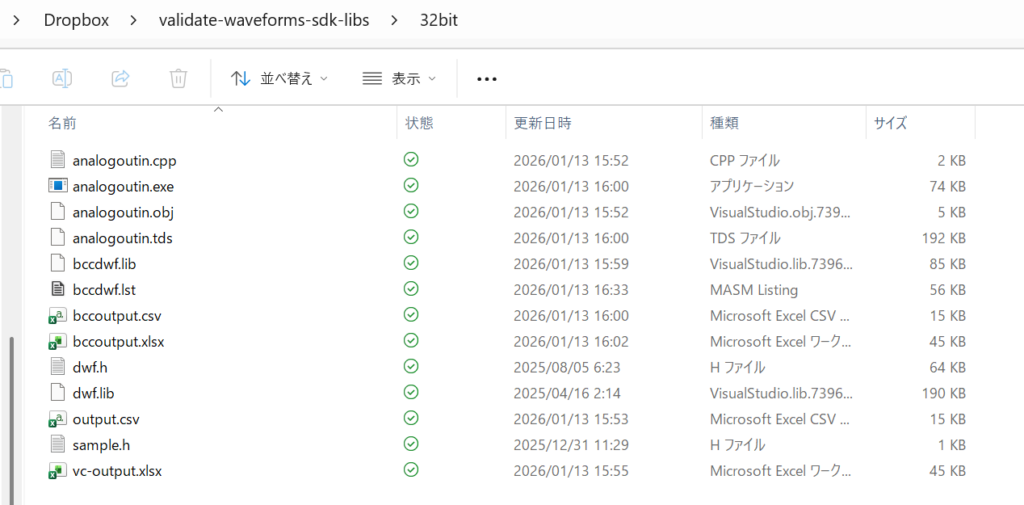
一つ上のディレクトリ(フォルダともいふ)へ上がって、右クリックからパスのコピーをして、
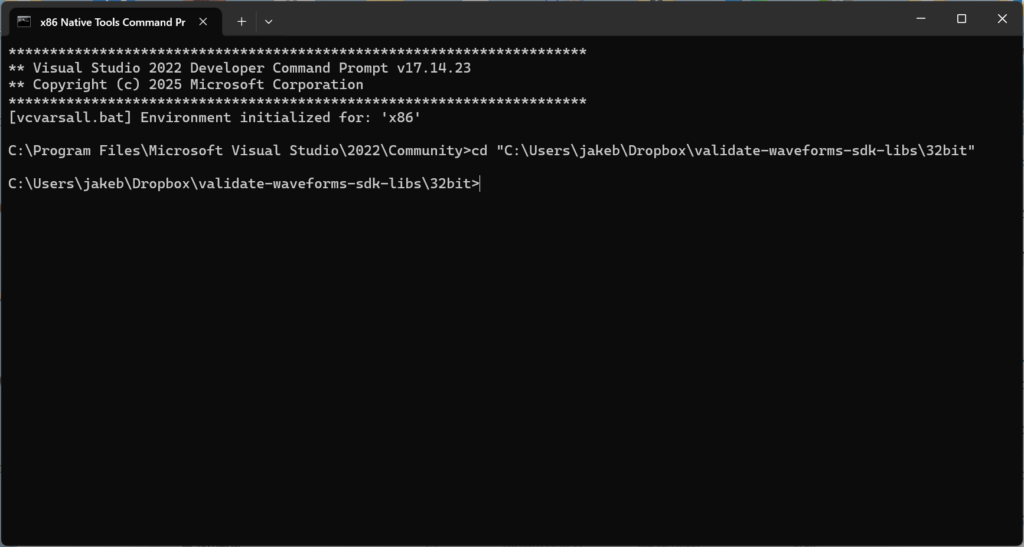
のように”cd “に続けて、右クリックしてペーストしてからchange directoryすると吉です。
C:\Users\jakeb\Dropbox\validate-waveforms-sdk-libs\32bit>dir *.cpp
 ドライブ C のボリューム ラベルがありません。
 ボリューム シリアル番号は B434-62D6 です

 C:\Users\jakeb\Dropbox\validate-waveforms-sdk-libs\32bit のディレクトリ

2026/01/13  15:52             1,580 analogoutin.cpp
2025/04/16  01:43             1,526 device_enumeration.cpp
               2 個のファイル               3,106 バイト
               0 個のディレクトリ  192,262,787,072 バイトの空き領域

C:\Users\jakeb\Dropbox\validate-waveforms-sdk-libs\32bit>cl device_enumeration.cpp dwf.lib
Microsoft(R) C/C++ Optimizing Compiler Version 19.44.35222 for x86
Copyright (C) Microsoft Corporation.  All rights reserved.

device_enumeration.cpp
Microsoft (R) Incremental Linker Version 14.44.35222.0
Copyright (C) Microsoft Corporation.  All rights reserved.

/out:device_enumeration.exe
device_enumeration.obj
dwf.lib
忘れていたので、device_enumeration.cppを追加しました。clはVCのcompile and linkですね。エラーが出なかったので、実行してみましょう。
C:\Users\jakeb\Dropbox\validate-waveforms-sdk-libs\32bit>device_enumeration
Found 1 devices:

Device: 1 name: Analog Discovery 2 SN:210321XXXXXXXX
number of analog input channels: 2 maximum freq.: 100000000 Hz
今は、Analog Discovery 2をUSB接続しているのでその素性が表示されました。第一歩はおけですね。次は、“analogoutin.cpp”です。
#include "sample.h"


int main(int carg, char **szarg){
    HDWF hdwf;
    char szError[512] = {0};
    DwfState sts;
    const int nSamples = 1000;
    double* rgdSamples = new double[nSamples];

    printf("Open automatically the first available device\n");
    if(!FDwfDeviceOpen(-1, &hdwf)) {
        FDwfGetLastErrorMsg(szError);
        printf("Device open failed\n\t%s", szError);
        return 0;
    }

    printf("Configure and start first analog out channel\n");
    FDwfAnalogOutEnableSet(hdwf, 0, true);
    // 1 = Sine wave
    FDwfAnalogOutFunctionSet(hdwf, 0, 1);
    FDwfAnalogOutFrequencySet(hdwf, 0, 3000);
    FDwfAnalogOutConfigure(hdwf, 0, 1);

    printf("Configure analog in\n");
    FDwfAnalogInFrequencySet(hdwf, 1000000);
    // set range for all channels
    FDwfAnalogInChannelRangeSet(hdwf, -1, 4);
    FDwfAnalogInBufferSizeSet(hdwf, nSamples);

    printf("Wait after first device opening the analog in offset to stabilize\n");
    Wait(2);

    printf("Starting acquisition\n");
    FDwfAnalogInConfigure(hdwf, true, true);

    printf("Waiting to finish... ");
    while(true){
        FDwfAnalogInStatus(hdwf, true, &sts);
        if(sts == DwfStateDone){
            break;
        }
        Wait(0.1);
    }
    printf("done\n");

    printf("Reading acquisition data\n");
    FDwfAnalogInStatusData(hdwf, 0, rgdSamples, nSamples);
    // do something with the data in rgdSample

	for( int i = 0 ; i < nSamples ; i++ )
		printf("%d,%g\n",i,rgdSamples[i]);

    FDwfDeviceCloseAll();
}やろうとしていることは、DAで3000Hzの正弦波を発生して、それをADで100KHzのサンプリング周波数で1000個のデータを取得する、ということです。提供されたソースに誤りがあり修正の必要があるので注意しましょうね。
FDwfAnalogOutConfigure(hdwf, 0, 1);さらにデータ取得後なにもしないので、一応データを標準出力に表示します。
	for( int i = 0 ; i < nSamples ; i++ )
		printf("%d,%g\n",i,rgdSamples[i]);
compile and linkは同様に、
C:\Users\jakeb\Dropbox\validate-waveforms-sdk-libs\32bit>cl analogoutin.cpp dwf.lib
Microsoft(R) C/C++ Optimizing Compiler Version 19.44.35222 for x86
Copyright (C) Microsoft Corporation.  All rights reserved.

analogoutin.cpp
Microsoft (R) Incremental Linker Version 14.44.35222.0
Copyright (C) Microsoft Corporation.  All rights reserved.

/out:analogoutin.exe
analogoutin.obj
dwf.lib
でおけです。動かしてみましょう。
C:\Users\jakeb\Dropbox\validate-waveforms-sdk-libs\32bit>analogoutin
Open automatically the first available device
Configure and start first analog out channel
Configure analog in
Wait after first device opening the analog in offset to stabilize
Starting acquisition
Waiting to finish... done
Reading acquisition data
0,0.292362
1,0.308772
2,0.326857
3,0.344941
中略
994,0.183518
995,0.202608
996,0.220023
997,0.237773
998,0.256192
999,0.274612
C:\Users\jakeb\Dropbox\validate-waveforms-sdk-libs\32bit>よさげですね。波形としてみたいので、IOのリダイレクションを使います。(Unixのパクリです、MS-DOS時代から使えますね。)
C:\Users\jakeb\Dropbox\validate-waveforms-sdk-libs\32bit>analogoutin > test-out.csvtest-out.csvをダブルクリック。
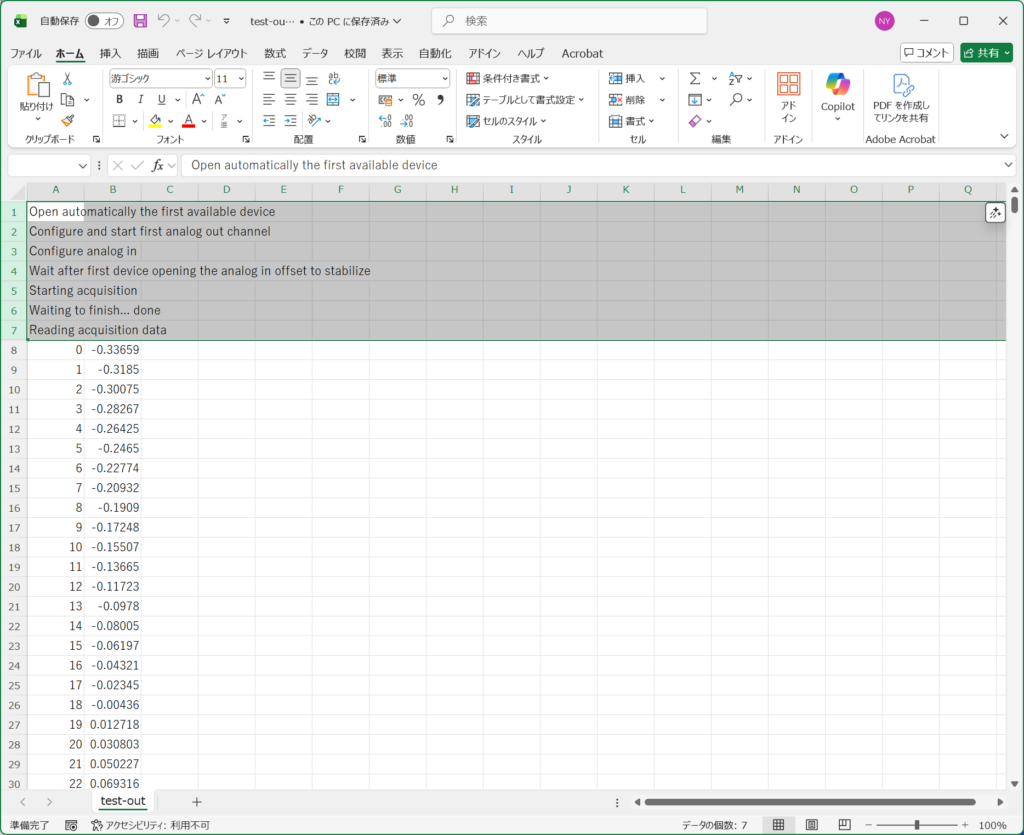
上のように不要な行を選択して削除。その後データカラムを選択してグラフを書くと、
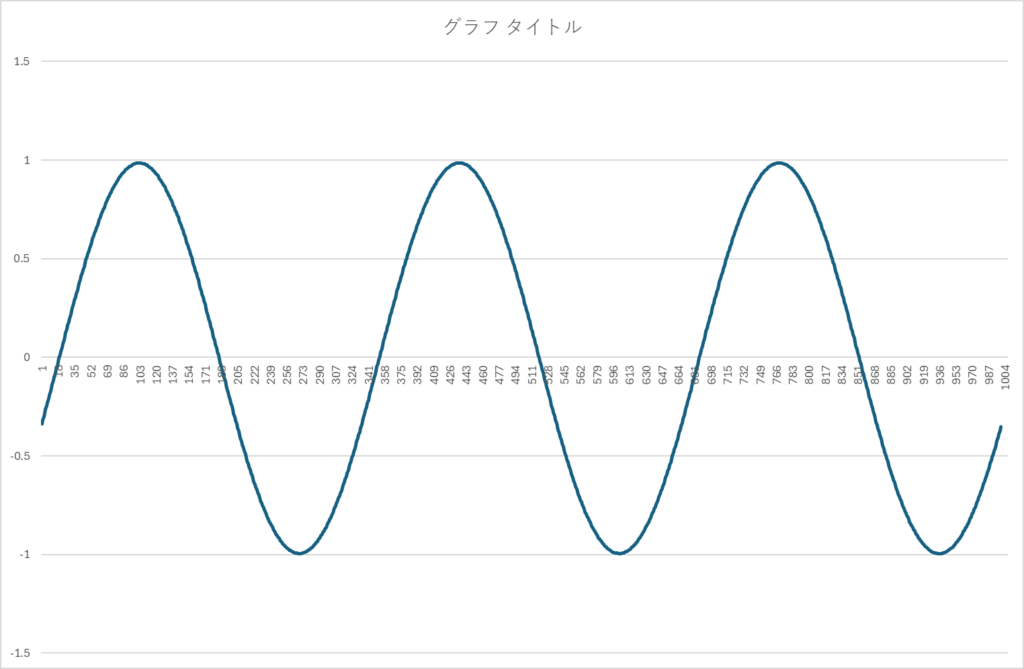
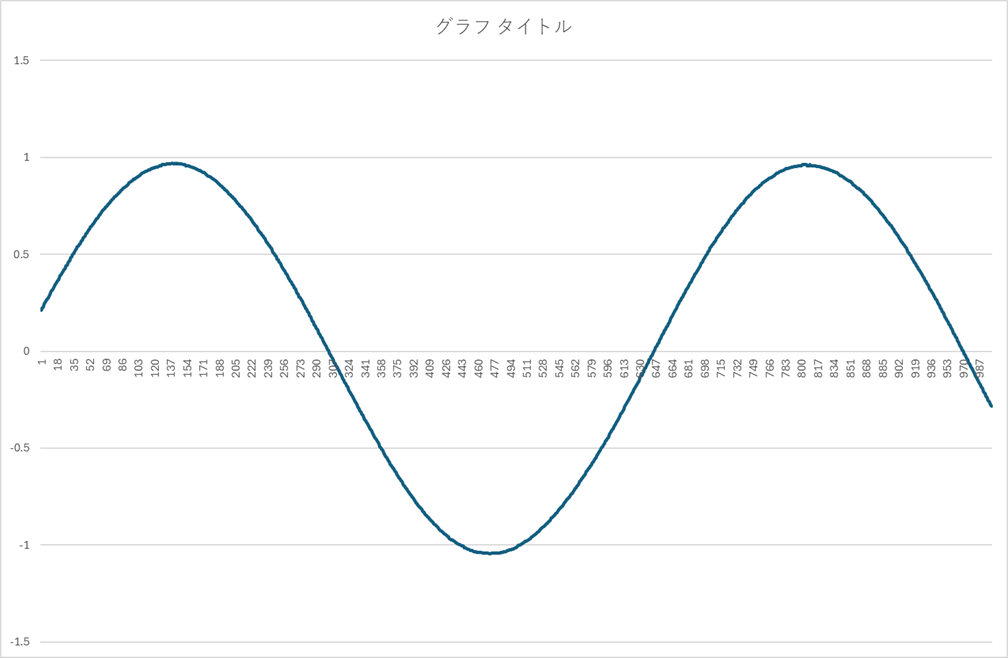
正弦波になっていて、周期やら周波数も正しいようです、振幅も合ってます。64bit版も同様にして、
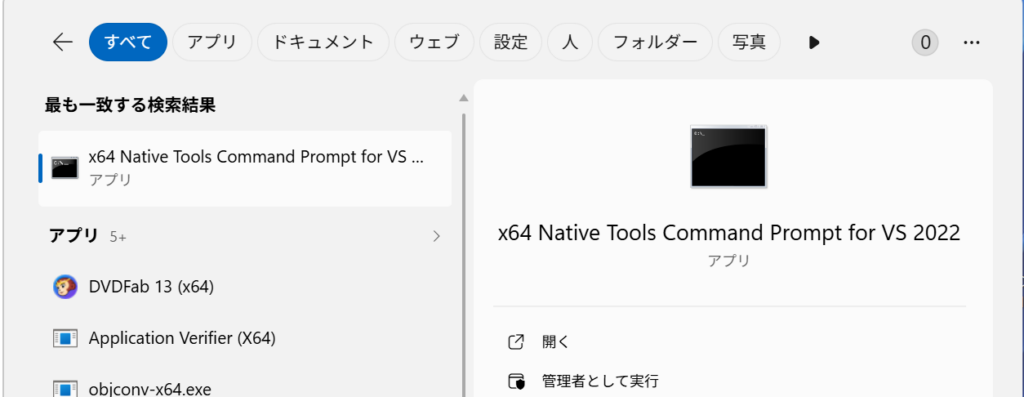
を選びます。検索窓にX64とか入れると、運がよければ出てきます。cl.exeの起動方法は同じです。ただしlibraryは64bit版のdwf.libなので注意しましょう。同名なので同じディレクトリにはおけません。さて、肝心のC++ Builder CEのbcc32cでコンパイルしましょう。ただしVC++用のlibraryはそのままでは使えないので、”coff2omf”というユーティリティを使います。ソースとヘッダーおよび32bit版のdwf.libがあるディレクトリに入り、右クリックからいつものように
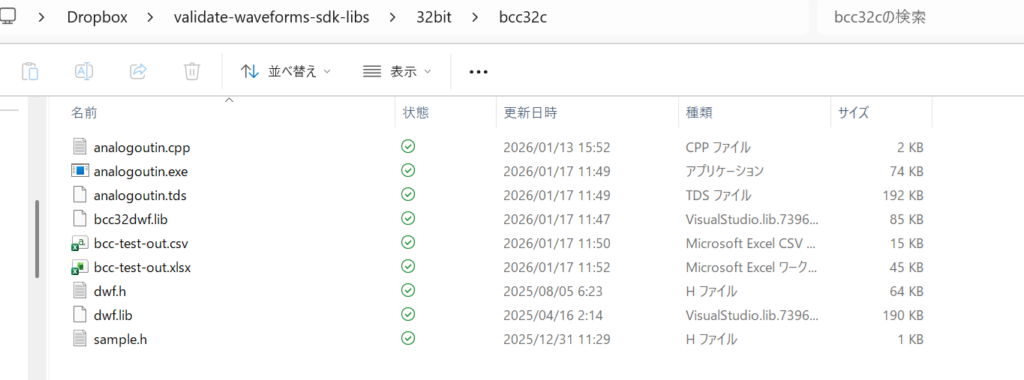
上図で“Open Git Bash here”を選択。まず“coff2omf”のおさらいからスタート。
$ coff2omf
COFF to OMF Converter Version 1.3.0 Copyright (c) 1999-2021 Embarcadero Technologies, Inc.
 All rights reserved.
Syntax:   COFF2OMF [options] InputFile OutputFile
  -h, -?  Display help
  -h2     Display extra help
  -q      Quiet mode
  -v      Verbose mode
  -r      Remove (delete) output file if empty
  -lib:xx Specify options for OMF import library generation:
       ms - Allow entries that have MS C++ name mangling (default: no)
       st - Normalize names instead of aliasing MS stdcall mangling
       ca - Don't perform MS cdecl aliasing (default is to alias)

COFF2OMF will convert a COFF import library file (InputFile)
to the corresponding OMF type import library file (OutputFile).
なので、デフォルトで起動してみますかね。”coff2omf dwf.lib bcc32dwf.lib”とかでいいかな。
$ coff2omf dwf.lib bcc32dwf.lib
COFF to OMF Converter Version 1.3.0 Copyright (c) 1999-2021 Embarcadero Technologies, Inc.
 All rights reserved.

jakeb@Orbit-11 MINGW64 ~/Dropbox/validate-waveforms-sdk-libs/32bit/bcc32c
$ ls -alt *.lib
-rw-r--r-- 1 jakeb 197609  87040  1月 17 11:47 bcc32dwf.lib
-rw-r--r-- 1 jakeb 197609 194420  4月 16  2025 dwf.lib
今できたbcc32dwf.libを使います。
$ bcc32c analogoutin.cpp bcc32dwf.lib
Embarcadero C++ 7.70 for Win32 Copyright (c) 2012-2024 Embarcadero Technologies, Inc.
analogoutin.cpp:
Turbo Incremental Link 6.99 Copyright (c) 1997-2024 Embarcadero Technologies, Inc.
無事にできました。動かして見ますか?
$ ./analogoutin > bcc-test-out.csvExcelで覗いてみましょう。グラフを描くと、

となります。周波数、振幅は良いですが、前のグラフとでは初期位相があっていません。それは当然で、トリガーの設定してないから全くのランダムな取り込みですからズレて当然です。トリガー関係はそのうち扱うとして、次はbcc64でのbuildへ進みます。64bitのdwf.libをC++ Builder CEで使うためには、OMFではなくELFな形式の拡張子aなライブラリが必要なんですが、見当たりません。MSC++から変換することもできないので、Analog Discovery 2の供給元のフォーラムにお尋ねしたのでした。

無駄に探すより、あるなら頂戴ということを書いたら割とすぐにコメントが来て、
DWF is designed to be used as a dynamic library.とのことでした。てっきりstatic libraryだと思っていたので、dynamic libraryならば、前に書いたmkexpを使うのだった。対象のdwf.dllはどれを使うのか?もちろんWaveForms.exeのあるフォルダー内にもdwf.dllはありますが、これを使ってはダメです。不要なdllを引きずり込もうとするのでNGです。
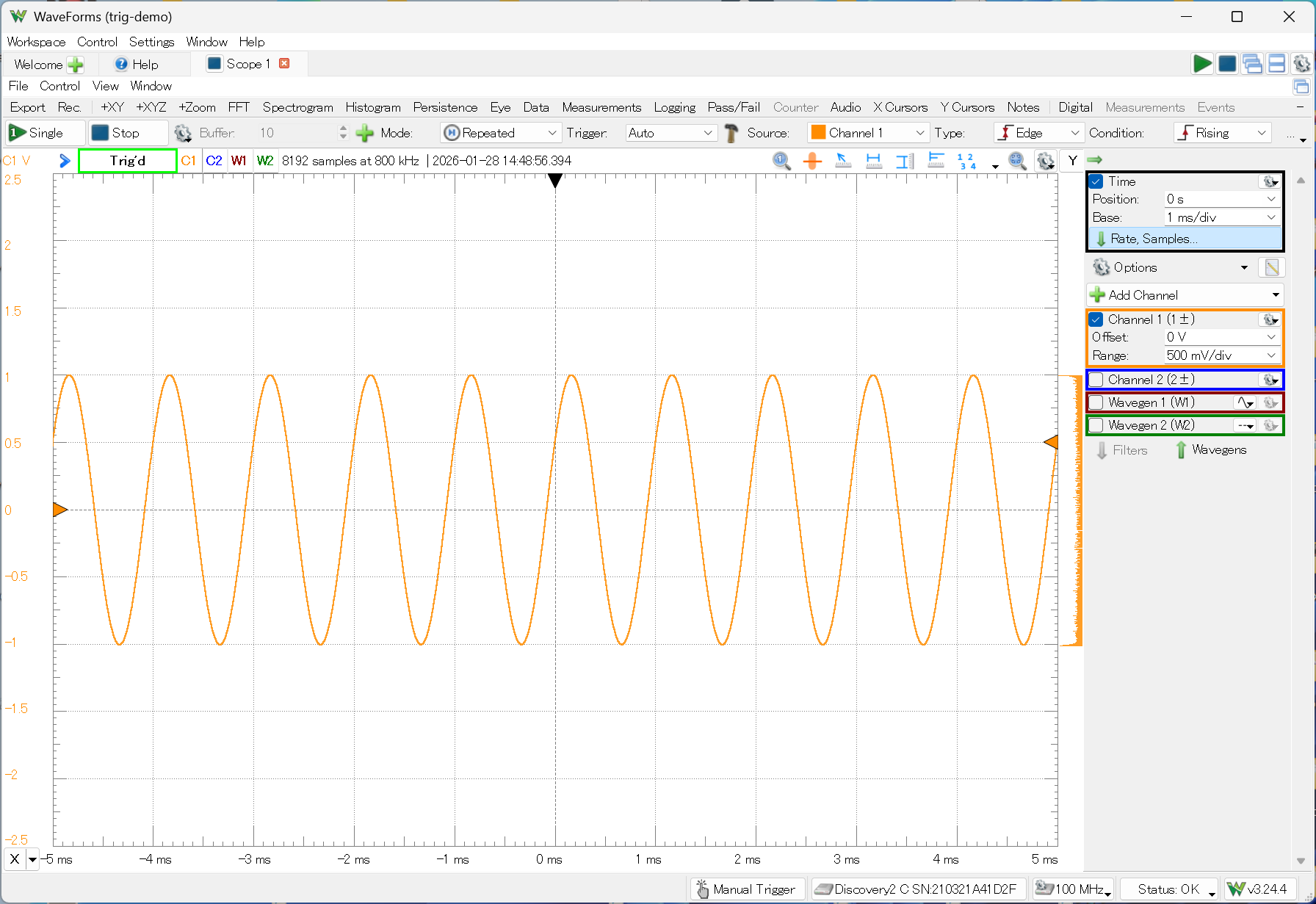
こいつを使います。これをどこかのフォルダーにコピーして、そこにはヘッダーやらソースも置きます。

ここで右クリック->“Open Git Bash here”を選択。

まずはmkexpの復習から。(ここでは既出ですけど、滅多に使わないからね。笑)
$ mkexp
mkexp.exe: Copyright (c) 2013 Embarcadero Technologies, Inc.
All rights reserved.

usage: mkexp [-f] [-d] [-o] [-p] outputfile inputfile
     Creates an import archive from an input file.
     Valid input files are OMF object files that contain only
     EXPDEF COMENT records, PE files, and DEF files.

     -f: prefer to link by ordinal (dangerous)
     -d: assume input is a DEF file
     -o: assume input is an OMF object file
     -p: assume input is a PE file

     File type is by default based on extension:
     OMF: .obj
     DEF: .def
     PE:  .dll, .exe
ということで、“mkexp bcc64dwf.a dwf.dll”とかでいいかな。
$ mkexp bcc64dwf.a dwf.dll

jakeb@Orbit-11 MINGW64 ~/Dropbox/validate-waveforms-sdk-libs/64bit/bcc64
$ ls -alt
total 1173
-rw-r--r-- 1 jakeb 197609   68630  1月 17 13:54 bcc64dwf.a
drwxr-xr-x 1 jakeb 197609       0  1月 17 13:54 ./
drwxr-xr-x 1 jakeb 197609       0  1月 17 13:47 ../
-rw-r--r-- 1 jakeb 197609    1580  1月 13 15:52 analogoutin.cpp
-rw-r--r-- 1 jakeb 197609     127 12月 31 11:29 sample.h
-rwxr-xr-x 1 jakeb 197609 1050296  9月 10 20:00 dwf.dll*
-rw-r--r-- 1 jakeb 197609   64609  8月  5 06:23 dwf.h
compile and linkは、
$ bcc64 analogoutin.cpp bcc64dwf.a
Embarcadero C++ 7.70 for Win64 Copyright (c) 2012-2024 Embarcadero Technologies, Inc.
analogoutin.cpp:
Turbo Incremental Link64 6.99 Copyright (c) 1997-2024 Embarcadero Technologies, Inc.

jakeb@Orbit-11 MINGW64 ~/Dropbox/validate-waveforms-sdk-libs/64bit/bcc64
$ ls -alt
total 1597
drwxr-xr-x 1 jakeb 197609       0  1月 17 13:56 ./
-rwxr-xr-x 1 jakeb 197609  433152  1月 17 13:56 analogoutin.exe*
-rw-r--r-- 1 jakeb 197609   68630  1月 17 13:54 bcc64dwf.a
drwxr-xr-x 1 jakeb 197609       0  1月 17 13:47 ../
-rw-r--r-- 1 jakeb 197609    1580  1月 13 15:52 analogoutin.cpp
-rw-r--r-- 1 jakeb 197609     127 12月 31 11:29 sample.h
-rwxr-xr-x 1 jakeb 197609 1050296  9月 10 20:00 dwf.dll*
-rw-r--r-- 1 jakeb 197609   64609  8月  5 06:23 dwf.h
無事にバイナリができたようです。dwf.dllは用済みなので削除してもおけです。実行してみましょう。
$ rm dwf.dll

jakeb@Orbit-11 MINGW64 ~/Dropbox/validate-waveforms-sdk-libs/64bit/bcc64
$ ./analogoutin > bcc64-out.csv
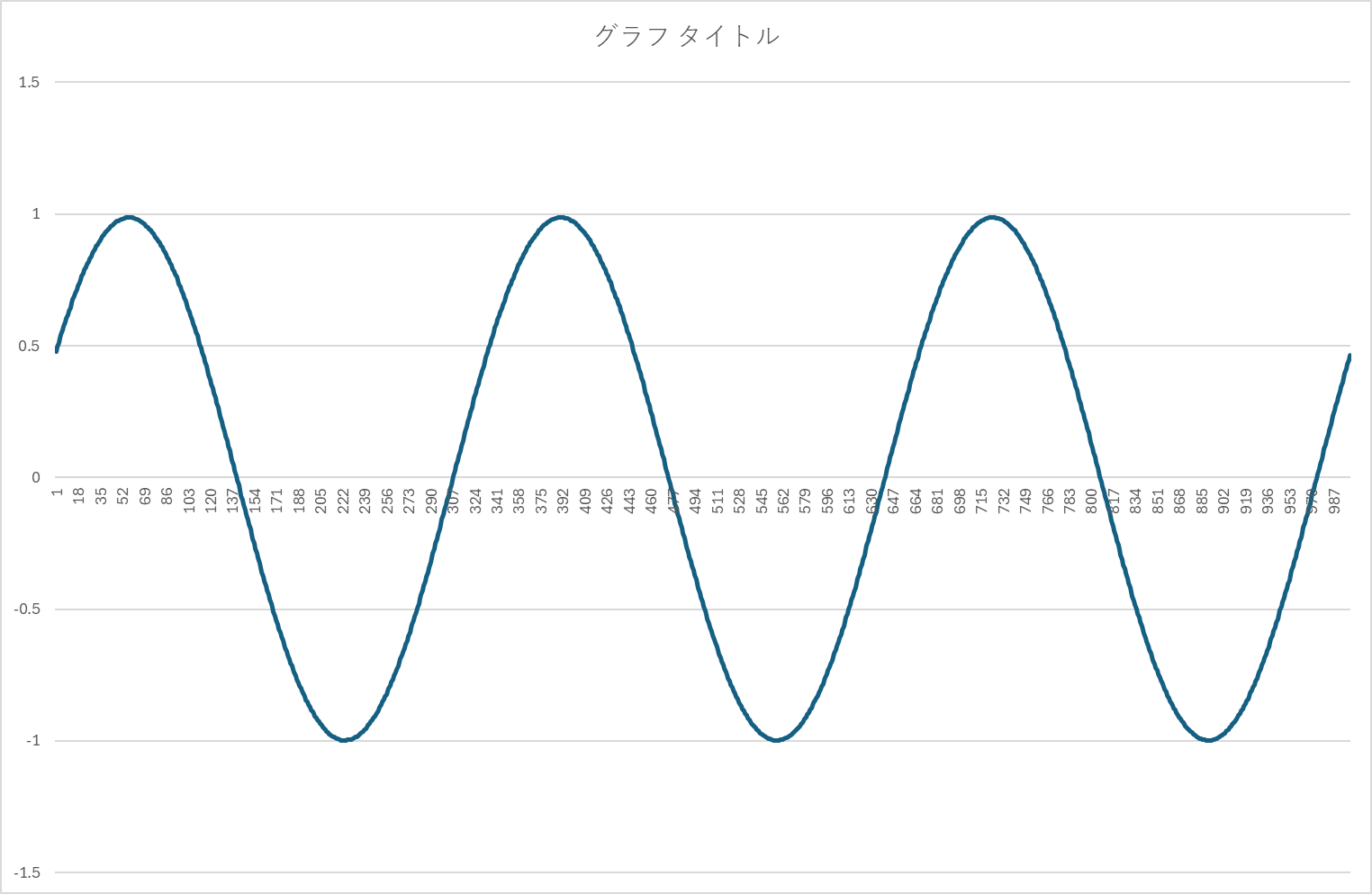
現在のディレクトリにdwf.dllが無くても動きます。実行時にはシステム側のdwf.dllをロードしているわけです。グラフを描くと、

また位相が違いますが、その理由は上で説明した通りです。C++ Builder CEから使えそうになってきたので、VCLから使って見ることにしますけど、それは次回以降に。
コメント