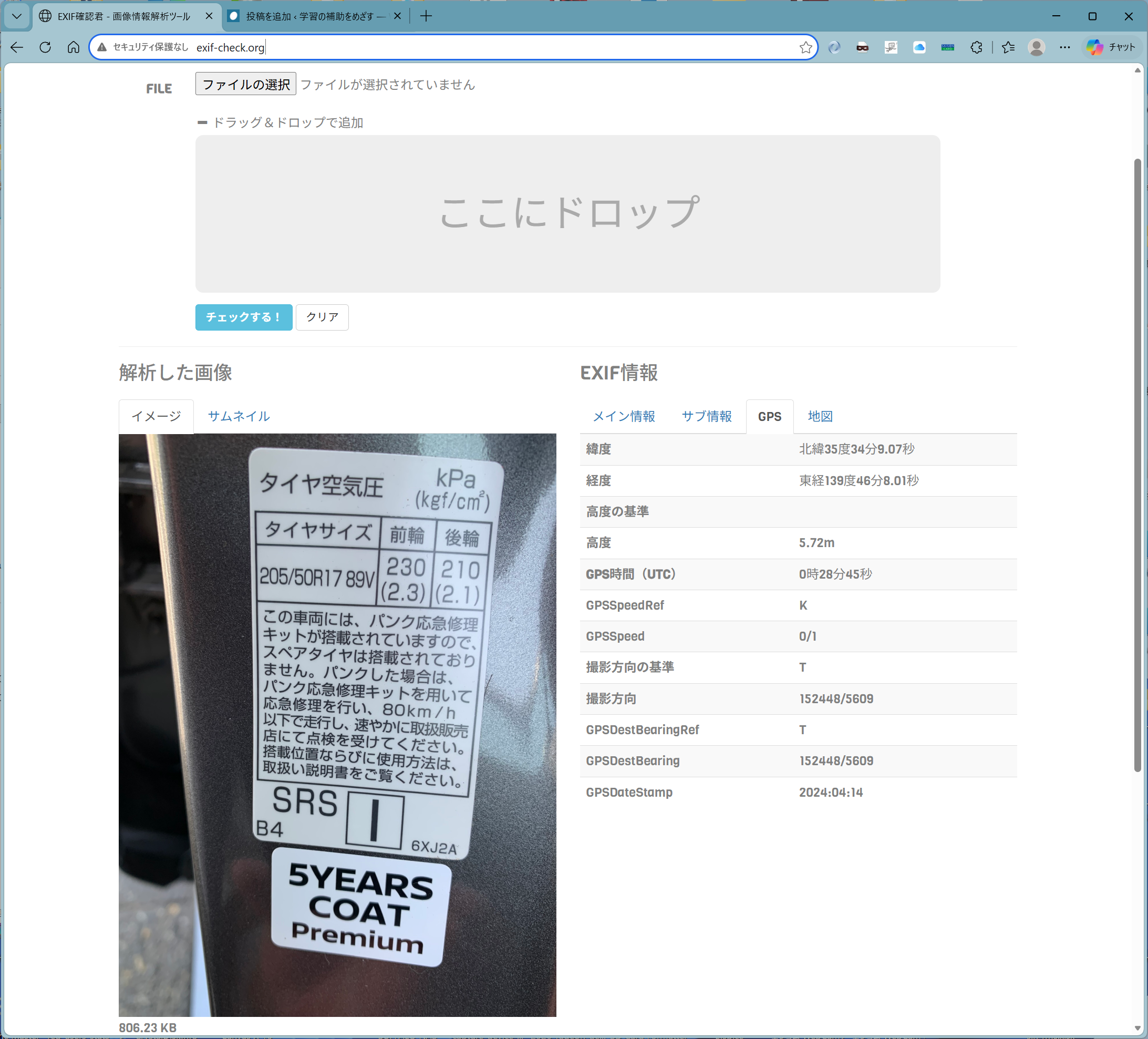
GPS情報残しておくと怖いかも
以下のようなサイトで画像ファイルのexif情報をチェックできます、
たとえば手元にあるjpeg画像をdrag and dropすると、
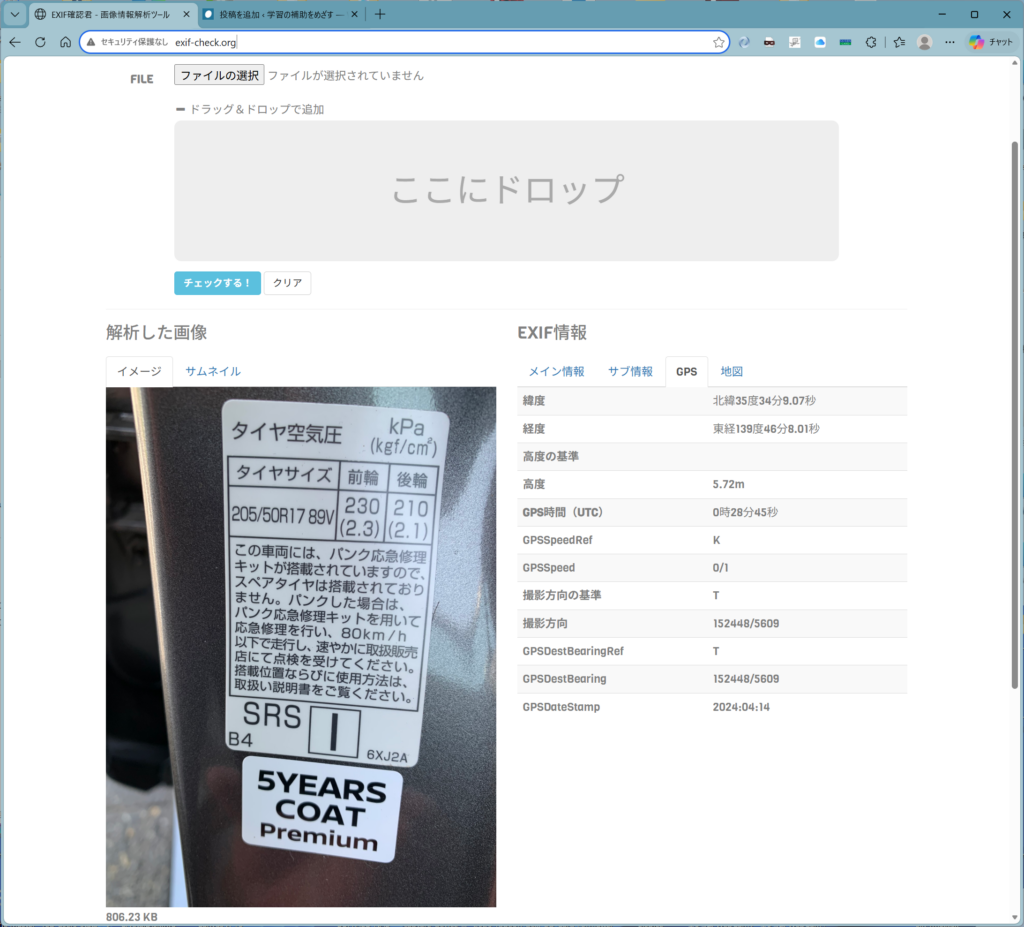
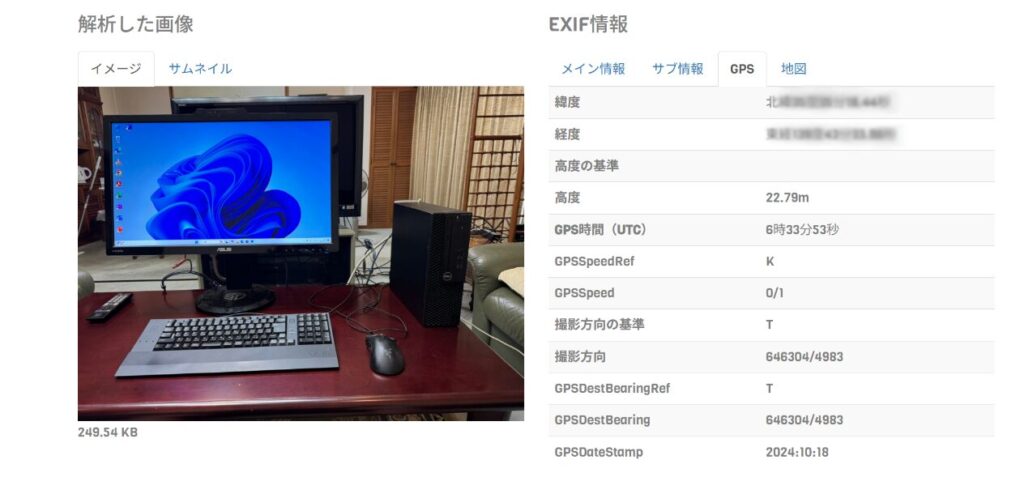
GPSのタブを選択すると、上図のように詳細な情報も得られます。下の方を見ると、
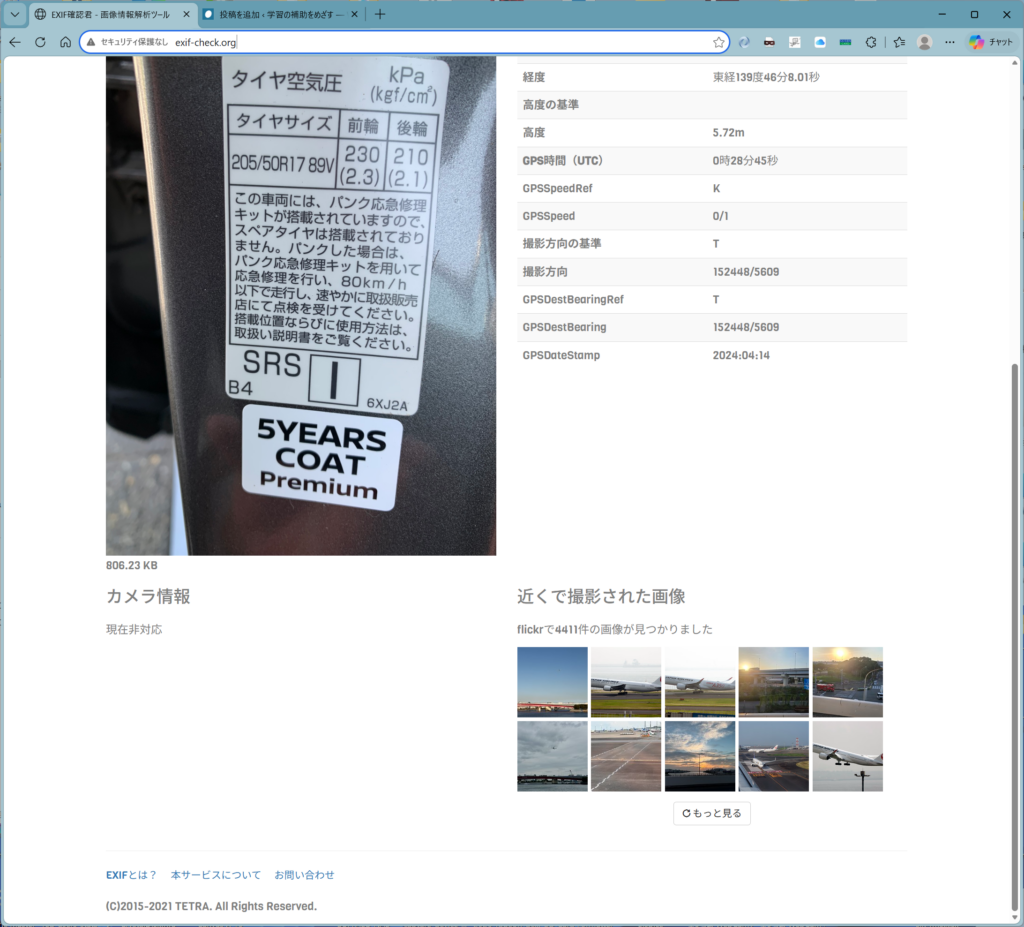
近くで撮影された画像まで列挙されますやんか。便利というか怖いね。地図のタブを選ぶと、
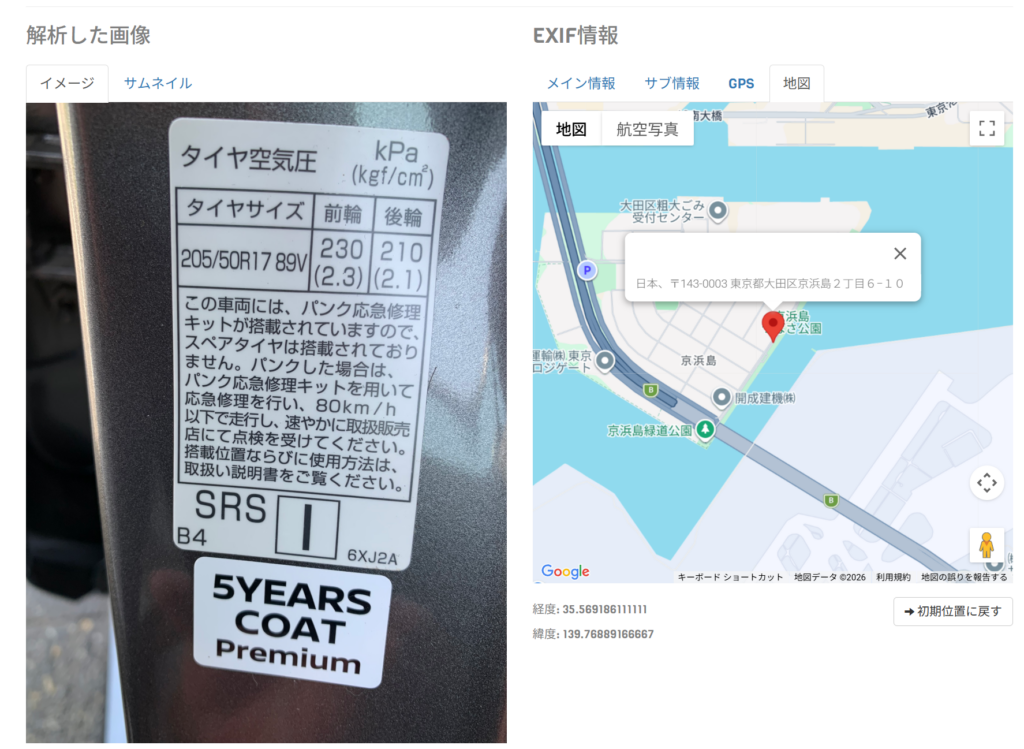
Google mapでの位置が分かります。住所も出ていますね。
blogからダウンロードしたjpeg画像を落とすと、
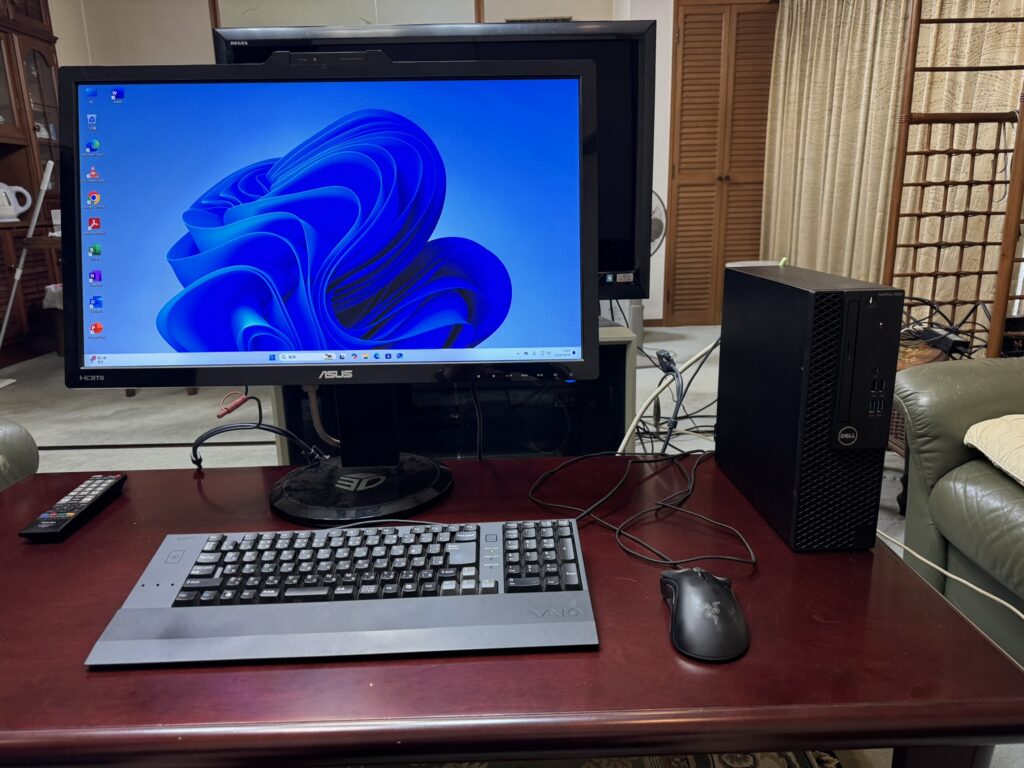
アウト
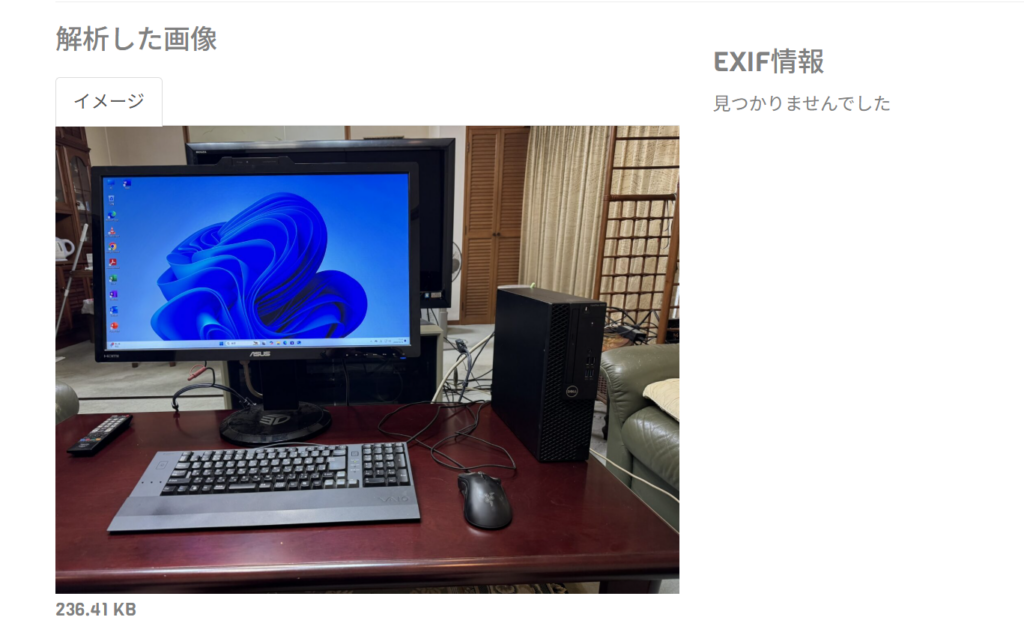
なんとかせねばね。wordpressにアップロード時にexif情報を削るプラグインを使うと、
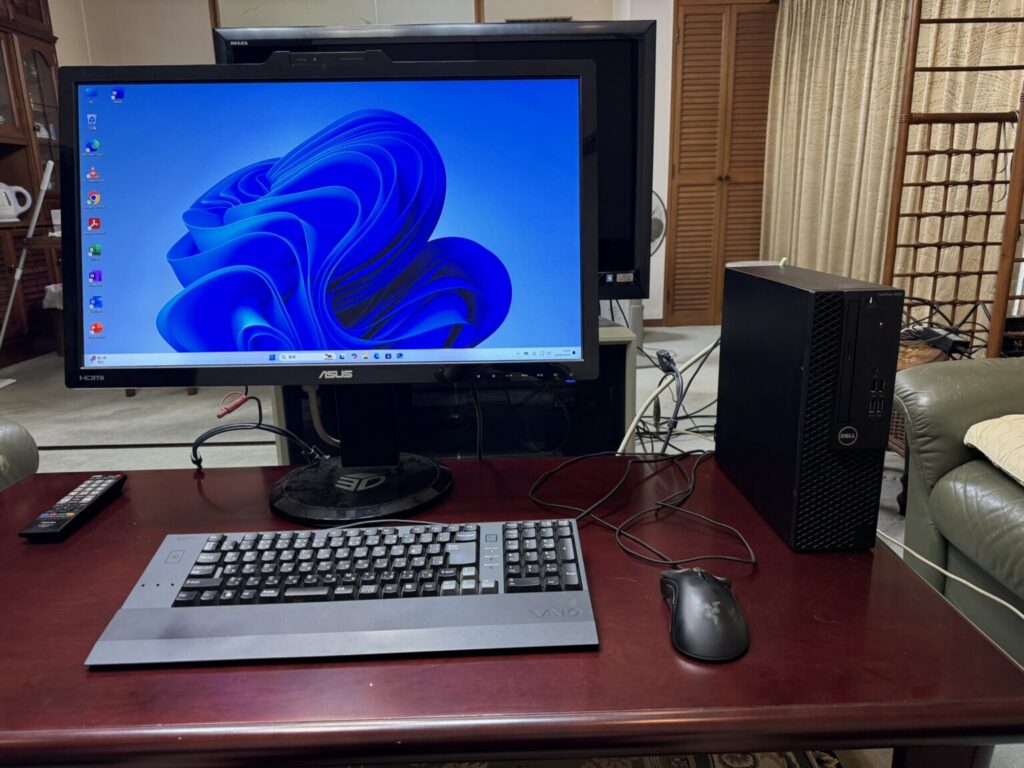
おけのようですな、新規アップロードは、おけだけど、既存は?
既にアップロード済みの画像にも”一括”でexif情報を削除できるプラグインもあるようですね。開発中かつ記述中のプログラムでもオプションでこの機能を組み込みたいですね。各プラットフォームで使えるExiv2というバイナリで可能らしいので、まずWindows版を試用してみましょう。バイナリのインストールは、
exiv2-0.28.8-2022msvc.zipなるアーカイブを探すと吉です。筆者は、


ここからダウンロードしました。解凍して、
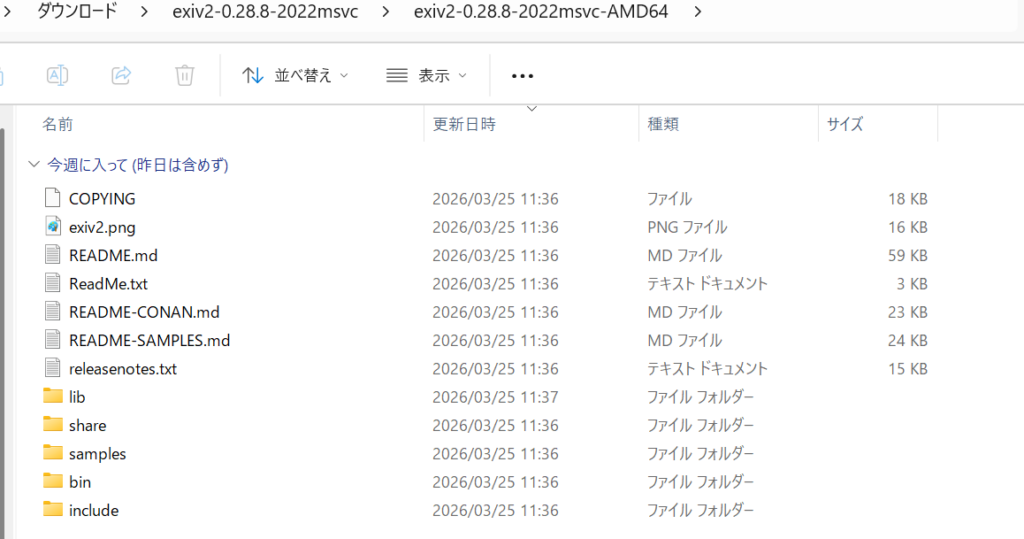
上図の”bin”にある、
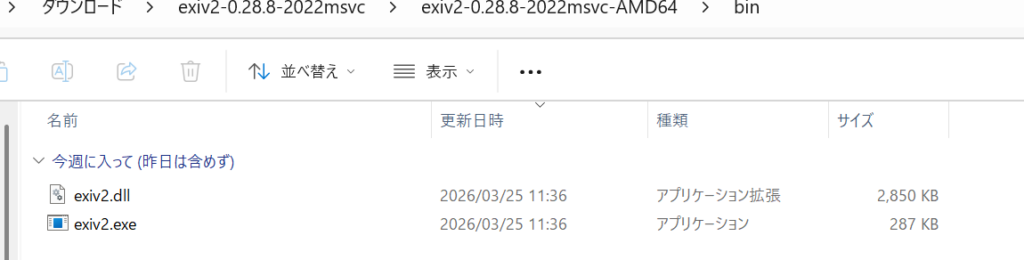
これらをPATHの通ったところに置いとくと吉です。試して見ましょう。例によってファイルのあるフォルダー内部で何もないところで、右クリック、
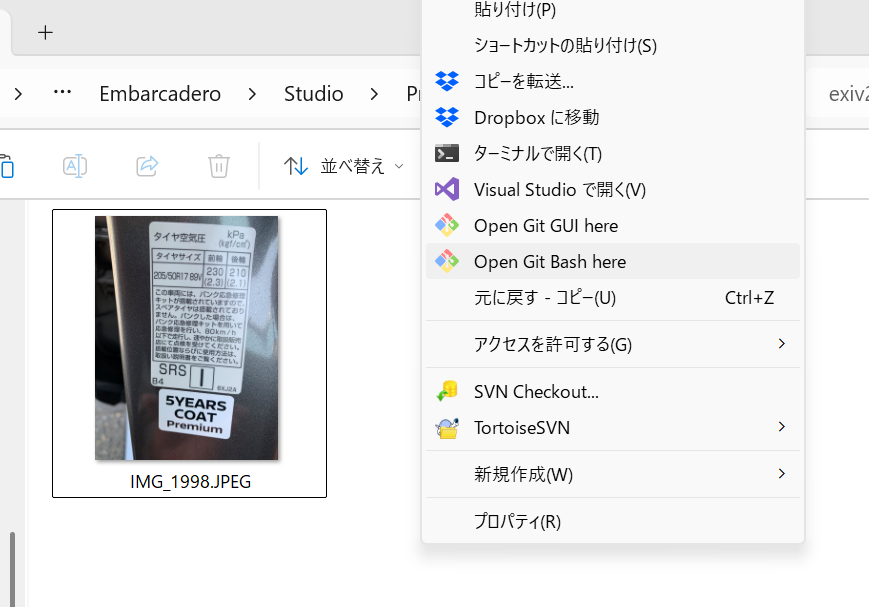
“Open Git Bash here”を選択、
$ which exiv2
/c/Program Files/Python311/exiv2

jakeb@Orbit-11 MINGW64 ~/OneDrive/Documents/Embarcadero/Studio/Projects/exiv2-test
$ exiv2 -h
bash: /c/Program Files/Python311/exiv2: Permission denied
あれま、実行拒否されました。実は裏で、
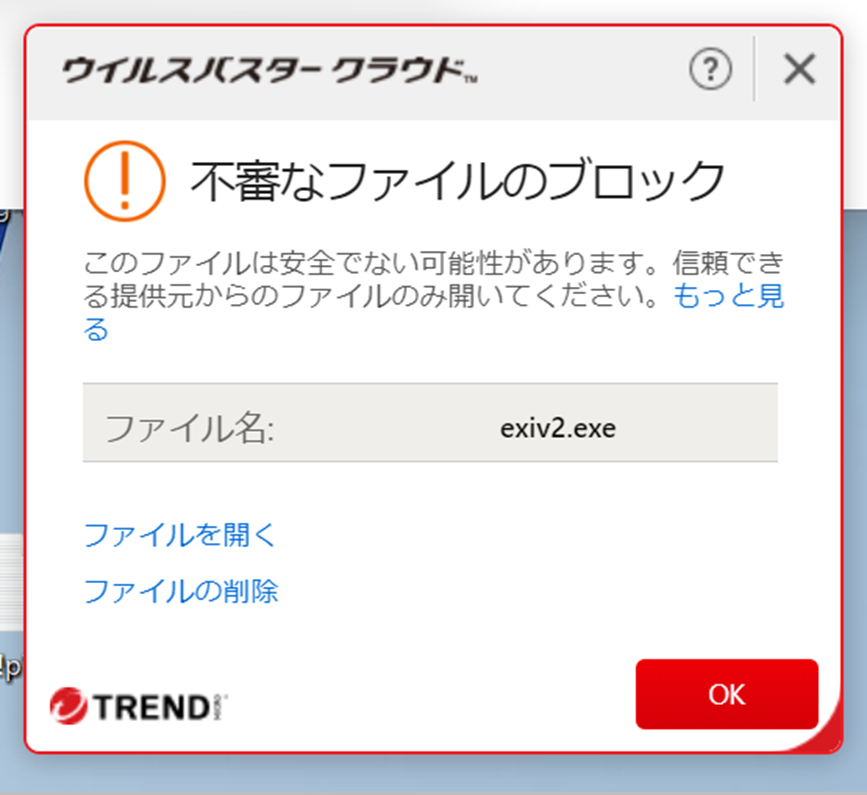
こんなダイアログが出ていました。他のファイルを書き換えるような動作はいかにも怪しいものなので、”ウイルスパスター クラウド”さんが介入したようです。さっさと”ファイルを開く”を選択しないと、上記のdeniedになります。実行を許すと、
$ exiv2 -h
Usage: exiv2.exe [ option [ arg ] ]+ [ action ] file ...

Image metadata manipulation tool.

Where file is one or more files, optionally containing a URL
(http, https, ftp, sftp, data or file) or wildcard

Actions:
  pr | print    Print image metadata (default is a summary). This is the default
                action
  ad | adjust   Adjust Exif timestamps by the given time. Requires
                at least one of -a, -Y, -O or -D
  rm | delete   Deletes image metadata, use -d to choose type to delete
                (default is all)
  in | insert   Insert metadata from .exv, .xmp, thumbnail or .icc file.
                Use option -S to change the suffix of the input files and
                -l to change the location
  ex | extract  Extract metadata to .exv, .xmp, preview image, thumbnail,
                or ICC profile. Use option -S to change the suffix of the input
                files and -l to change the location
  mv | rename   Rename files and/or set file timestamps according to the
                Exif timestamps. The filename format can be set with
                -r format, timestamp options are controlled with -t and -T
  mo | modify   Apply commands to modify the Exif, IPTC and XMP metadata.
                Requires option -m or -M
  fi | fixiso   Copy ISO setting from Canon and Nikon makernotes, to the
                standard Exif tag
  fc | fixcom   Convert the Unicode Exif user comment to UCS-2. The current
                character encoding can be specified with the -n option

Options:
   -h      Display this help and exit
   -V      Show the program version and exit
   -v      Be verbose during the program run
   -q      Silence warnings and error messages (quiet)
   -Q lvl  Set log-level to d(ebug), i(nfo), w(arning), e(rror) or m(ute)
   -b      Obsolete, reserved for use with the test suit
   -u      Show unknown tags (e.g., Exif.SonyMisc3c.0x022b)
   -g str  Only output where 'str' matches in output text (grep)
           Append /i to 'str' for case insensitive
   -K key  Only output where 'key' exactly matches tag's key
   -n enc  Character set to decode Exif Unicode user comments
   -k      Preserve file timestamps when updating files (keep)
   -t      Set the file timestamp from Exif metadata when renaming (overrides -k)
   -T      Only set the file timestamp from Exif metadata ('rename' action)
   -f      Do not prompt before overwriting existing files (force)
   -F      Do not prompt before renaming files (Force)
   -a time Time adjustment in the format [+|-]HH[:MM[:SS]]. For 'adjust' action
   -Y yrs  Year adjustment with the 'adjust' action
   -O mon  Month adjustment with the 'adjust' action
   -D day  Day adjustment with the 'adjust' action
   -p mode Print mode for the 'print' action. Possible modes are:
             s : A summary of the Exif metadata (the default)
             a : Exif, IPTC and XMP tags (shortcut for -Pkyct)
             e : Exif tags (shortcut for -PEkycv)
             t : Interpreted (translated) Exif tags (-PEkyct)
             v : Plain (untranslated) Exif tags values (-PExgnycv)
             h : Hex dump of the Exif tags (-PExgnycsh)
             i : IPTC tags (-PIkyct)
             x : XMP tags (-PXkyct)
             c : JPEG comment
             p : List available image preview, sorted by size
             C : Print ICC profile
             R : Recursive print structure of image (debug build only)
             S : Print structure of image (limited file types)
             X : Extract "raw" XMP
   -P flgs Print flags for fine control of tag lists ('print' action):
             E : Exif tags
             I : IPTC tags
             X : XMP tags
             x : Tag number for Exif or IPTC tags (in hexadecimal)
             g : Group name (e.g. Exif.Photo.UserComment, Photo)
             k : Key (e.g. Exif.Photo.UserComment)
             l : Tag label (e.g. Exif.Photo.UserComment, 'User comment')
             d : Tag description
             n : Tag name (e.g. Exif.Photo.UserComment, UserComment)
             y : Type
             y : Type
             c : Number of components (count)
             s : Size in bytes of vanilla value (may include NULL)
             v : Plain data value of untranslated (vanilla)
             V : Plain data value, data type and the word 'set'
             t : Interpreted (translated) human readable values
             h : Hex dump of the data
   -d tgt1  Delete target(s) for the 'delete' action. Possible targets are:
             a : All supported metadata (the default)
             e : Exif tags
             t : Exif thumbnail only
             i : IPTC tags
             x : XMP tags
             c : JPEG comment
             C : ICC Profile
             c : All IPTC data (any broken multiple IPTC blocks)
             - : Input from stdin
   -i tgt2 Insert target(s) for the 'insert' action. Possible targets are
             a : All supported metadata (the default)
             e : Exif tags
             t : Exif thumbnail only (JPEGs only from <file>-thumb.jpg)
             i : IPTC tags
             x : XMP tags
             c : JPEG comment
             C : ICC Profile, from <file>.icc
             X : XMP sidecar from file <file>.xmp
             XX: "raw" metadata from <file>.exv. XMP default, optional Exif and IPTC
             - : Input from stdin
   -e tgt3 Extract target(s) for the 'extract' action. Possible targets
             a : All supported metadata (the default)
             e : Exif tags
             t : Exif thumbnail only (to <file>-thumb.jpg)
             i : IPTC tags
             x : XMP tags
             c : JPEG comment
             pN: Extract N'th preview image to <file>-preview<N>.<ext>
             C : ICC Profile, to <file>.icc
             X : XMP sidecar to <file>.xmp
             XX: "raw" metadata to <file>.exv. XMP default, optional Exif and IPTC
             - : Output to stdin
   -r fmt  Filename format for the 'rename' action. The format string
           follows strftime(3). The following keywords are also supported:
             :basename:   - original filename without extension
             :basesuffix: - suffix in original filename, starts with first dot and ends before extension
             :dirname:    - name of the directory holding the original file
             :parentname: - name of parent directory
           Default 'fmt' is %Y%m%d_%H%M%S
   -c txt  JPEG comment string to set in the image.
   -m cmdf Applies commands in 'cmdf' file, for the modify action (see -M for format).
   -M cmd  Command line for the modify action. The format is:
           ( (set | add) <key> [[<type>] <value>] |
             del <key> [<type>] |
             reg prefix namespace )
   -l dir  Location (directory) for files to be inserted from or extracted to.
   -S suf Use suffix 'suf' for source files for insert action.

Examples:
   exiv2 -pe image.dng *.jp2
           Print all Exif tags in image.dng and all .jp2 files
   exiv2 -g date/i https://clanmills.com/Stonehenge.jpg
           Print all tags in file, where key contains 'date' (case insensitive)
   exiv2 -M"set Xmp.dc.subject XmpBag Sky" image.tiff
           Set (or add if missing) value to tag in file
これが使い方です。画像ファイルのexif情報などは、ファイルのプロパティーから確認できます。
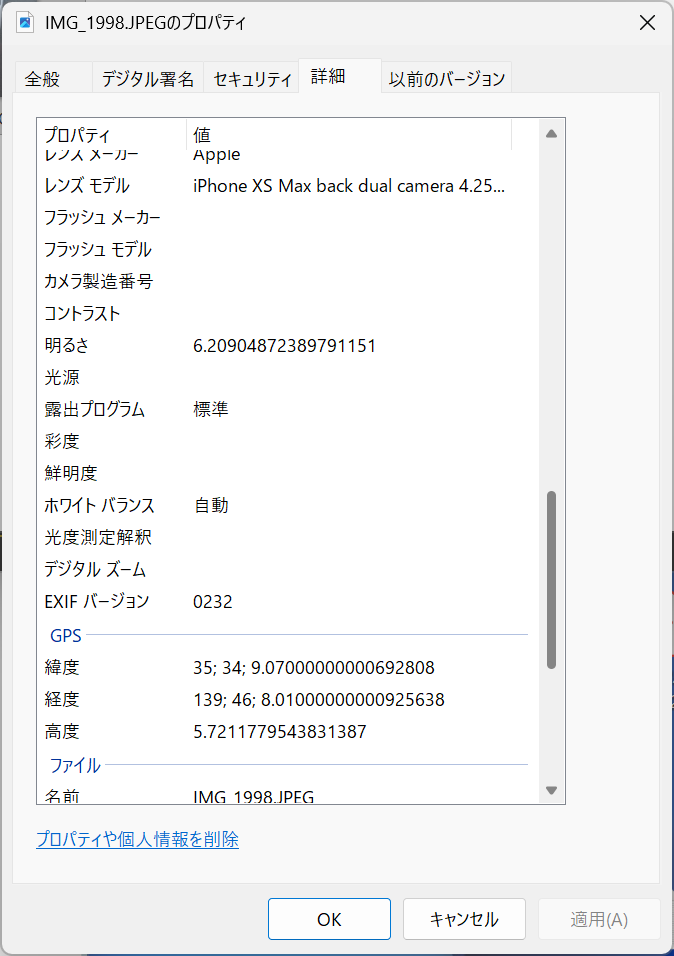
さてこのファイル IMG_1998.JPEG のexif情報を削ってみましょう。
exiv2 -k -d e IMG_1998.JPEGでおけです。-kはタイムスタンプをいじらない、-d e はe(xif)情報をdeleteの意味です。実行してからプロパティーで確認すると、
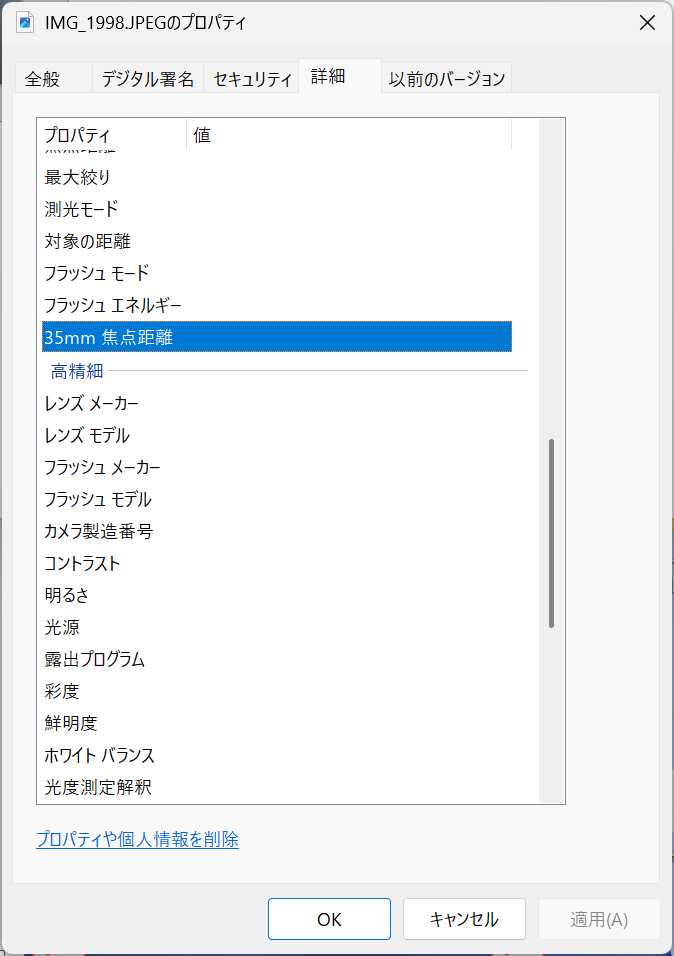
ちゃんと削除されています。外部プログラムとしてファイル名をパラメーターとして起動すれば良さそうですね。
ちなみにExiv2のソースコードも供給されていますが、今回はC++ Builder CEに組み込んで使うアプローチは取りません。バイナリを使います。
コメント